

Bulk Member Action
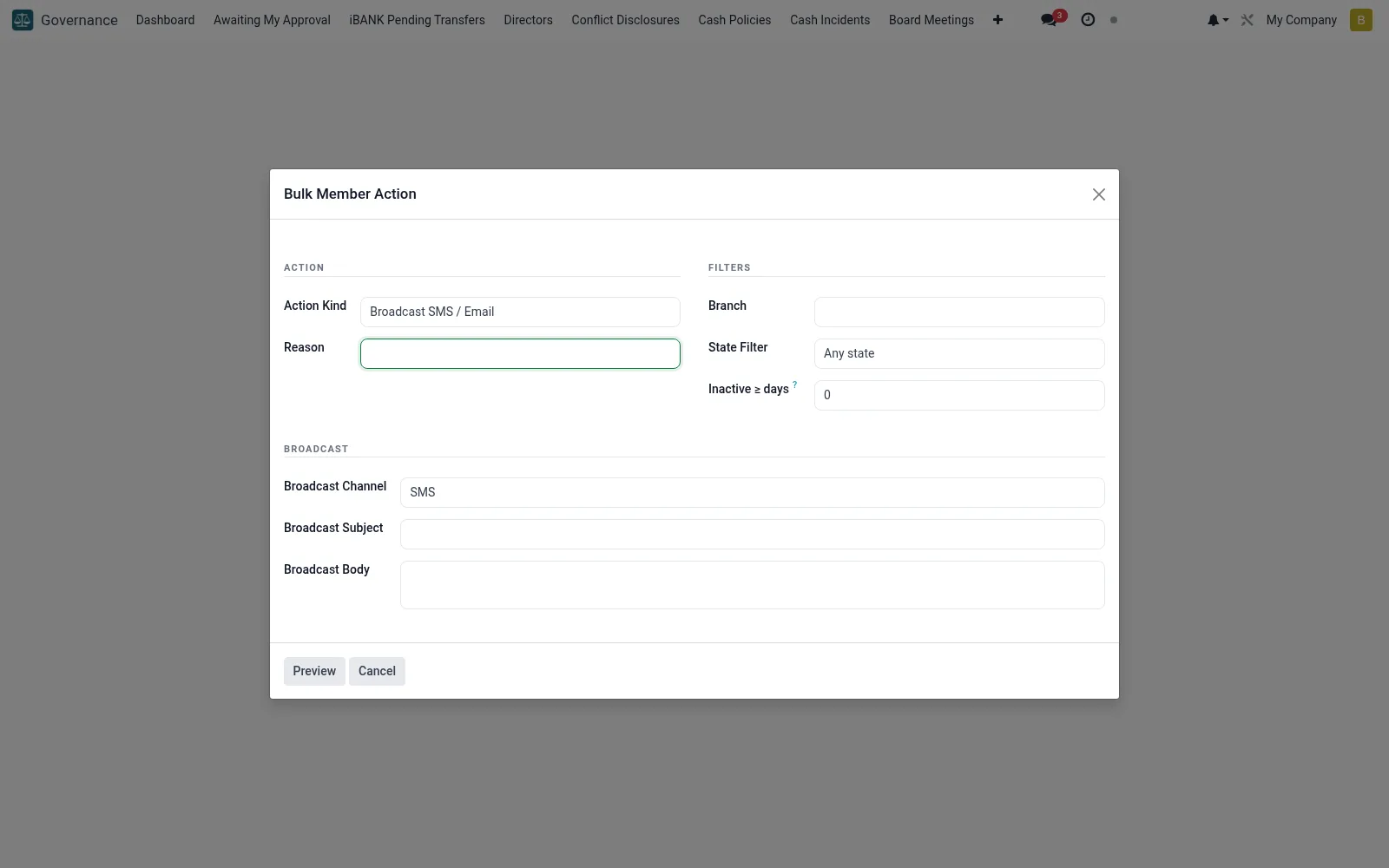
A controlled wizard (mfi.member.bulk.action.wizard) for applying an action - such as status change, classification or communication - across many member records at once. Because mass changes carry governance risk, the wizard requires explicit selection and confirmation before committing. It records the operation so a bulk change can be traced and justified.
Workflow
- Open Bulk Member Action under Governance.
- Define the member selection or filter to act on.
- Choose the action to apply across the set.
- Review the affected-record count before confirming.
- Execute and confirm the operation is logged for audit.
Fields reference
Every field on this screen, drawn from the live data model.
| Field | Type | Required | Description |
|---|---|---|---|
Inactive ≥ daysinactive_days | Number | — | Only members whose last activity ≥ N days ago. 0 = no filter. |
Confirmedconfirmed | Yes/No | — | Tick to confirm the preview before applying. |
Action Kindaction_kind | Choice: Freeze accounts, Unfreeze accounts, Force-logout sessions, Recompute account fees, Broadcast SMS / Email | Yes | Action Kind |
Reasonreason | Text | Yes | Reason |
Branchbranch_id | Link → mfi.branch | — | Branch |
State Filterstate_filter | Choice: Any state, Active only, Frozen only | — | State Filter |
Preview Countpreview_count | Number | — | Preview Count |
Preview Memberpreview_member_ids | Tags | — | Preview Member |
Broadcast Subjectbroadcast_subject | Text | — | Broadcast Subject |
Broadcast Bodybroadcast_body | Long text | — | Broadcast Body |
Broadcast Channelbroadcast_channel | Choice: SMS, Email, Both | — | Broadcast Channel |
Actions & buttons
Buttons available on this screen and what they do:
- Preview
- Execute
Notes & rules
- Applies one action across many members in a single run.
- Requires explicit confirmation given the scale of impact.
- The operation is logged for traceability.
- Used for controlled mass updates, not routine edits.
Was this page helpful?