

Board Pack
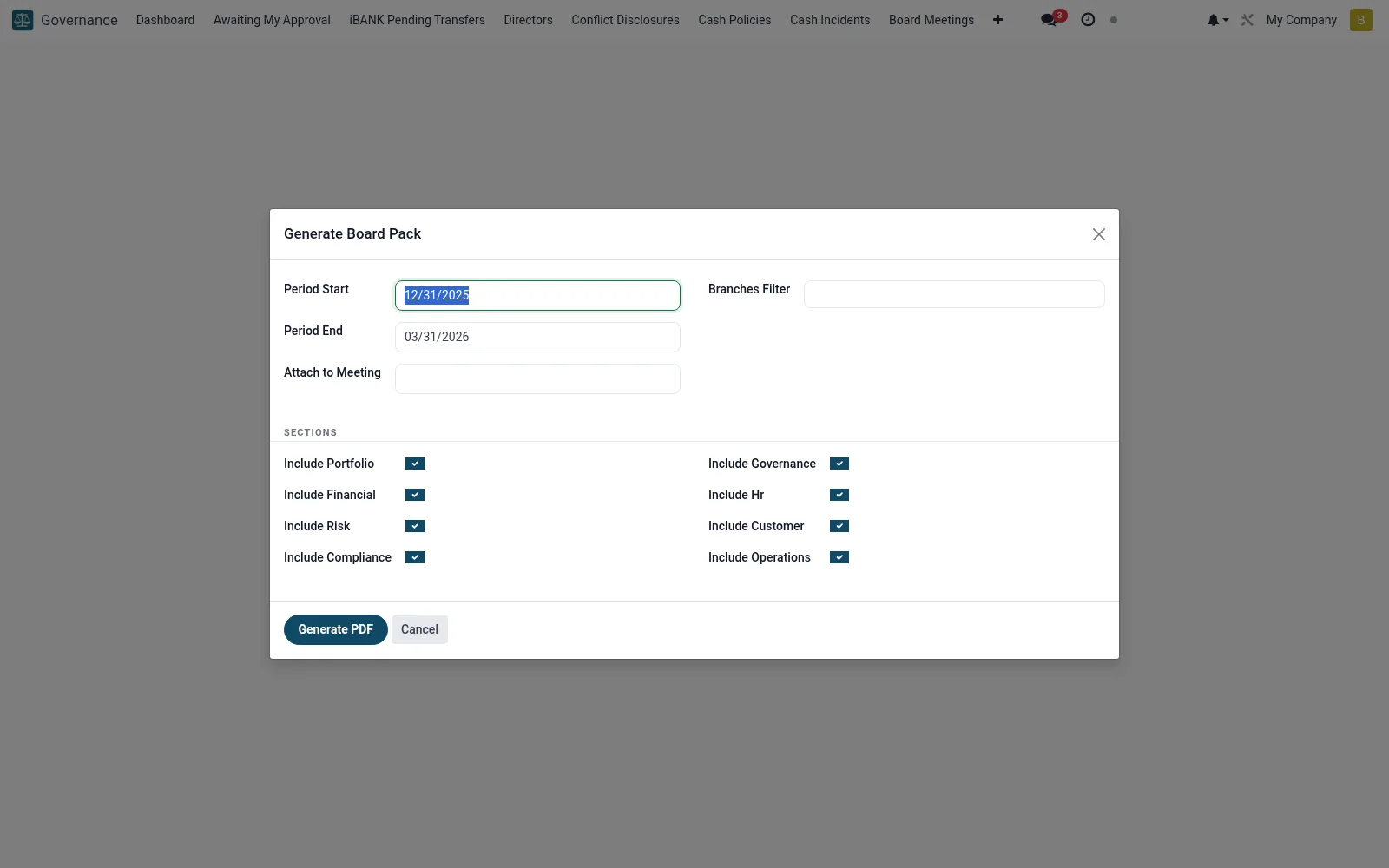
A wizard (mfi.board.pack.wizard) that assembles the board pack - financials, KPI summaries, risk and compliance reports and policy updates - into a single document for an upcoming meeting. It pulls current data so directors review consistent, up-to-date figures. The company secretary uses it to standardise and speed up meeting preparation.
Workflow
- Open Board Pack under Governance.
- Select the target board meeting and reporting period.
- Choose the sections and reports to include.
- Generate the consolidated board-pack document.
- Distribute it to directors ahead of the meeting.
Fields reference
Every field on this screen, drawn from the live data model.
| Field | Type | Required | Description |
|---|---|---|---|
Period Endperiod_end | Date | Yes | Period End |
Period Startperiod_start | Date | Yes | Period Start |
Branches Filterbranch_ids | Tags | — | Branches Filter |
Attach to Meetingmeeting_id | Link → mfi.board.meeting | — | Attach to Meeting |
Include Portfolioinclude_portfolio | Yes/No | — | Include Portfolio |
Include Financialinclude_financial | Yes/No | — | Include Financial |
Include Riskinclude_risk | Yes/No | — | Include Risk |
Include Complianceinclude_compliance | Yes/No | — | Include Compliance |
Include Governanceinclude_governance | Yes/No | — | Include Governance |
Include Hrinclude_hr | Yes/No | — | Include Hr |
Include Customerinclude_customer | Yes/No | — | Include Customer |
Include Operationsinclude_operations | Yes/No | — | Include Operations |
Actions & buttons
Buttons available on this screen and what they do:
- Generate PDF
Notes & rules
- Compiles financial, risk and compliance content in one pack.
- Pulls live data for the selected period.
- Tied to a specific board meeting.
- Standardises and accelerates meeting preparation.
Was this page helpful?