

Policy Register
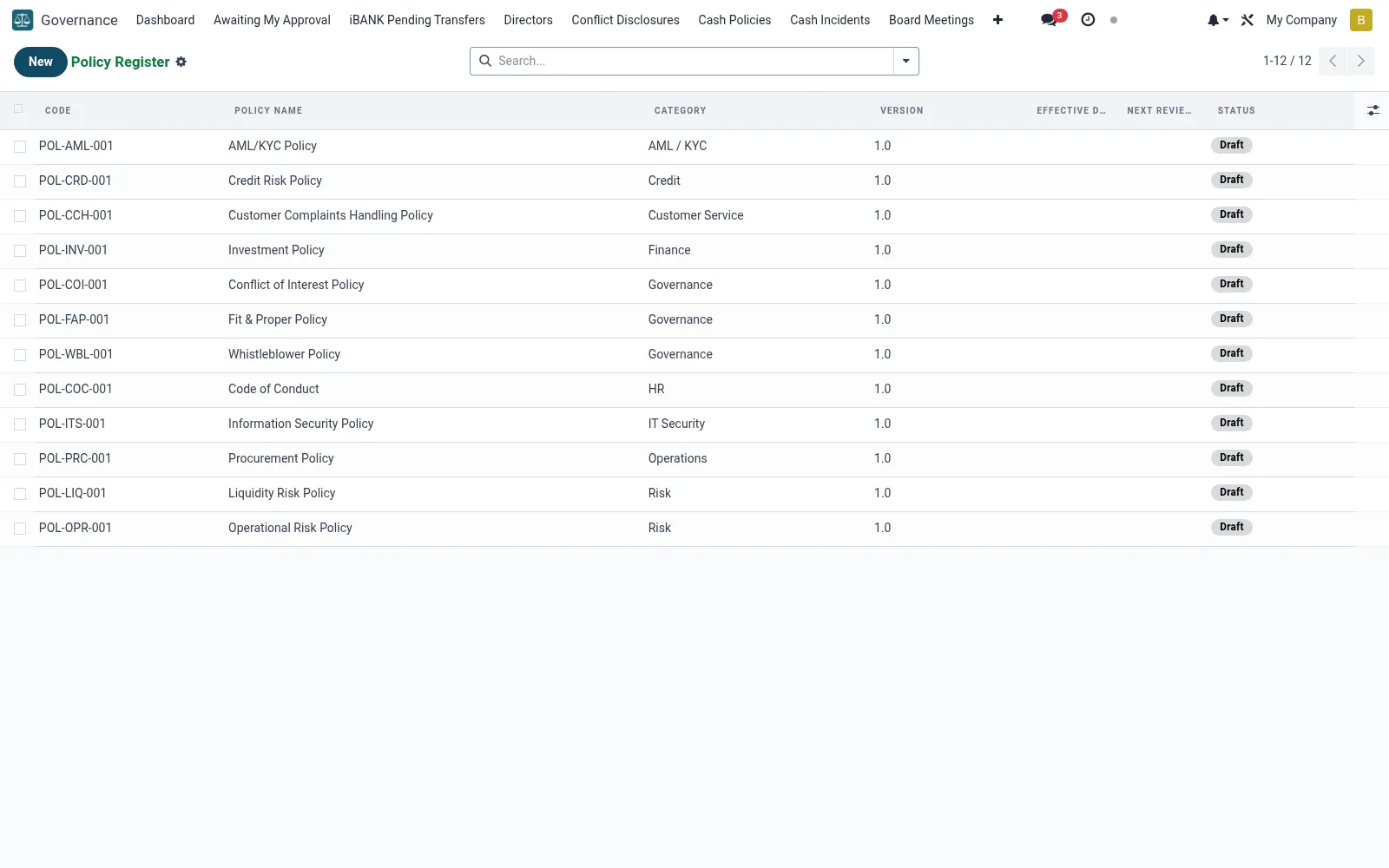
The central library of institutional policies (mfi.governance.policy) - credit, AML, HR, IT and operational policies - with versions, owners, approval status and review dates. It ensures every policy is current, board-approved and accessible. Staff and examiners use it as the definitive source of the rules the institution operates under.
Workflow
- Open Policy Register under Governance.
- Create a policy with its owner, category and document.
- Route it through review and board approval.
- Set the next review-due date.
- Publish the approved version and supersede the old one.
Fields reference
Every field on this screen, drawn from the live data model.
| Field | Type | Required | Description |
|---|---|---|---|
Owner Roleowner_role | Text | — | e.g. Chief Risk Officer, Head of Compliance |
Policy Namename | Text | Yes | Policy Name |
Categorypolicy_category | Choice: Credit, Risk, AML / KYC, Operations, HR, Governance, IT Security, Finance | Yes | Category |
Companycompany_id | Link → res.company | Yes | Company |
Has Messagehas_message | Yes/No | — | Has Message |
Codecode | Text | — | Code |
Versionversion | Text | — | Version |
Policy PDFdocument_attachment_id | Link → ir.attachment | — | Policy PDF |
Summarysummary | Rich text | — | Summary |
Effective Dateeffective_date | Date | — | Effective Date |
Last Review Datereview_date | Date | — | Last Review Date |
Review Cycle (months)review_cycle_months | Number | — | Review Cycle (months) |
Next Review Datenext_review_date | Date | — | Next Review Date |
Statusstate | Choice: Draft, Under Review, Approved, Active, Superseded, Revoked | — | Status |
Approved at Meetingapproved_by_meeting_id | Link → mfi.board.meeting | — | Approved at Meeting |
Approval Resolutionapproval_resolution_id | Link → mfi.board.resolution | — | Approval Resolution |
Owner (User)owner_user_id | Link → res.users | — | Owner (User) |
Supersedessupersedes_id | Link → mfi.governance.policy | — | Supersedes |
Supporting Documentsattachment_ids | List | — | Supporting Documents |
Activeactive | Yes/No | — | Active |
Actions & buttons
Buttons available on this screen and what they do:
- Submit for Review
- Approve
- Activate
- Revoke
Status lifecycle
Records on this screen move through these statuses:
Draft → Under Review → Approved → Active → Superseded → Revoked
Notes & rules
- Single library of all institutional policies.
- Version control preserves the approval history.
- Review dates prevent policies going stale.
- The authoritative reference for staff and examiners.
Was this page helpful?