

Reports & Regulatory Pack
Reports & Regulatory Pack is the central report builder and the regulatory submission engine. PAR, ROA, ROE, NIM, OER, CAR, NPL, LCR and NSFR are KPI-calculated; CBK, SASRA and BoU templates are pre-mapped.
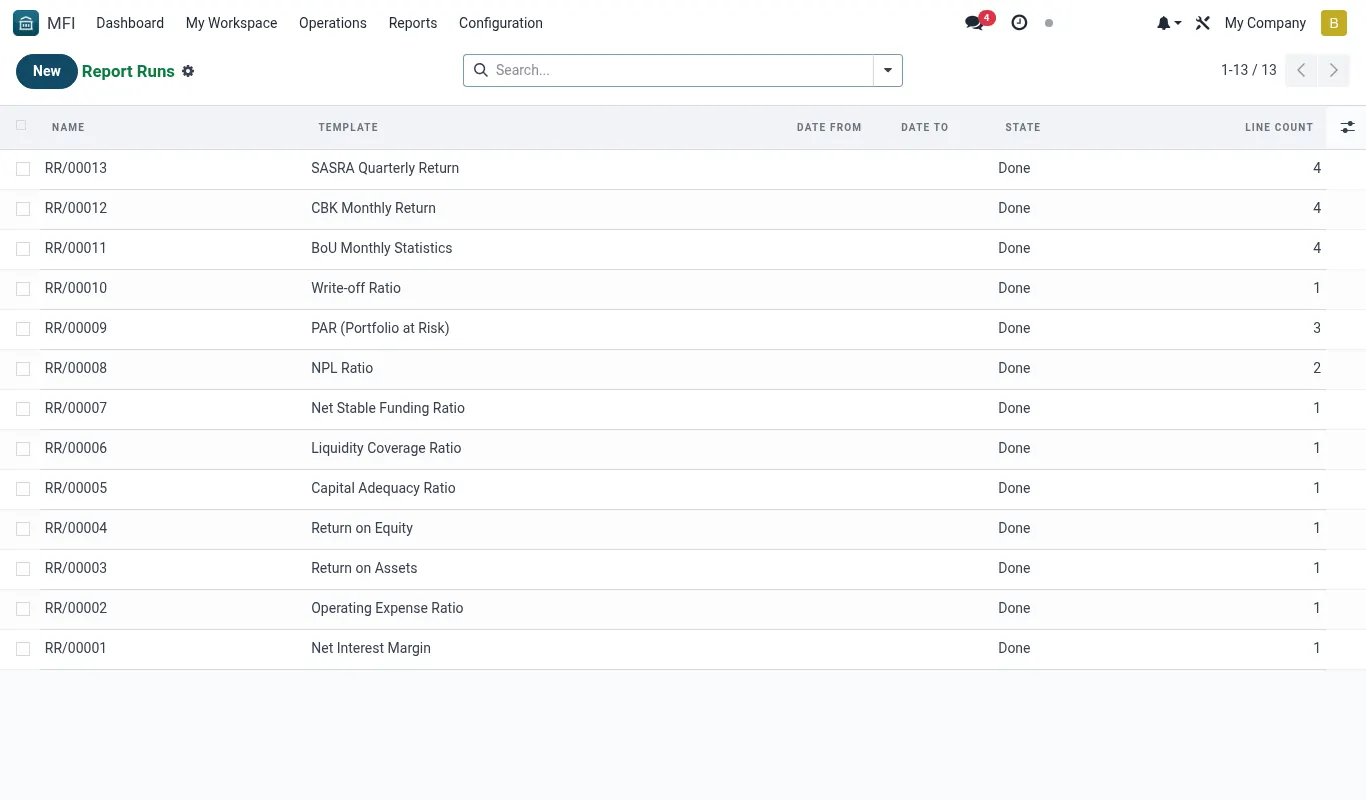
How to run the monthly regulator report
The CBK monthly report is the most-run report in the suite. It pulls from the GL plus the loan / savings sub-ledgers; the result drops into the regulator's required format.
- Open Reports → Regulatory pack → CBK Monthly.
- Pick the month.
- Click Run. The wizard validates against the CoA mapping and produces the report.
- Sign off with the chain: preparer → reviewer → approver.
- Click Export; the file is in the regulator's required format ready to upload.
How to build a custom report
For internal reports — branch-level PAR by product, by officer, by sector — the builder lets you compose without writing code.
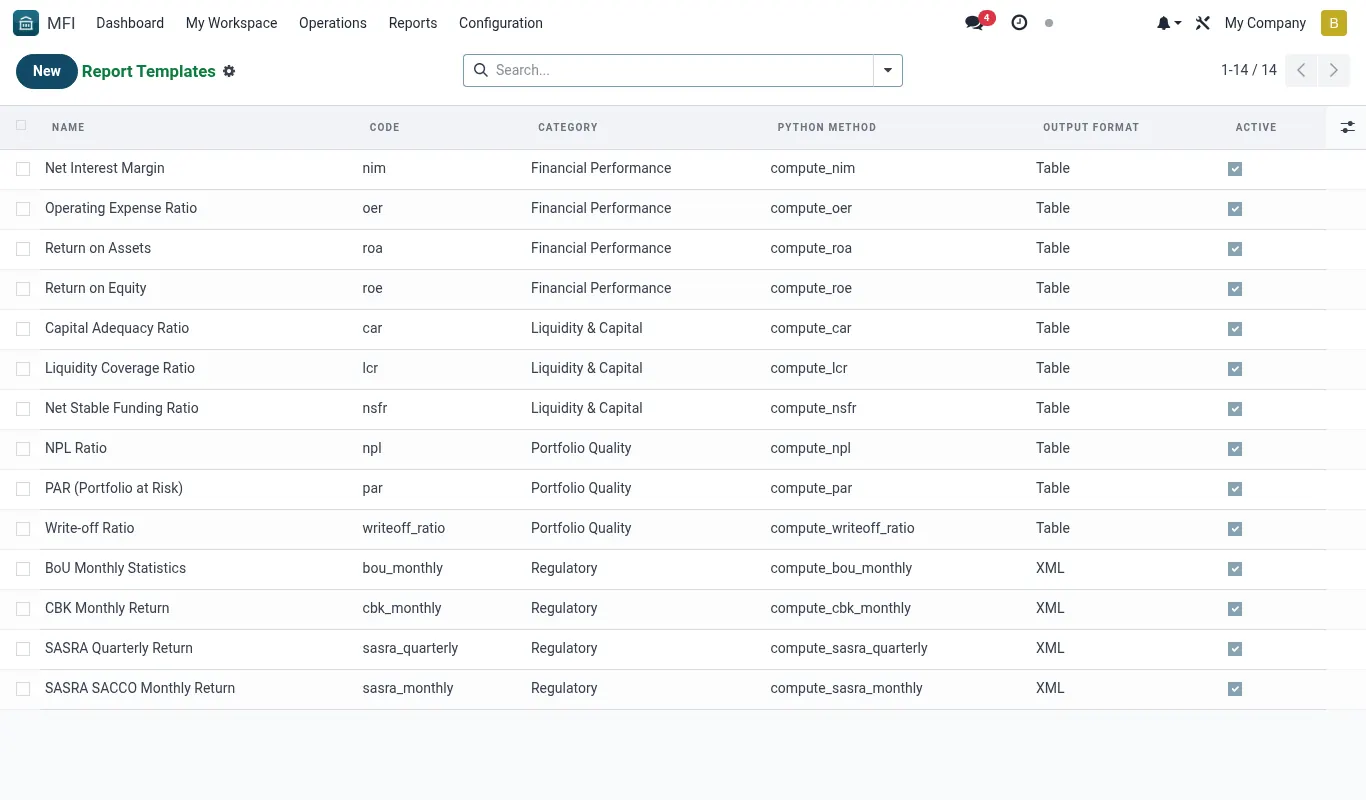
- Open Reports → Report Templates → New.
- Pick the source model (mfi.loan, mfi.savings.account, etc.).
- Choose dimensions (branch, product, officer, sector) and measures (count, sum, average).
- Save. The template is now runnable from Report Runs; schedule it if you want it emailed weekly.
Reference
Feature checklist
- Drag-and-drop builder over mfi.* models
- KPI calculator (PAR, ROA, ROE, NIM, OER, CAR, NPL, LCR, NSFR)
- Regulatory templates pre-mapped to CoA
- Scheduled reports — PDF + XLSX + email
- Report versioning + sign-off
Configuration reference
| Where | What to set |
|---|---|
| Regulator | CBK Kenya, SASRA, BoU Uganda — selects template pack |
| Reporting calendar | Cut-off, submission deadline, retry |
| Sign-off chain | Preparer + reviewer + approver |
Roles & permissions
| Group | Capability |
|---|---|
| mfi_reports.group_reports_user | Run, export |
| mfi_reports.group_reports_admin | Build templates, sign-off |
Accounting integration
Reports read from posted journal entries — see Accounting integration.Tip. Use the regulatory pack as your starting point — bespoke templates take 10× longer to build.
Was this page helpful?