

SASRA Returns
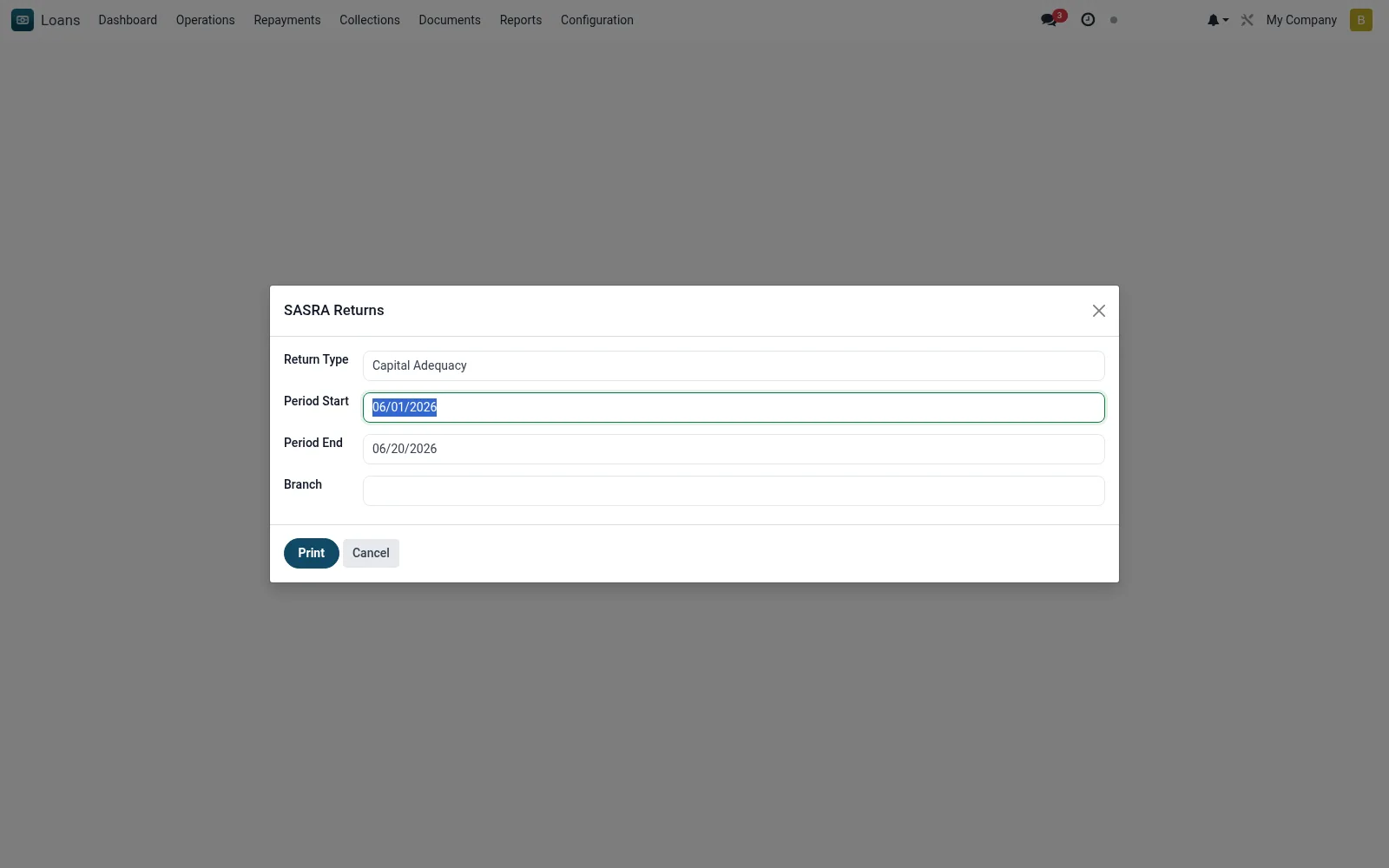
The SASRA Returns wizard compiles the statutory periodic returns required by the SACCO regulator, drawing portfolio, classification and provisioning data into the prescribed schedules. It standardises regulatory submission and reduces manual return preparation.
Workflow
- Open the wizard and select the return period.
- Confirm the schedules/forms to compile.
- Run to populate the return from portfolio data.
- Review the generated schedules for completeness.
- Export the return for regulatory submission.
Fields reference
Every field on this screen, drawn from the live data model.
| Field | Type | Required | Description |
|---|---|---|---|
Return Typereturn_type | Choice: Capital Adequacy, Liquidity, Delinquency (PAR), Large Exposures, Insider Lending | Yes | Return Type |
Period Startperiod_start | Date | — | Period Start |
Period Endperiod_end | Date | — | Period End |
Branchbranch_id | Link → mfi.branch | — | Branch |
Actions & buttons
Buttons available on this screen and what they do:
Notes & rules
- Model: mfi.sasra.return.wizard (PDF).
- Compiles prescribed regulatory schedules.
- Sources portfolio, classification and provision data.
- Statutory SACCO supervisory return.
Was this page helpful?