

CBK Classification (PG/04)
The CBK Classification (PG/04) wizard generates the loan-classification return in the prudential format, grading every facility as Normal, Watch, Substandard, Doubtful or Loss by days-in-arrears and applying the mandated provisioning rates. It is the statutory asset-quality return submitted to the regulator.
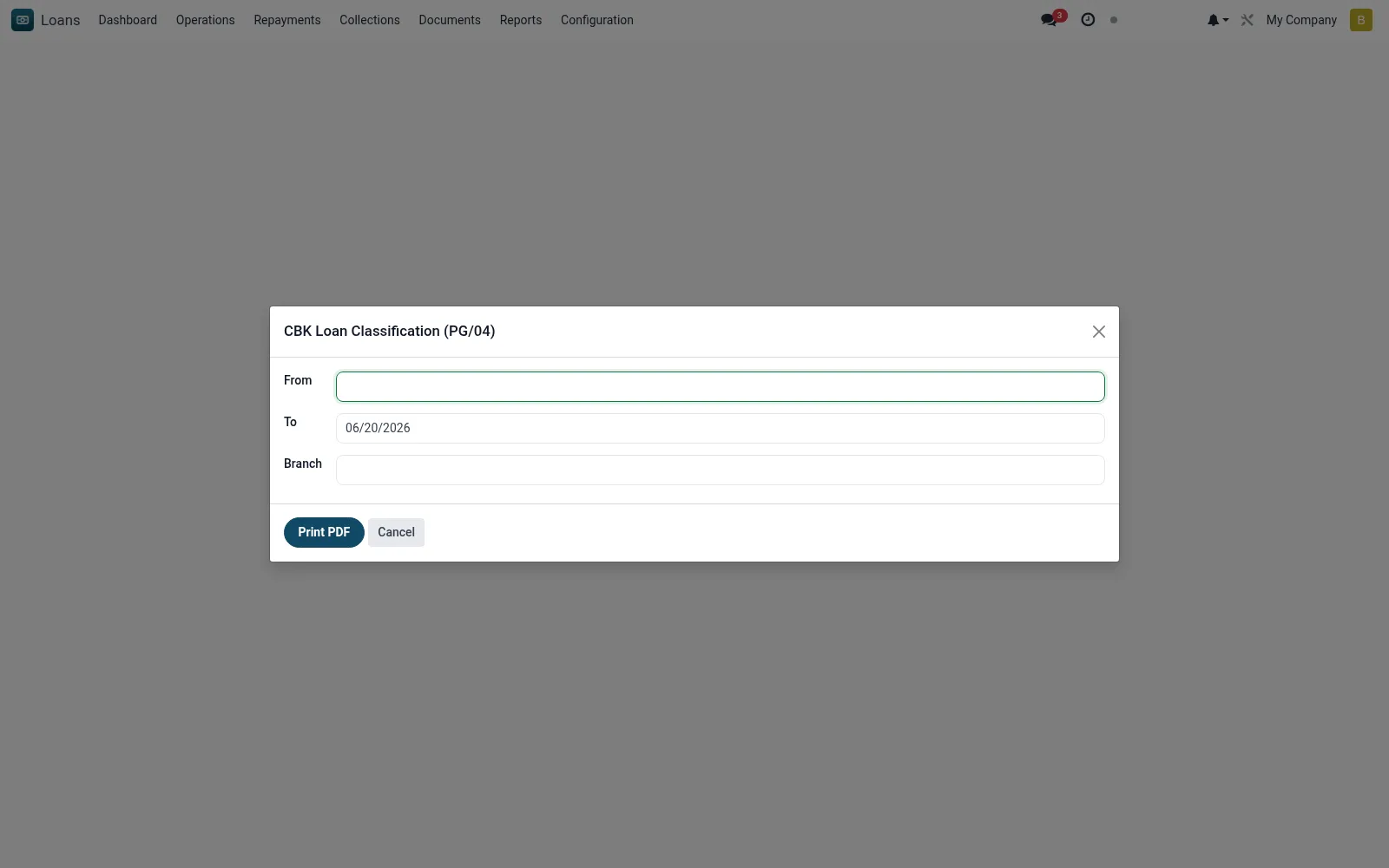
Workflow
- Open the wizard and set the return (as-at) date.
- Confirm the classification and provisioning rate parameters.
- Run to classify the portfolio into the prudential grades.
- Review classified balances and required provisions per grade.
- Export the PG/04 return for submission.
Fields reference
Every field on this screen, drawn from the live data model.
| Field | Type | Required | Description |
|---|---|---|---|
Fromdate_from | Date | — | From |
Todate_to | Date | — | To |
Branchbranch_id | Link → mfi.branch | — | Branch |
Actions & buttons
Buttons available on this screen and what they do:
- Print PDF
Notes & rules
- Model: mfi.cbk.classification.wizard (PDF).
- Grades: Normal, Watch, Substandard, Doubtful, Loss.
- Applies prudential days-past-due and provisioning rules.
- Statutory asset-quality return.
Was this page helpful?