

Fee Register
Fee Register is the complete log of fees charged on loans - application, processing, appraisal, insurance and other product fees - showing what was levied, when and on which loan. It supports fee-income reconciliation and demonstrates transparent, disclosed pricing to members and regulators.
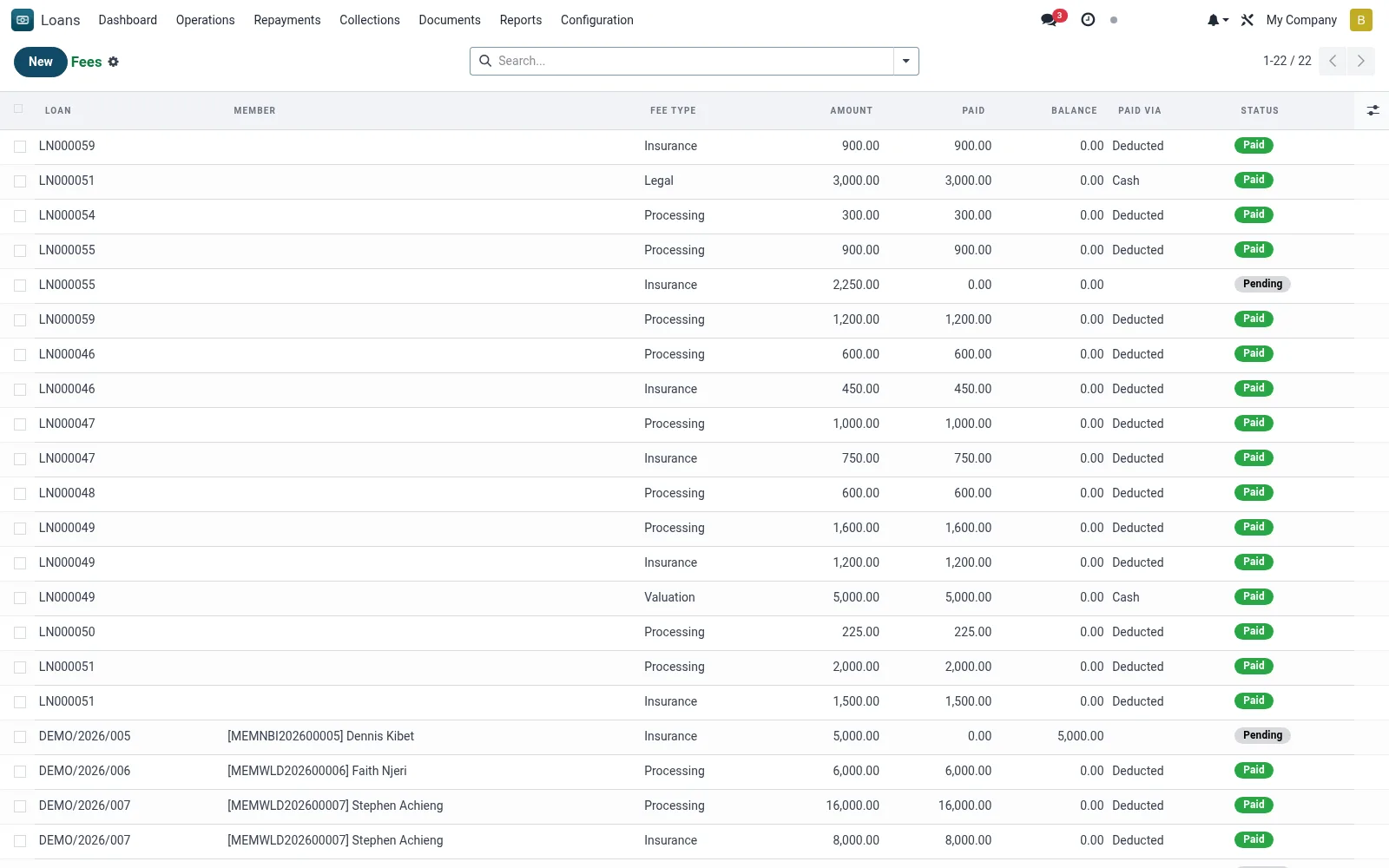
Workflow
- Filter by fee type, product or period to review charges.
- Verify each fee against the product's configured fee schedule.
- Reconcile total fee income against the general ledger.
- Investigate any fees charged outside policy.
- Export the register for finance and audit.
Fields reference
Every field on this screen, drawn from the live data model.
| Field | Type | Required | Description |
|---|---|---|---|
Loanloan_id | Link → mfi.loan | Yes | Loan |
Fee Typefee_type | Choice: Processing, Insurance, Disbursement, Legal, Valuation, Other | Yes | Fee Type |
Amountamount | Money | Yes | Amount |
Statusstate | Choice: Pending, Paid, Cancelled | Yes | Status |
Membermember_id | Link → mfi.member | — | Member |
Currencycurrency_id | Link → res.currency | — | Currency |
Descriptiondescription | Text | — | Description |
Paidpaid_amount | Money | — | Paid |
Balancebalance | Money | — | Balance |
Paid Viapaid_via | Choice: Cash, Deducted, Via Repayment | — | Paid Via |
Companycompany_id | Link → res.company | — | Company |
Journal Entrymove_id | Link → account.move | — | Journal Entry |
Status lifecycle
Records on this screen move through these statuses:
Pending → Paid → Cancelled
Notes & rules
- Model: mfi.loan.fee.
- Fee types follow Loan Product fee configuration.
- Supports fee-income reconciliation and pricing transparency.
- Charged at origination or per schedule.
Was this page helpful?