

Large Borrowers
The Large Borrowers wizard lists exposures exceeding a defined threshold (for example a percentage of core capital) for the single-large-exposures regulatory return. It surfaces concentration risk to the regulator and supports the institution's insider and large-loan disclosure obligations.
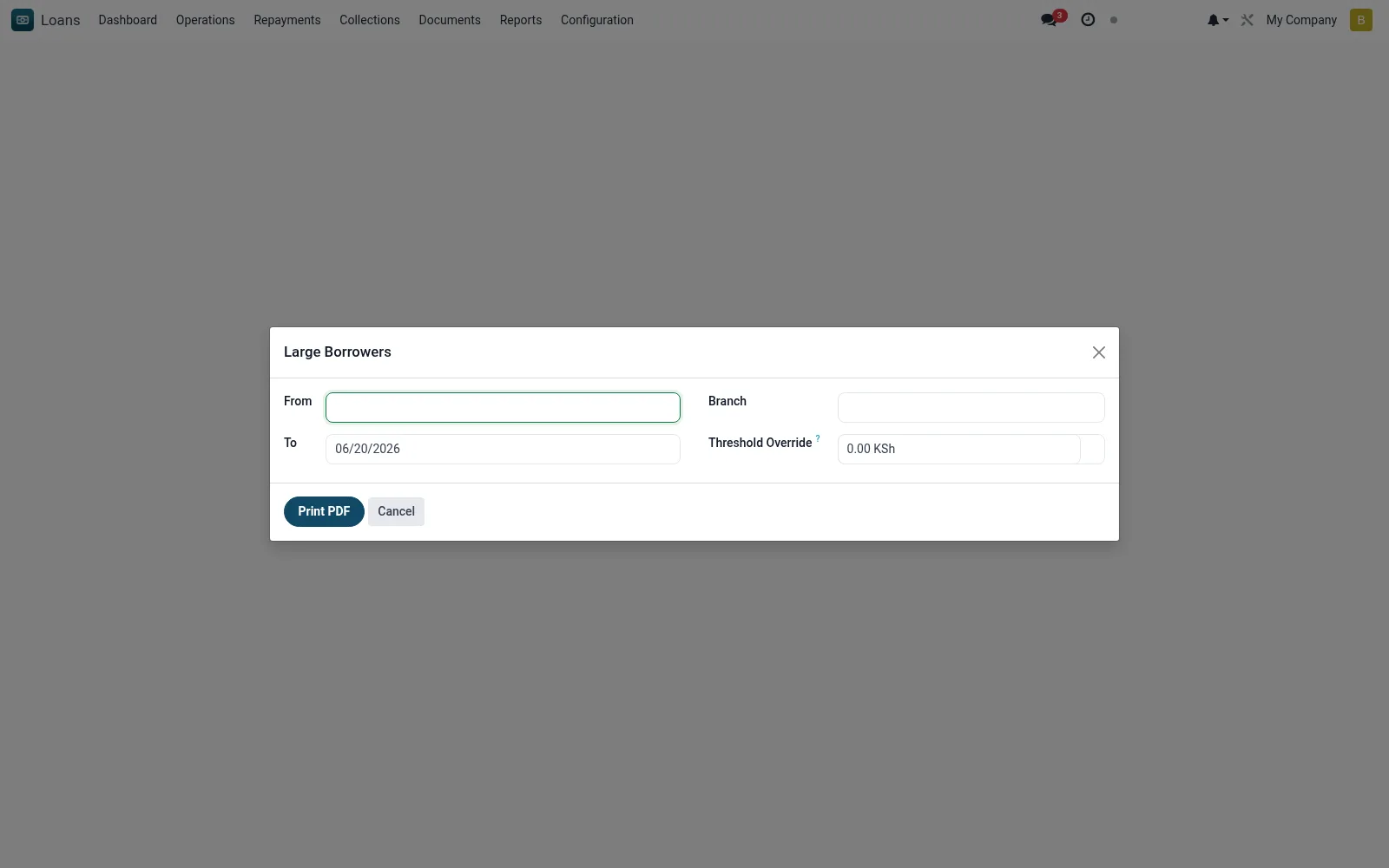
Workflow
- Open the wizard and set the as-at date.
- Enter the large-exposure threshold (amount or % of capital).
- Run to list borrowers above the threshold.
- Review each large exposure and aggregate against limits.
- Export the return for submission.
Fields reference
Every field on this screen, drawn from the live data model.
| Field | Type | Required | Description |
|---|---|---|---|
Threshold Overridethreshold | Money | — | Leave empty to use system default (ir.config_parameter) |
Fromdate_from | Date | — | From |
Todate_to | Date | — | To |
Branchbranch_id | Link → mfi.branch | — | Branch |
Currencycurrency_id | Link → res.currency | — | Currency |
Actions & buttons
Buttons available on this screen and what they do:
- Print PDF
Notes & rules
- Model: mfi.large.borrowers.wizard (PDF).
- Parameter: large-exposure threshold.
- Highlights single-borrower concentration.
- Supports large-exposures / insider-lending returns.
Was this page helpful?