

Maturity Profile (PDF)
The Maturity Profile (PDF) wizard produces a printable maturity ladder of the portfolio, bucketing outstanding principal by remaining tenor for a chosen date. It is the formatted ALM document for treasury and ALCO.
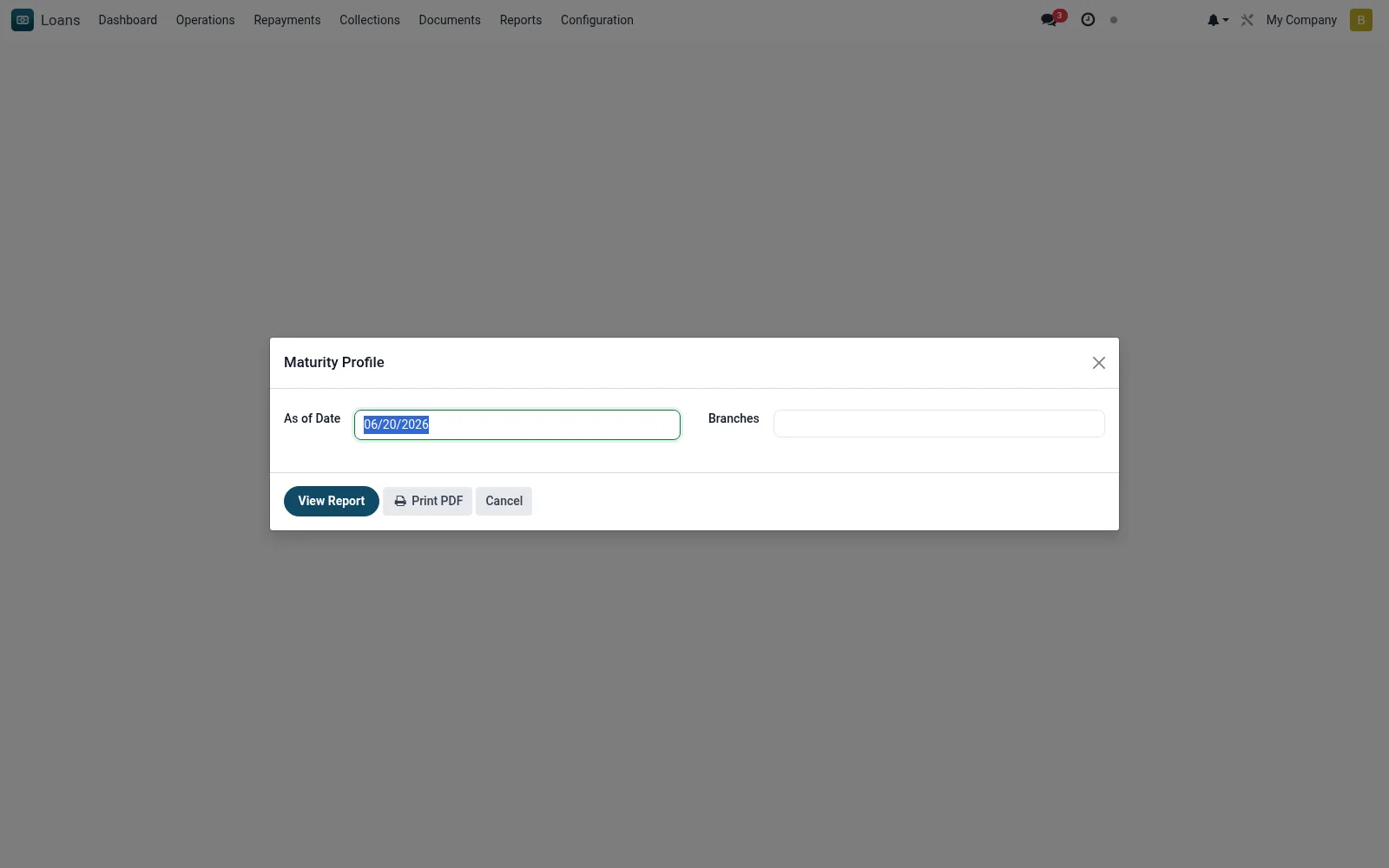
Workflow
- Open the wizard and set the as-at date.
- Choose scope filters if required.
- Run to generate the PDF ladder.
- Review principal due per maturity bucket.
- Export for the ALCO/treasury pack.
Fields reference
Every field on this screen, drawn from the live data model.
| Field | Type | Required | Description |
|---|---|---|---|
As of Dateas_of_date | Date | Yes | As of Date |
Branchesbranch_ids | Tags | — | Branches |
Companycompany_id | Link → res.company | — | Company |
Actions & buttons
Buttons available on this screen and what they do:
- View Report
- Print PDF
Notes & rules
- Model: mfi.loan.maturity.report.wizard (PDF).
- Parameters: as-at date, scope.
- Output: principal by remaining-tenor bucket.
- PDF counterpart to on-screen Maturity Profile.
Was this page helpful?