

Transfer Shares
The Transfer Shares wizard is the guided way to initiate a share transfer between two members, collecting transferor, transferee, class, units and consideration in one step before routing the request into the two-person approval flow. It validates pledge status and holding limits up front so invalid transfers are caught early. The wizard creates the transfer record that the Transfers screen then tracks to completion.
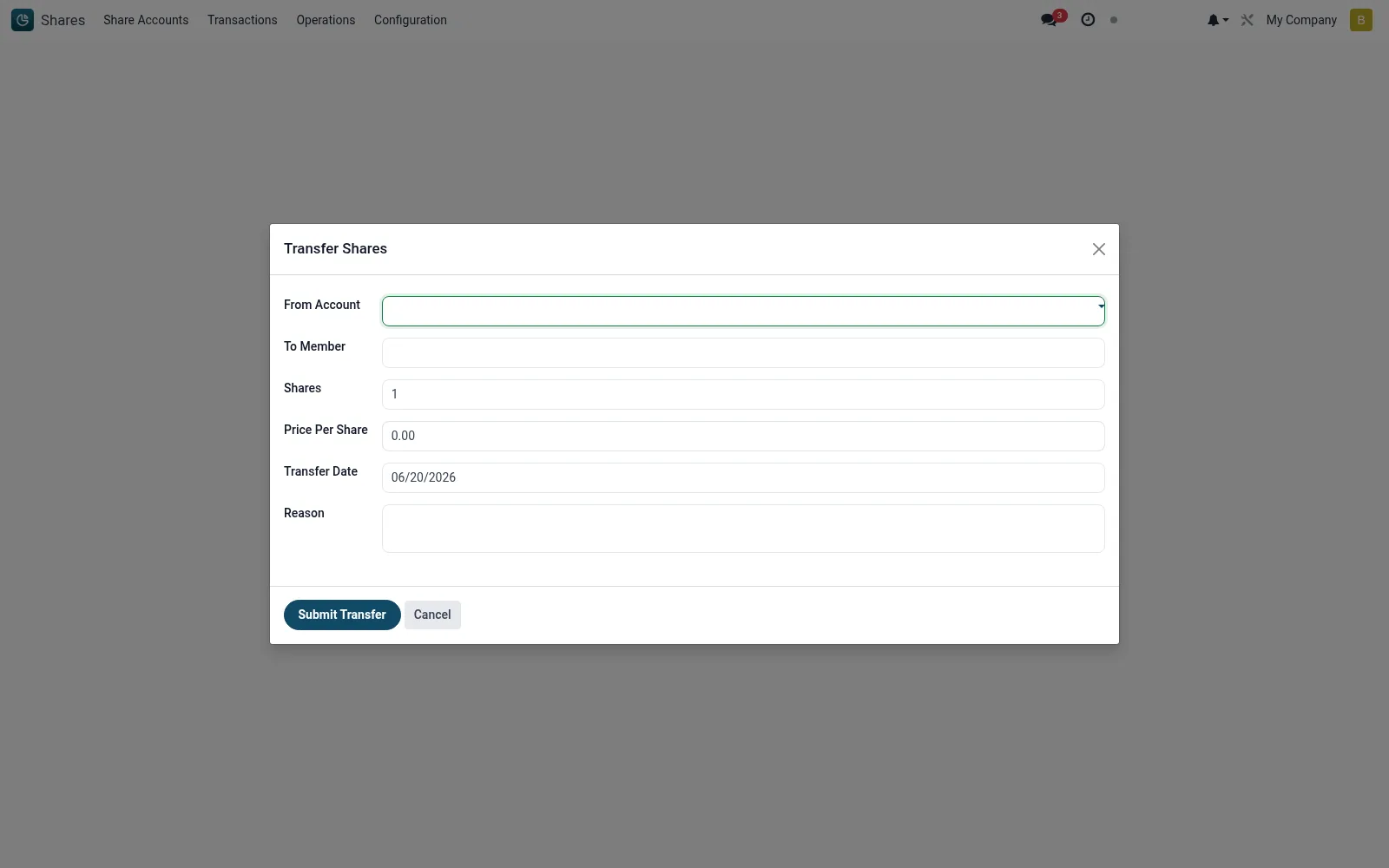
Workflow
- Open Shares then Operations then Transfer Shares.
- Pick the transferor and the units to move, then the receiving member.
- Enter the consideration and any transfer notes.
- Submit to create the transfer and send it for second-officer approval.
- Track the request through to approval on the Transfers screen.
Fields reference
Every field on this screen, drawn from the live data model.
| Field | Type | Required | Description |
|---|---|---|---|
From Accountfrom_account_id | Link → mfi.share.account | Yes | From Account |
To Memberto_member_id | Link → mfi.member | Yes | To Member |
Sharesshares | Number | Yes | Shares |
Transfer Datetransfer_date | Date | Yes | Transfer Date |
Price Per Shareprice_per_share | Money | — | Price Per Share |
Currencycurrency_id | Link → res.currency | — | Currency |
Reasonreason | Long text | — | Reason |
Actions & buttons
Buttons available on this screen and what they do:
- Submit Transfer
Notes & rules
- The wizard blocks transfers of pledged units before a record is created.
- Capture and approval remain separate users to preserve segregation of duty.
- Resulting transfers post offsetting movements once approved.
- Holding-limit checks on the transferee run before submission.
Was this page helpful?