

Certificates
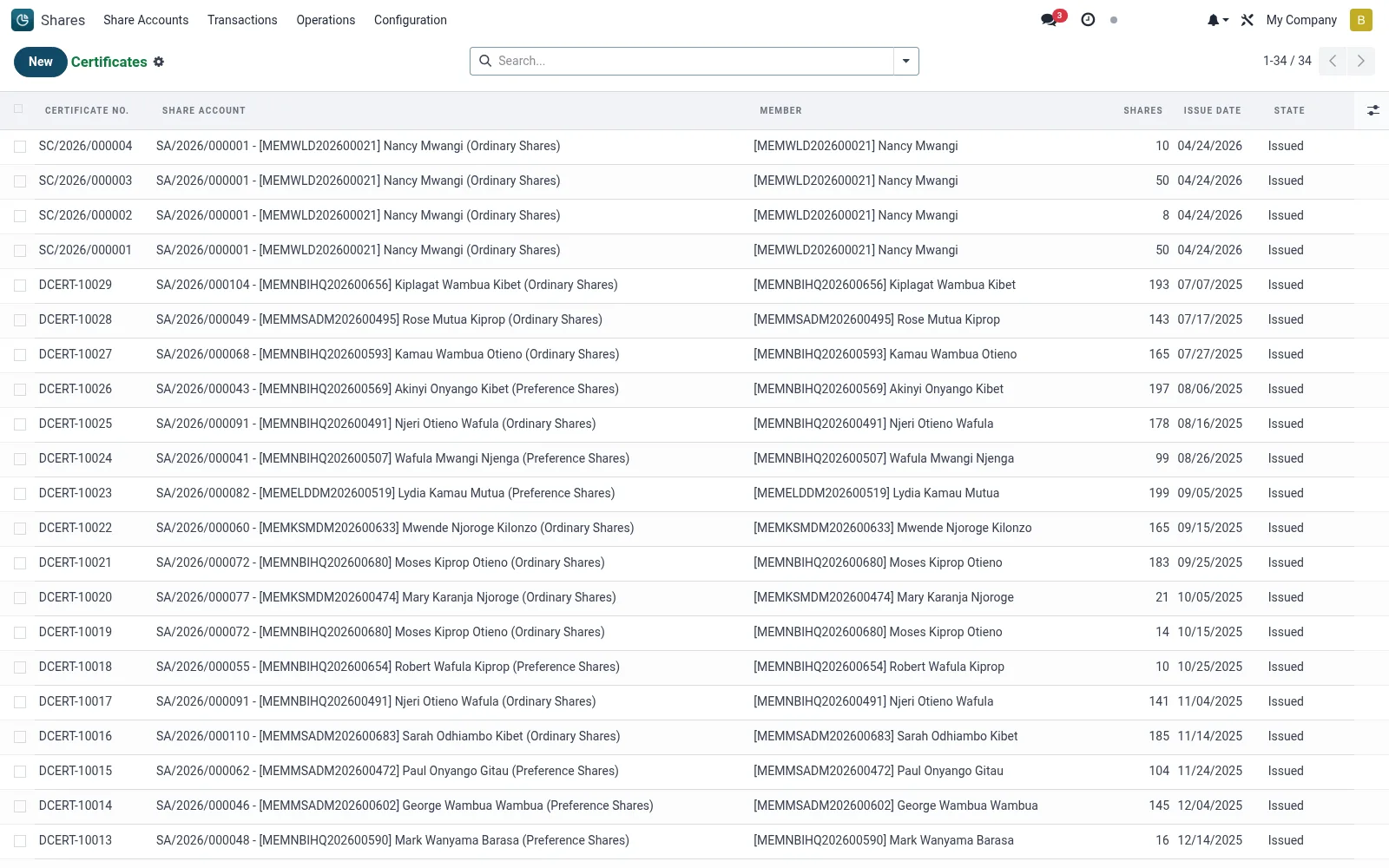
Certificates records the formal share certificates issued against member holdings, each tying a certificate number to a member, share class and a block of units. Certificates provide the documentary evidence of ownership and are reissued or cancelled when shares are transferred, redeemed or consolidated. The list gives the registrar control over issued, cancelled and replacement certificates.
Workflow
- Open Shares then Operations then Certificates.
- Review the register of issued certificates with their member, class and unit count.
- Create a certificate by selecting the holding and entering the unit block to certify.
- Print or download the certificate document for the member.
- Cancel or supersede a certificate when the underlying units are transferred or redeemed.
Fields reference
Every field on this screen, drawn from the live data model.
| Field | Type | Required | Description |
|---|---|---|---|
Share Accountaccount_id | Link → mfi.share.account | Yes | Share Account |
Sharesshares | Number | Yes | Shares |
Companycompany_id | Link → res.company | Yes | Company |
Has Messagehas_message | Yes/No | — | Has Message |
Certificate No.certificate_number | Text | — | Certificate No. |
Membermember_id | Link → mfi.member | — | Member |
Share Productproduct_id | Link → mfi.share.product | — | Share Product |
Issue Dateissue_date | Date | — | Issue Date |
Allotmentallotment_id | Link → mfi.share.allotment | — | Allotment |
Statestate | Choice: Issued, Surrendered, Lost, Duplicate Issued, Cancelled | — | State |
Digitalis_digital | Yes/No | — | Digital |
PDFpdf_attachment_id | Link → ir.attachment | — | |
Duplicate Ofduplicate_of | Link → mfi.share.certificate | — | Duplicate Of |
Surrendered Datesurrendered_date | Date | — | Surrendered Date |
Replaced Byreplaced_by_id | Link → mfi.share.certificate | — | Replaced By |
Currencycurrency_id | Link → res.currency | — | Currency |
Actions & buttons
Buttons available on this screen and what they do:
- Print Certificate
- Surrender
- Mark Lost
- Issue Duplicate
Status lifecycle
Records on this screen move through these statuses:
Issued → Surrendered → Lost → Duplicate Issued → Cancelled
Notes & rules
- Each certificate number is unique and maps to a specific block of units on one account.
- Transfers and redemptions trigger cancellation and reissue to keep certificates aligned with holdings.
- Cancelled certificates remain on file for audit rather than being removed.
- Replacement certificates record the reason, such as loss or consolidation.
Was this page helpful?