

Purchase Shares
The Purchase Shares wizard guides the registrar through subscribing a member to additional shares in a chosen class. It captures the member, share product, number of units and payment source, validates against any subscription limits, then posts an allotment and updates the share account. It is the standard entry point for new and top-up subscriptions.
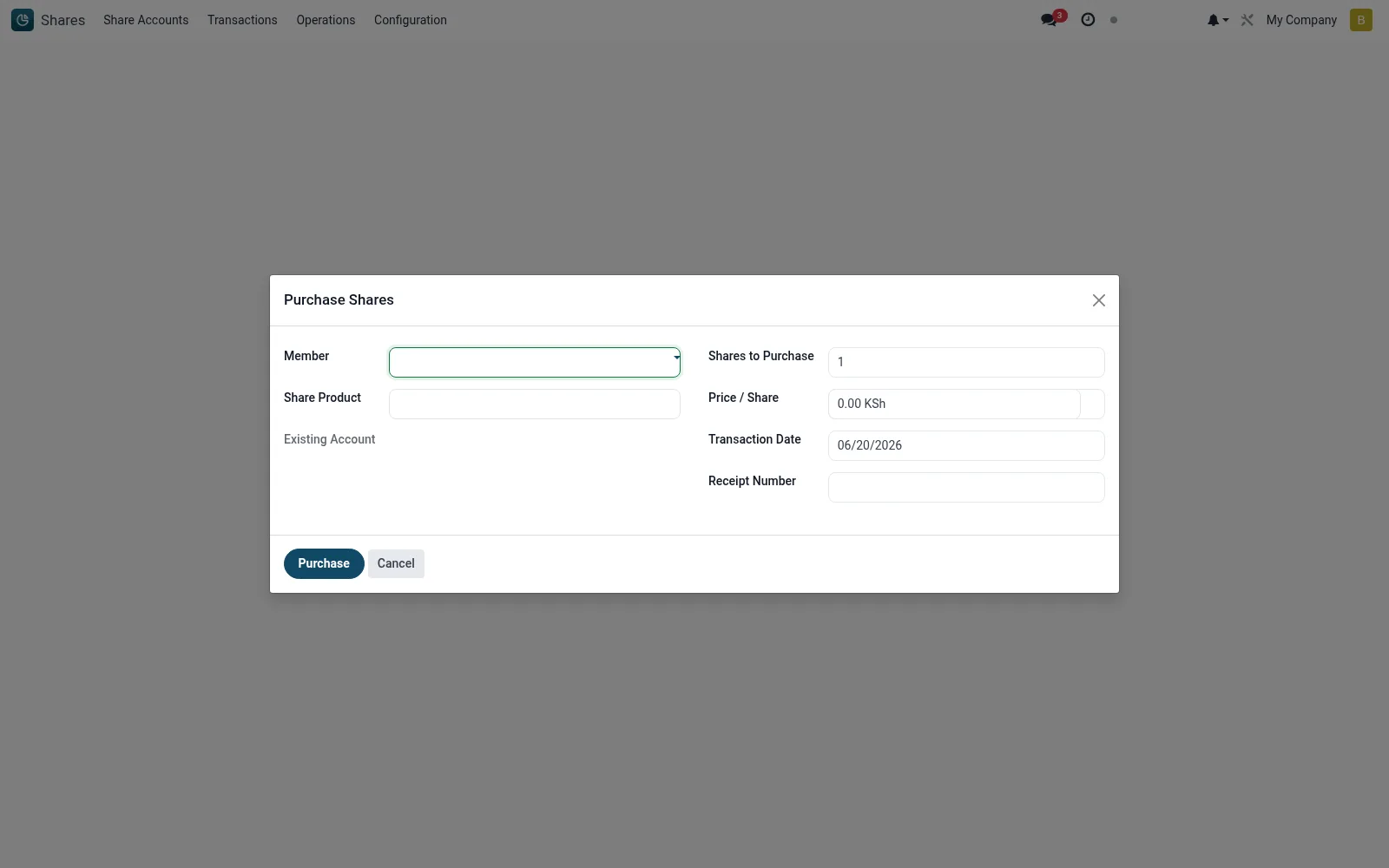
Workflow
- Open Shares then Operations then Purchase Shares.
- Select the member and the share product (class) being subscribed.
- Enter the number of units and confirm the par value and total consideration.
- Record the payment method or link the receipt.
- Confirm to allot the units, post the transaction and update the share account.
Fields reference
Every field on this screen, drawn from the live data model.
| Field | Type | Required | Description |
|---|---|---|---|
Membermember_id | Link → mfi.member | Yes | Member |
Share Productproduct_id | Link → mfi.share.product | Yes | Share Product |
Shares to Purchaseshares | Number | Yes | Shares to Purchase |
Transaction Datetransaction_date | Date | Yes | Transaction Date |
Existing Accountaccount_id | Link → mfi.share.account | — | Existing Account |
Price / Shareprice_per_share | Money | — | Price / Share |
Currencycurrency_id | Link → res.currency | — | Currency |
Receipt Numberreceipt_number | Text | — | Receipt Number |
Actions & buttons
Buttons available on this screen and what they do:
- Purchase
Notes & rules
- The wizard enforces any minimum or maximum holding rules defined on the share product.
- Consideration is units multiplied by par value, with any premium handled per product setup.
- A successful run creates a subscription transaction and, where configured, a certificate.
- Payments can be matched to receipts so capital and cash stay reconciled.
Was this page helpful?