

Bulk Allotment
The Bulk Allotment wizard lets the registrar allot shares to many members at once, for example crediting a savings-to-shares conversion drive or a group enrolment. It accepts a batch of members and units, validates each line against product limits, then posts subscriptions and updates accounts in a single controlled run. It saves the desk from capturing large enrolments one by one.
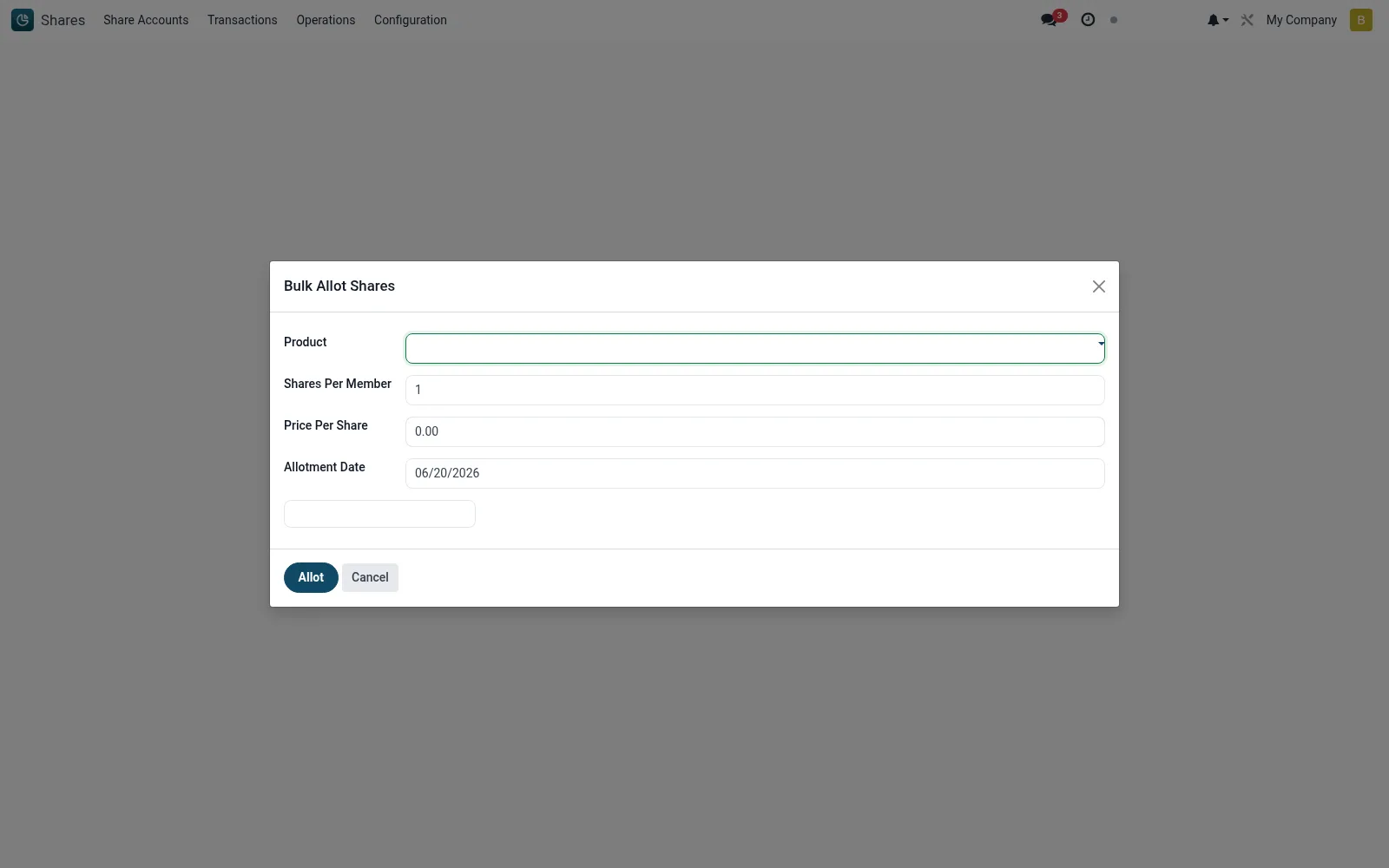
Workflow
- Open Shares then Operations then Bulk Allotment.
- Select the share product and load or enter the batch of members and units.
- Review the validation results for any lines that breach limits.
- Set the payment or funding source for the batch.
- Confirm to allot every valid line and post the transactions.
Fields reference
Every field on this screen, drawn from the live data model.
| Field | Type | Required | Description |
|---|---|---|---|
Productproduct_id | Link → mfi.share.product | Yes | Product |
Membermember_ids | Tags | Yes | Member |
Shares Per Membershares_per_member | Number | Yes | Shares Per Member |
Allotment Dateallotment_date | Date | Yes | Allotment Date |
Price Per Shareprice_per_share | Money | — | Price Per Share |
Currencycurrency_id | Link → res.currency | — | Currency |
Actions & buttons
Buttons available on this screen and what they do:
- Allot
Notes & rules
- Each line is validated individually so invalid rows do not block the batch.
- Holding limits and eligibility rules apply per member as in single allotment.
- A run produces one subscription transaction per allotted member.
- The batch is logged as a unit for traceability and reversal if needed.
Was this page helpful?