

Transfers
Transfers manages the movement of shares from one member to another, recording transferor, transferee, class, units and consideration. Each transfer follows a two-person approval path so that the staff member who captures it cannot be the one who authorises it, satisfying segregation-of-duty controls. Approved transfers post offsetting movements on both accounts and trigger certificate reissue.
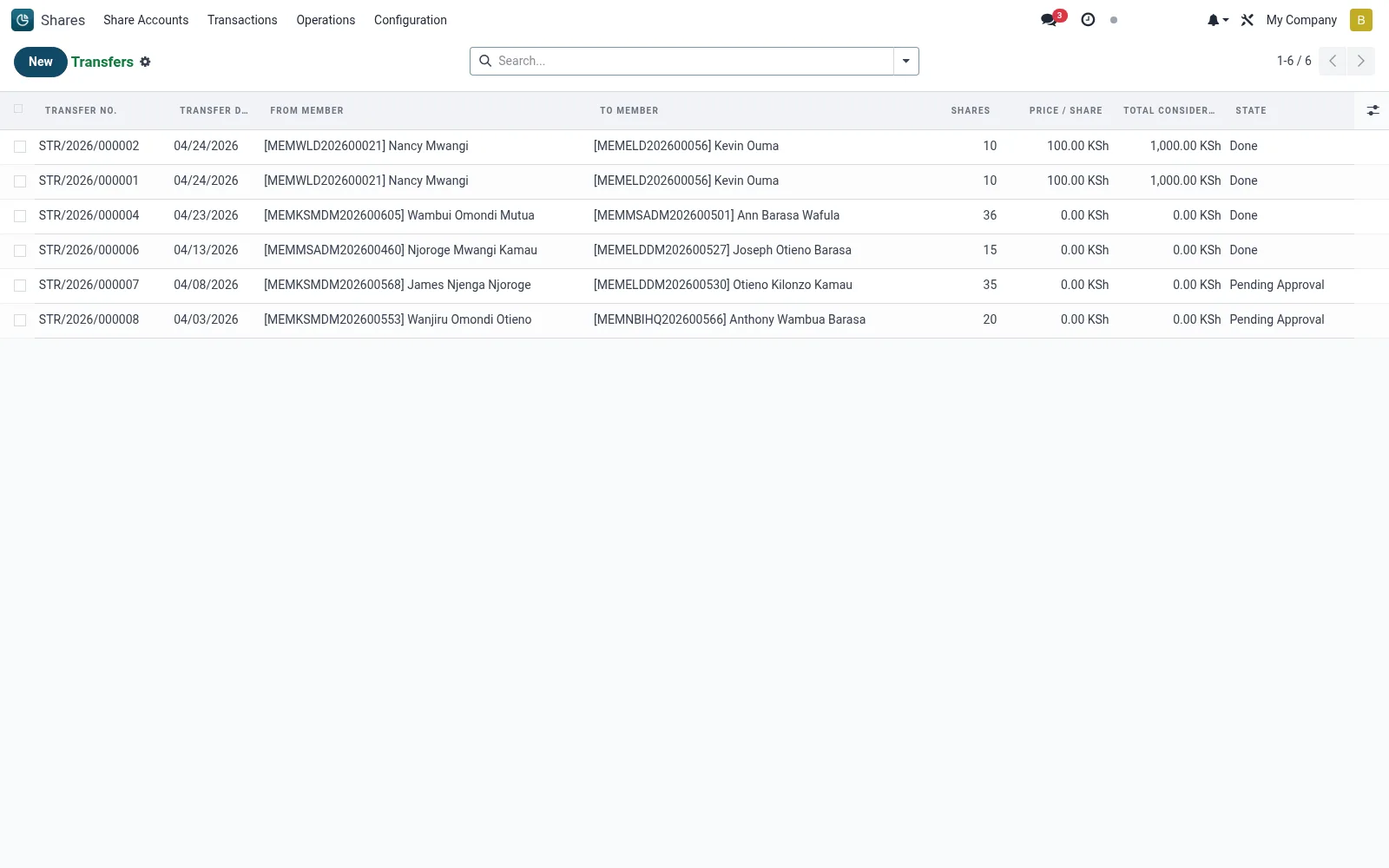
Workflow
- Open Shares then Operations then Transfers to view the transfer register.
- Create a transfer specifying the transferor, transferee, class and units.
- Submit the transfer so it moves to the pending-approval state.
- Have a second authorised officer review and approve or reject the request.
- On approval, confirm the posting and reissue of certificates to the new holder.
Fields reference
Every field on this screen, drawn from the live data model.
| Field | Type | Required | Description |
|---|---|---|---|
From Memberfrom_member_id | Link → mfi.member | Yes | From Member |
To Memberto_member_id | Link → mfi.member | Yes | To Member |
From Accountfrom_account_id | Link → mfi.share.account | Yes | From Account |
To Accountto_account_id | Link → mfi.share.account | Yes | To Account |
Sharesshares | Number | Yes | Shares |
Transfer Datetransfer_date | Date | Yes | Transfer Date |
Companycompany_id | Link → res.company | Yes | Company |
Has Messagehas_message | Yes/No | — | Has Message |
Transfer No.transfer_number | Text | — | Transfer No. |
Share Productproduct_id | Link → mfi.share.product | — | Share Product |
Currencycurrency_id | Link → res.currency | — | Currency |
Price / Shareprice_per_share | Money | — | Price / Share |
Total Considerationtotal_consideration | Money | — | Total Consideration |
Reasonreason | Long text | — | Reason |
Statestate | Choice: Draft, Pending Approval, Approved, Rejected, Done | — | State |
Approved Byapproved_by_id | Link → res.users | — | Approved By |
Approval Dateapproval_date | Date & time | — | Approval Date |
Stamp Dutystamp_duty | Money | — | Stamp Duty |
Notesnotes | Long text | — | Notes |
Transactionstransaction_ids | List | — | Transactions |
Actions & buttons
Buttons available on this screen and what they do:
- Submit
- Approve
- Reject
- Complete Transfer
- Reset
Status lifecycle
Records on this screen move through these statuses:
Draft → Pending Approval → Approved → Rejected → Done
Notes & rules
- Two-person approval is mandatory: capture and authorisation must be by different users.
- Shares under an active pledge cannot be transferred until the pledge is released.
- Approved transfers post a debit on the transferor and a credit on the transferee account.
- The original certificate is cancelled and a fresh one issued to the transferee.
Was this page helpful?