

Transactions
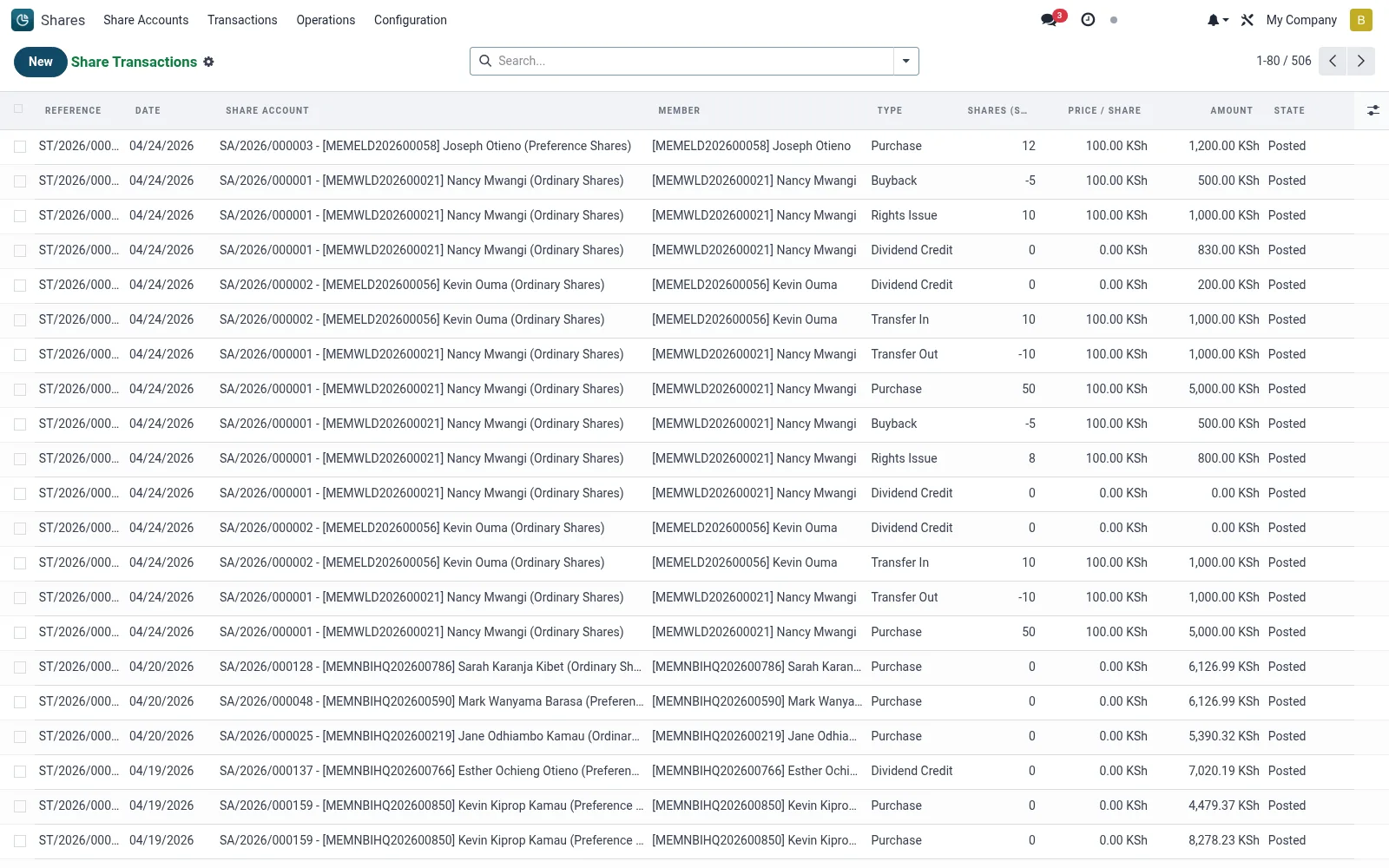
Transactions is the immutable ledger of every share movement: subscriptions, allotments, redemptions, transfers in and out, dividend capitalisations and corrective adjustments. Each line records the date, member, share class, unit count, value and the source document that generated it. This is the primary audit source for reconciling account balances and capital totals.
Workflow
- Open Shares then Transactions to see the full movement journal.
- Filter by date range, transaction type, member or share class to focus the view.
- Open any line to inspect the originating document and posting detail.
- Group by type or class to verify totals against the share register summary.
- Export the filtered set for external reconciliation or regulatory returns.
Fields reference
Every field on this screen, drawn from the live data model.
| Field | Type | Required | Description |
|---|---|---|---|
Share Accountaccount_id | Link → mfi.share.account | Yes | Share Account |
Datetransaction_date | Date | Yes | Date |
Typetransaction_type | Choice: Purchase, Sell / Redeem, Transfer In, Transfer Out, Bonus Issue, Rights Issue, Split, Buyback | Yes | Type |
Shares (signed)shares | Number | Yes | Shares (signed) |
Companycompany_id | Link → res.company | Yes | Company |
Has Messagehas_message | Yes/No | — | Has Message |
Referencename | Text | — | Reference |
Membermember_id | Link → mfi.member | — | Member |
Share Productproduct_id | Link → mfi.share.product | — | Share Product |
Branchbranch_id | Link → mfi.branch | — | Branch |
Currencycurrency_id | Link → res.currency | — | Currency |
Price / Shareprice_per_share | Money | — | Price / Share |
Amountamount | Money | — | Amount |
External Referencereference | Text | — | External Reference |
Receipt No.receipt_number | Text | — | Receipt No. |
Transferrelated_transfer_id | Link → mfi.share.transfer | — | Transfer |
Allotmentrelated_allotment_id | Link → mfi.share.allotment | — | Allotment |
Dividendrelated_dividend_id | Link → mfi.share.dividend | — | Dividend |
Reversed Byreversed_id | Link → mfi.share.transaction | — | Reversed By |
Journal Entrymove_id | Link → account.move | — | Journal Entry |
Statestate | Choice: Draft, Posted, Reversed | — | State |
Actions & buttons
Buttons available on this screen and what they do:
- Post
- Reverse
- Reset to Draft
Status lifecycle
Records on this screen move through these statuses:
Draft → Posted → Reversed
Notes & rules
- Transactions are generated by wizards and corporate actions, not edited by hand, to protect the audit trail.
- Every line carries a reference back to its source purchase, redemption, transfer or dividend.
- Debit and credit unit movements net to the balance held on the share account.
- Reversals are posted as offsetting lines rather than deletions.
Was this page helpful?