

Report Wizard
Report Wizard is the general-purpose launcher for savings reports, letting staff pick a report, set parameters such as date range, branch and product, and generate the output. It is the common entry point behind the formatted savings reports.
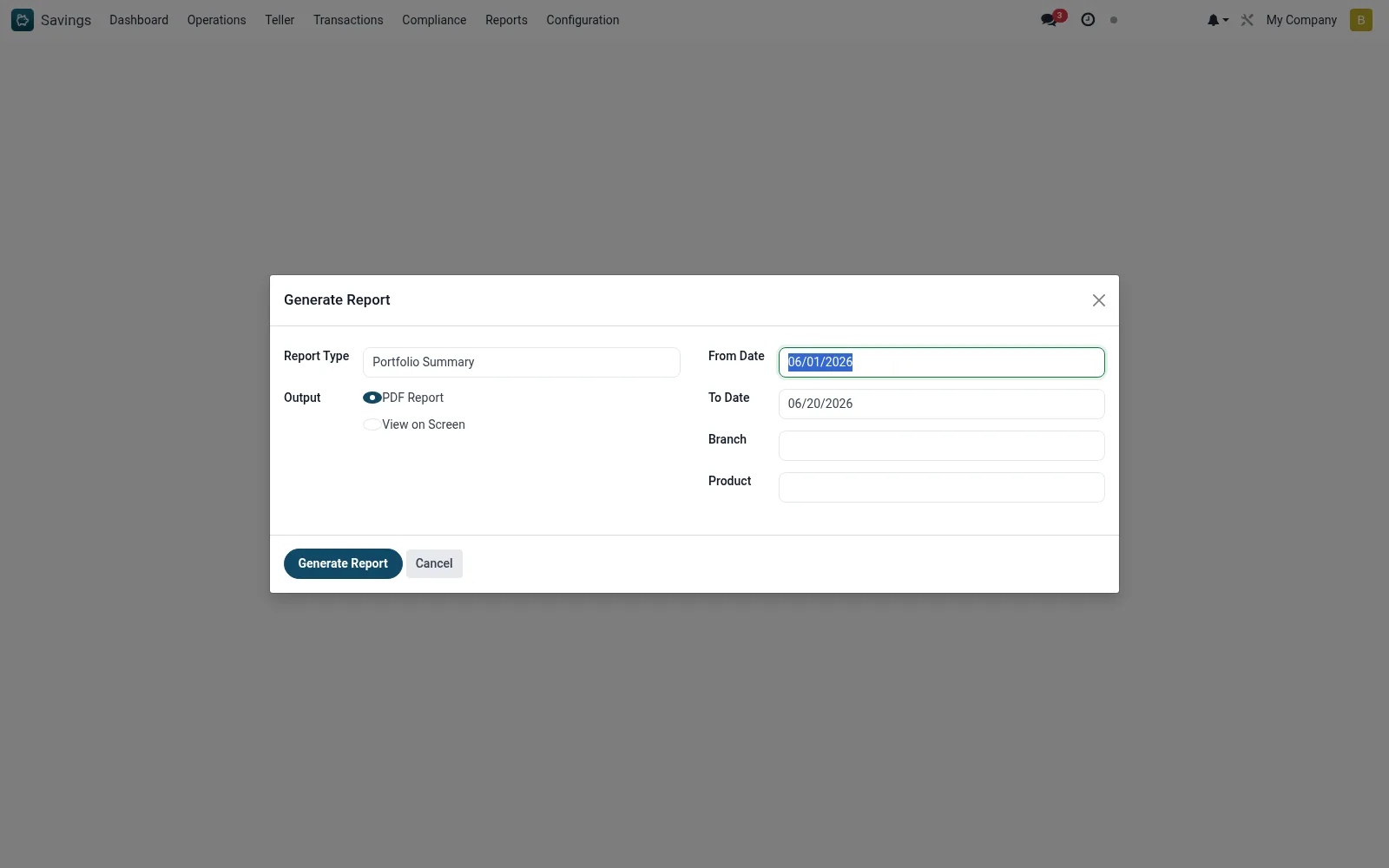
Workflow
- Open Savings > Configuration > Tools > Report Wizard.
- Choose the report to produce.
- Set the date range, branch and product parameters.
- Confirm the scope.
- Generate the report.
- Download or print the resulting document.
Fields reference
Every field on this screen, drawn from the live data model.
| Field | Type | Required | Description |
|---|---|---|---|
Report Typereport_type | Choice: Portfolio Summary, Dormant Accounts, Interest Accrual | Yes | Report Type |
Outputoutput_format | Choice: PDF Report, View on Screen | Yes | Output |
From Datedate_from | Date | — | From Date |
To Datedate_to | Date | — | To Date |
Branchbranch_id | Link → mfi.branch | — | Branch |
Productproduct_id | Link → mfi.savings.product | — | Product |
Actions & buttons
Buttons available on this screen and what they do:
- Generate Report
Notes & rules
- Wizard on mfi.savings.report.wizard for parameterised reports.
- Common launcher behind the formatted savings reports.
- Scope by date, branch and product before generating.
Was this page helpful?