

Bulk Interest Posting
Bulk Interest Posting runs interest capitalisation across many accounts in one batch - computing accrued interest per the schedule and posting it to member accounts for a product or the whole book. It is the periodic back-office process that credits earned interest to savers.
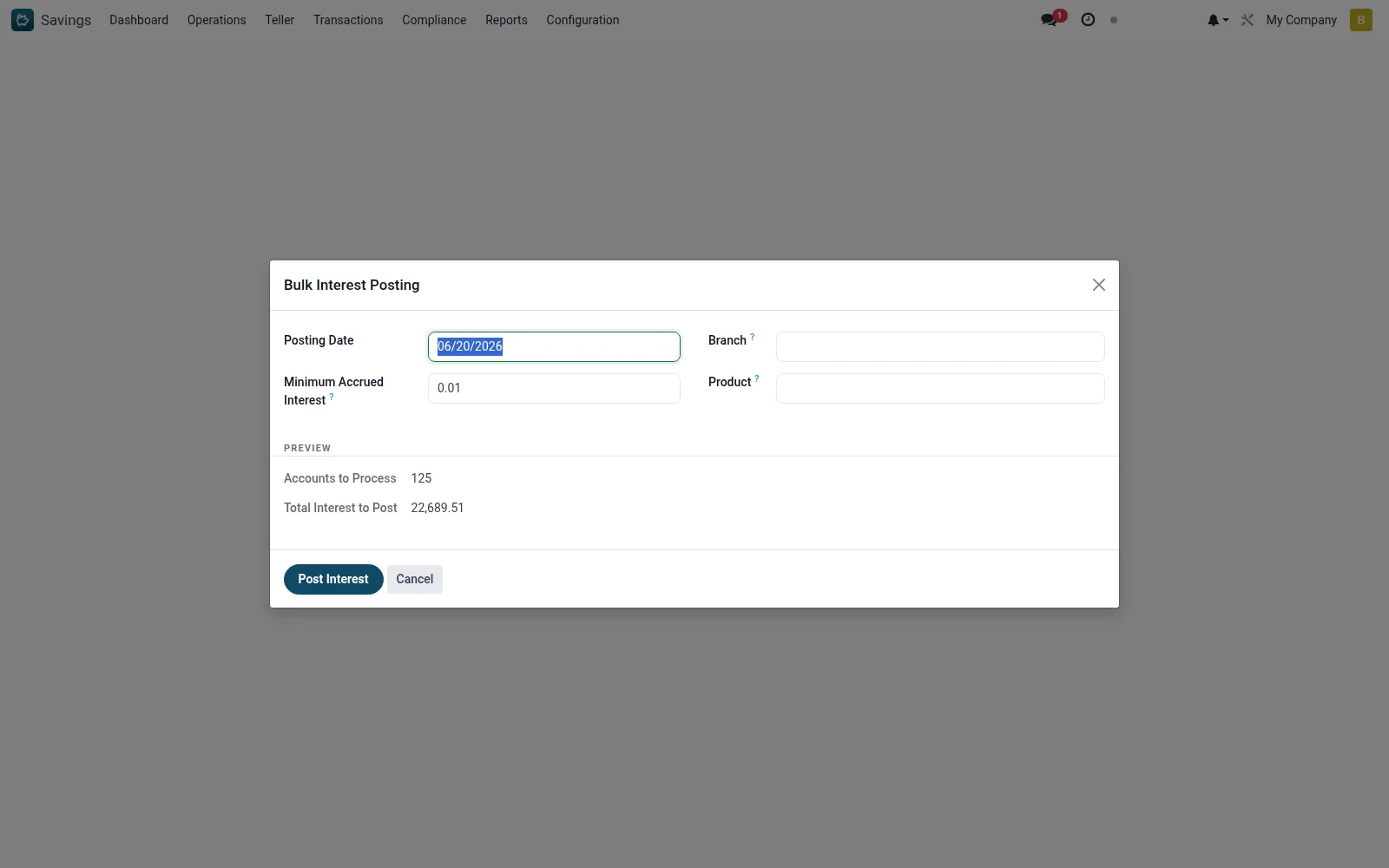
Workflow
- Open Savings > Configuration > Tools > Bulk Interest Posting.
- Select the product(s) and posting period.
- Preview the computed interest from the schedule.
- Confirm the totals before committing.
- Run the posting; interest credits each eligible account.
- Verify the entries in Interest Postings and the Fee/Interest analyses.
Fields reference
Every field on this screen, drawn from the live data model.
| Field | Type | Required | Description |
|---|---|---|---|
Branchbranch_id | Link → mfi.branch | — | Leave blank for all branches |
Productproduct_id | Link → mfi.savings.product | — | Leave blank for all products |
Minimum Accrued Interestmin_accrued | Decimal | — | Only post if accrued interest exceeds this amount |
Posting Dateposting_date | Date | Yes | Posting Date |
Accounts to Processpreview_count | Number | — | Accounts to Process |
Total Interest to Postpreview_total | Decimal | — | Total Interest to Post |
Actions & buttons
Buttons available on this screen and what they do:
- Post Interest
Notes & rules
- Wizard on mfi.savings.bulk.interest.wizard for batch capitalisation.
- Posts accrued interest from the Interest Schedule to accounts.
- Run periodically per the product's interest frequency.
Was this page helpful?