

Payment Methods
Payment Methods configures the channels through which savings deposits and withdrawals can flow - cash, mobile money (M-Pesa), bank transfer, cheque and card - and maps each to its handling and account treatment. Each mfi.payment.method makes a channel available to tellers and the kiosk.
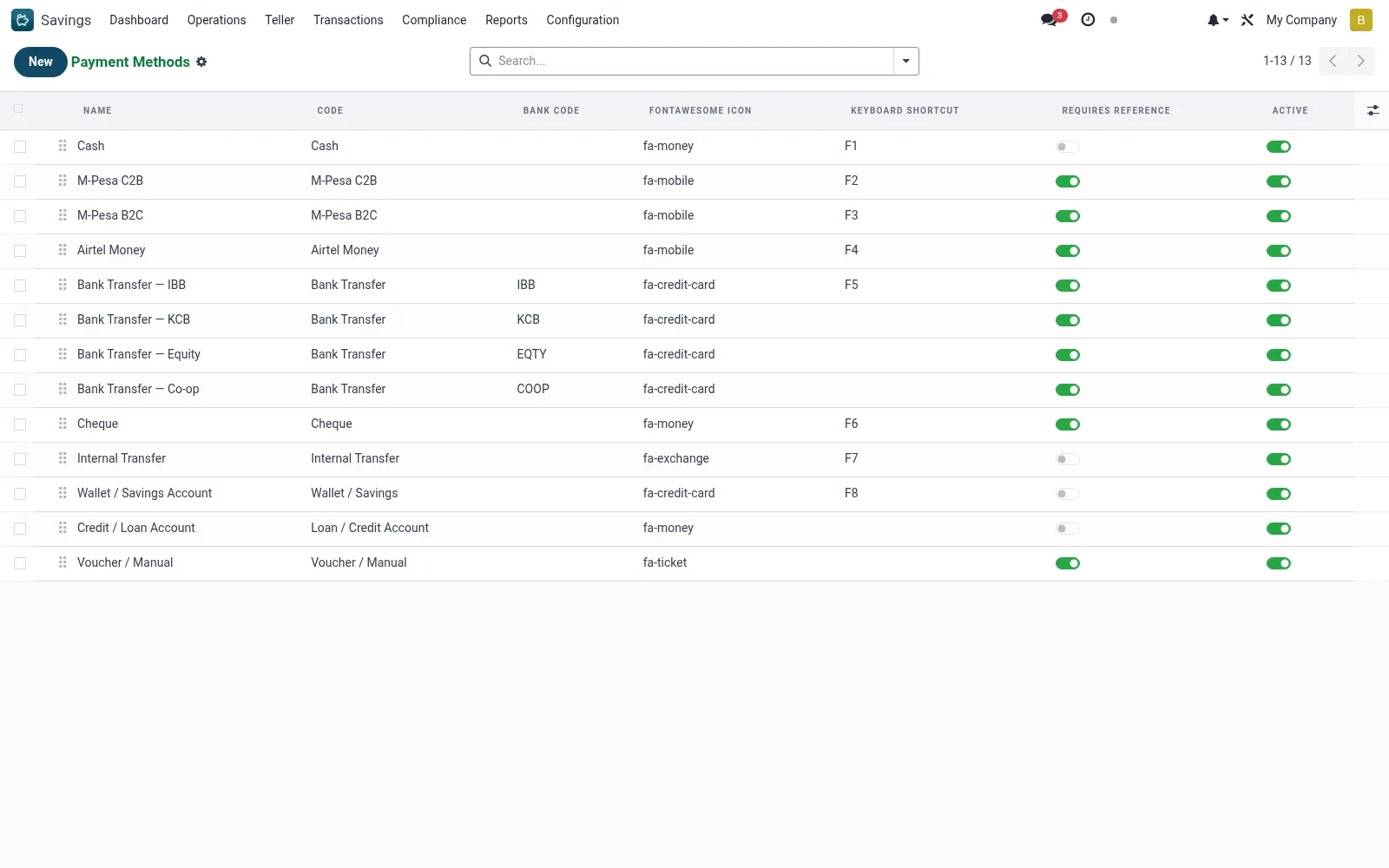
Workflow
- Open Savings > Configuration > Payment Methods.
- Create or open a payment method.
- Name it and set its type (cash, mobile money, bank, cheque, card).
- Configure any linked account and channel parameters.
- Activate it so it appears in teller and deposit screens.
- Test a transaction through the method end to end.
Fields reference
Every field on this screen, drawn from the live data model.
| Field | Type | Required | Description |
|---|---|---|---|
FontAwesome Iconicon | Text | — | FontAwesome class fragment, e.g. 'fa-money-bill-wave'. |
Accent Colorcolor | Text | — | Hex or CSS color used by the POS payment screen. |
Keyboard Shortcutkbd_shortcut | Text | — | F-key shortcut on the payment screen (e.g. F1, F2). |
Requires Referencerequires_reference | Yes/No | — | When set, teller must enter a reference (M-Pesa receipt no, cheque no, etc.) before validating the tender. |
Bank Codebank_code | Text | — | Optional bank short-code (IBB, KCB, EQTY, COOP) for transfer methods. |
Namename | Text | Yes | Name |
Codecode | Choice: Cash, M-Pesa C2B, M-Pesa B2C, Airtel Money, Bank Transfer, Cheque, Internal Transfer, Wallet / Savings | Yes | Code |
GL Journaljournal_id | Link → account.journal | — | GL Journal |
GL Accountgl_account_id | Link → account.account | — | GL Account |
Activeactive | Yes/No | — | Active |
Sequencesequence | Number | — | Sequence |
Notes & rules
- Records on mfi.payment.method defining available channels.
- Covers cash, mobile money, bank transfer, cheque and card.
- Active methods appear in teller and STK/deposit flows.
Was this page helpful?