

Evidence
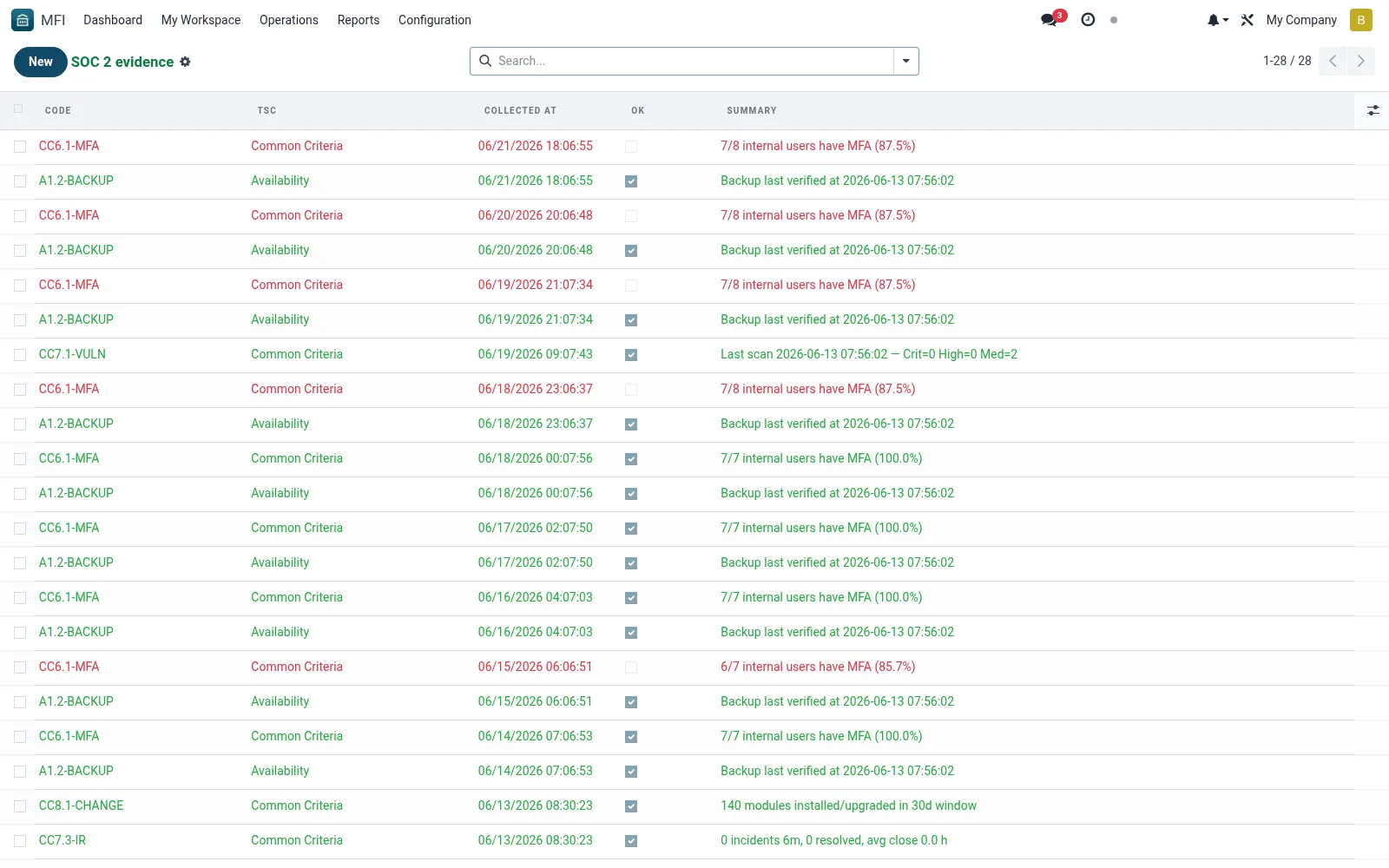
Evidence stores the artefacts that demonstrate each SOC 2 control is operating -- screenshots, logs, policies, approvals and configuration exports -- linked to the control they support. It turns scattered proof into an organised, auditor-ready pack. Compliance teams maintain it ahead of and during a SOC 2 examination.
Workflow
- Open MFI > Configuration > Tools > SOC 2 > Evidence
- Click New and link the evidence to a control
- Attach the supporting artefact and describe it
- Set the collection date and responsible owner
- Maintain the set so it stays current for the audit window
Fields reference
Every field on this screen, drawn from the live data model.
| Field | Type | Required | Description |
|---|---|---|---|
Website Messageswebsite_message_ids | List | — | Website communication history |
Controlcontrol_id | Link → mfi.soc2.control | Yes | Control |
Has Messagehas_message | Yes/No | — | Has Message |
Ratingsrating_ids | List | — | Ratings |
Codecontrol_code | Text | — | Code |
Tsctsc | Choice: Common Criteria, Availability, Confidentiality, Processing Integrity, Privacy | — | Tsc |
Collected Atcollected_at | Date & time | — | Collected At |
Period Startperiod_start | Date & time | — | Period Start |
Period Endperiod_end | Date & time | — | Period End |
Okok | Yes/No | — | Ok |
Summarysummary | Text | — | Summary |
Payload Jsonpayload_json | Long text | — | Payload Json |
Payload Htmlpayload_html | Rich text | — | Payload Html |
Notes & rules
- Model mfi.soc2.evidence -- control evidence
- Key fields: control, artefact, owner, date
- Related: Controls, Audit Logs, Support Sessions
- Used by compliance and security teams
Was this page helpful?