

Settings
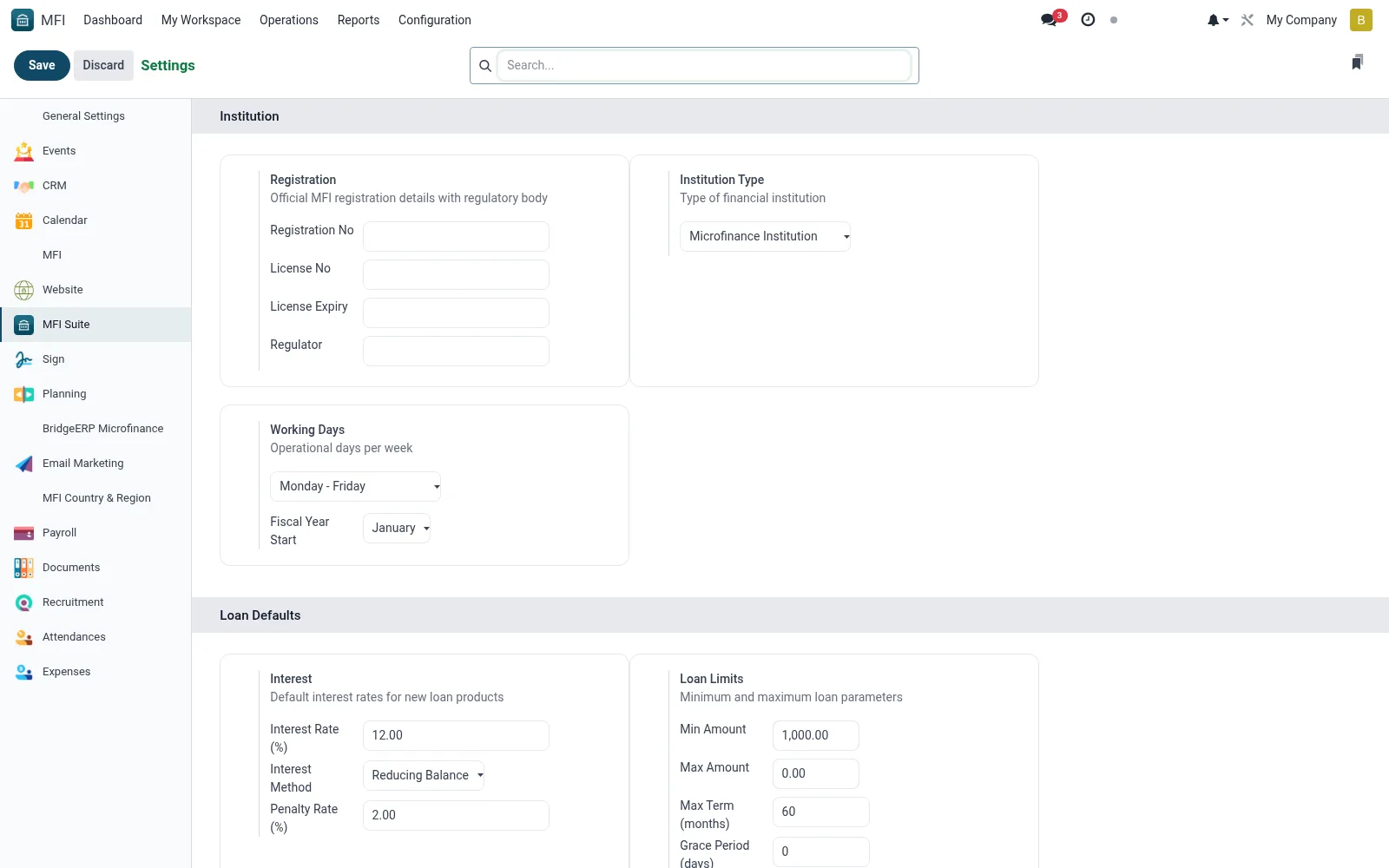
Settings is the central configuration form for the suite, exposing global switches and defaults -- currency, financial year, numbering, feature toggles for the bundled services, messaging channels and integration options. It is where an administrator tailors the platform to the institution's policies. Changes here ripple across every module, so it is a controlled, admin-only screen.
Workflow
- Open MFI > Configuration > Settings
- Review the grouped sections for each feature area
- Toggle modules and set institution-wide defaults
- Configure currency, financial year and numbering options
- Save to apply settings across the suite
Fields reference
Every field on this screen, drawn from the live data model.
| Field | Type | Required | Description |
|---|---|---|---|
Custom Report Footerreport_footer | Rich text | — | Footer text displayed at the bottom of all reports. |
Multi-Currenciesgroup_multi_currency | Yes/No | — | Allows to work in a multi currency environment |
Company Country Codecompany_country_code | Text | — | The ISO country code in two chars. You can use this field for quick search. |
Google Map API Keygeoloc_provider_googlemap_key | Text | — | Visit https://developers.google.com/maps/documentation/geocoding/get-api-key for more information. |
Minimum scorerecaptcha_min_score | Decimal | — | By default, should be one of 0.1, 0.3, 0.7, 0.9. 1.0 is very likely a good interaction, 0.0 is very likely a bot |
Token Map Boxmap_box_token | Text | — | Necessary for some functionalities in the map view |
Alias Domainalias_domain_id | Link → mail.alias.domain | — | If you have setup a catch-all email domain redirected to the BridgeERP server, enter the domain name here. |
Restrict Template Renderingrestrict_template_rendering | Yes/No | — | Users will still be able to render templates. However only Mail Template Editors will be able to create new dynamic templates or modify existing ones. |
Use Twilio ICE serversuse_twilio_rtc_servers | Yes/No | — | If you want to use twilio as TURN/STUN server provider |
SFU Server keysfu_server_key | Text | — | Base64 encoded key |
Tenor API keytenor_api_key | Text | — | Add a Tenor GIF API key to enable GIFs support. https://developers.google.com/tenor/guides/quickstart#setup |
Tenor content filtertenor_content_filter | Choice: High, Medium, Low, Off | — | https://developers.google.com/tenor/guides/content-filtering |
Tenor Gif Limittenor_gif_limit | Number | — | Fetch up to the specified number of GIF. |
Message Translation API Keygoogle_translate_api_key | Text | — | A valid Google API key is required to enable message translation. https://cloud.google.com/translate/docs/setup |
Companycompany_id | Link → res.company | Yes | Company |
Web App Nameweb_app_name | Text | — | Web App Name |
Is Root Companyis_root_company | Yes/No | — | Is Root Company |
Default Access Rightsuser_default_rights | Yes/No | — | Default Access Rights |
Allow users to import data from CSV/XLS/XLSX/ODS filesmodule_base_import | Yes/No | — | Allow users to import data from CSV/XLS/XLSX/ODS files |
Allow the users to synchronize their calendar with Google Calendarmodule_google_calendar | Yes/No | — | Allow the users to synchronize their calendar with Google Calendar |
Allow the users to synchronize their calendar with Outlook Calendarmodule_microsoft_calendar | Yes/No | — | Allow the users to synchronize their calendar with Outlook Calendar |
Allow integration with the mail pluginsmodule_mail_plugin | Yes/No | — | Allow integration with the mail plugins |
Use external authentication providers (OAuth)module_auth_oauth | Yes/No | — | Use external authentication providers (OAuth) |
LDAP Authenticationmodule_auth_ldap | Yes/No | — | LDAP Authentication |
Manage Inter Companymodule_account_inter_company_rules | Yes/No | — | Manage Inter Company |
VoIPmodule_voip | Yes/No | — | VoIP |
Unsplash Image Librarymodule_web_unsplash | Yes/No | — | Unsplash Image Library |
SMSmodule_sms | Yes/No | — | SMS |
Partner Autocompletemodule_partner_autocomplete | Yes/No | — | Partner Autocomplete |
GeoLocalizemodule_base_geolocalize | Yes/No | — | GeoLocalize |
reCAPTCHAmodule_google_recaptcha | Yes/No | — | reCAPTCHA |
Cloudflare Turnstilemodule_website_cf_turnstile | Yes/No | — | Cloudflare Turnstile |
Document Templateexternal_report_layout_id | Link → ir.ui.view | — | Document Template |
Show Effectshow_effect | Yes/No | — | Show Effect |
Number of Companiescompany_count | Number | — | Number of Companies |
Number of Active Usersactive_user_count | Number | — | Number of Active Users |
Number of Languageslanguage_count | Number | — | Number of Languages |
Company Namecompany_name | Text | — | Company Name |
Company Informationscompany_informations | Long text | — | Company Informations |
Profiling enabled untilprofiling_enabled_until | Date & time | — | Profiling enabled until |
Get product pictures using barcodemodule_product_images | Yes/No | — | Get product pictures using barcode |
APIgeoloc_provider_id | Link → base.geo_provider | — | API |
Technical Namegeoloc_provider_techname | Text | — | Technical Name |
Site Keyrecaptcha_public_key | Text | — | Site Key |
Secret Keyrecaptcha_private_key | Text | — | Secret Key |
Actions & buttons
Buttons available on this screen and what they do:
- Manage Users
- Add Languages
- Update Info
- Manage Companies
- Configure Document Layout
- Review All Templates
- Incoming Email Servers
- Outgoing Email Servers
- Configure Digest Emails
- Activity Types
- ICE Servers
- View My Services
- Default Access Rights
- Manage API Keys
Notes & rules
- Model res.config.settings -- suite-wide options
- Controls services, messaging, numbering and defaults
- Related: Print Defaults, System Health Check
- Used by system administrators
In this section
- Print Defaults — Print Defaults sets the institution's default printing behaviour -- receipt and document templates, printer assignments, paper siz
Was this page helpful?