

Support sessions
Support Sessions logs controlled remote-assistance episodes where a vendor or internal support agent is granted scoped access to investigate an issue. Each session records who, when, scope and purpose, keeping support access auditable and time-boxed. It protects member data while still allowing help when problems arise.
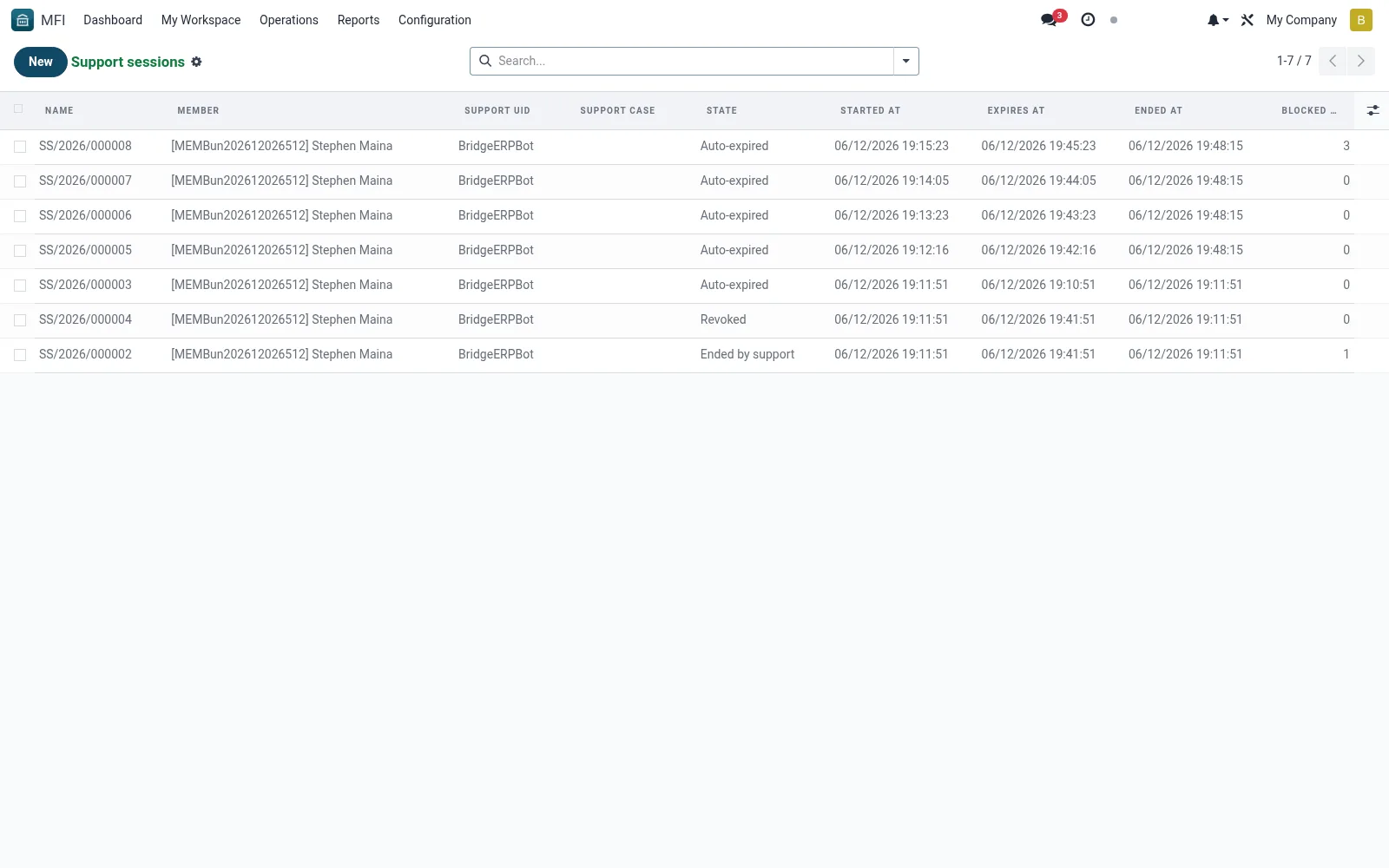
Workflow
- Open MFI > Configuration > Tools > Support Sessions
- Click New to open a support session and state its purpose
- Set the scope and the agent granted access
- Track the session while support works the issue
- Close the session so access ends and the record is sealed
Fields reference
Every field on this screen, drawn from the live data model.
| Field | Type | Required | Description |
|---|---|---|---|
Reasonreason | Long text | Yes | Why is the proxy session needed? Visible to compliance. |
Website Messageswebsite_message_ids | List | — | Website communication history |
Support casecase_id | Link → mfi.support.case | — | Optional link to the ticket motivating this session |
Actions Logactions_log | Long text | — | Every iBANK URL visited during the session, one per line. |
Txn Attempt Counttxn_attempt_count | Number | — | Number of write/POST attempts blocked during the session. |
Membermember_id | Link → mfi.member | Yes | Member |
Support Uidsupport_uid | Link → res.users | Yes | Support Uid |
Tokentoken | Text | Yes | Token |
Has Messagehas_message | Yes/No | — | Has Message |
Ratingsrating_ids | List | — | Ratings |
Namename | Text | — | Name |
Started Atstarted_at | Date & time | — | Started At |
Expires Atexpires_at | Date & time | — | Expires At |
Ended Atended_at | Date & time | — | Ended At |
Statestate | Choice: Active, Ended by support, Auto-expired, Revoked | — | State |
Actions & buttons
Buttons available on this screen and what they do:
- End session
- Revoke
Status lifecycle
Records on this screen move through these statuses:
Active → Ended by support → Auto-expired → Revoked
Notes & rules
- Model mfi.support.session -- auditable support access
- Key fields: agent, scope, purpose, start/end
- Related: Audit Logs, SOC 2 Evidence
- Used by IT and support staff
Was this page helpful?