

Controls
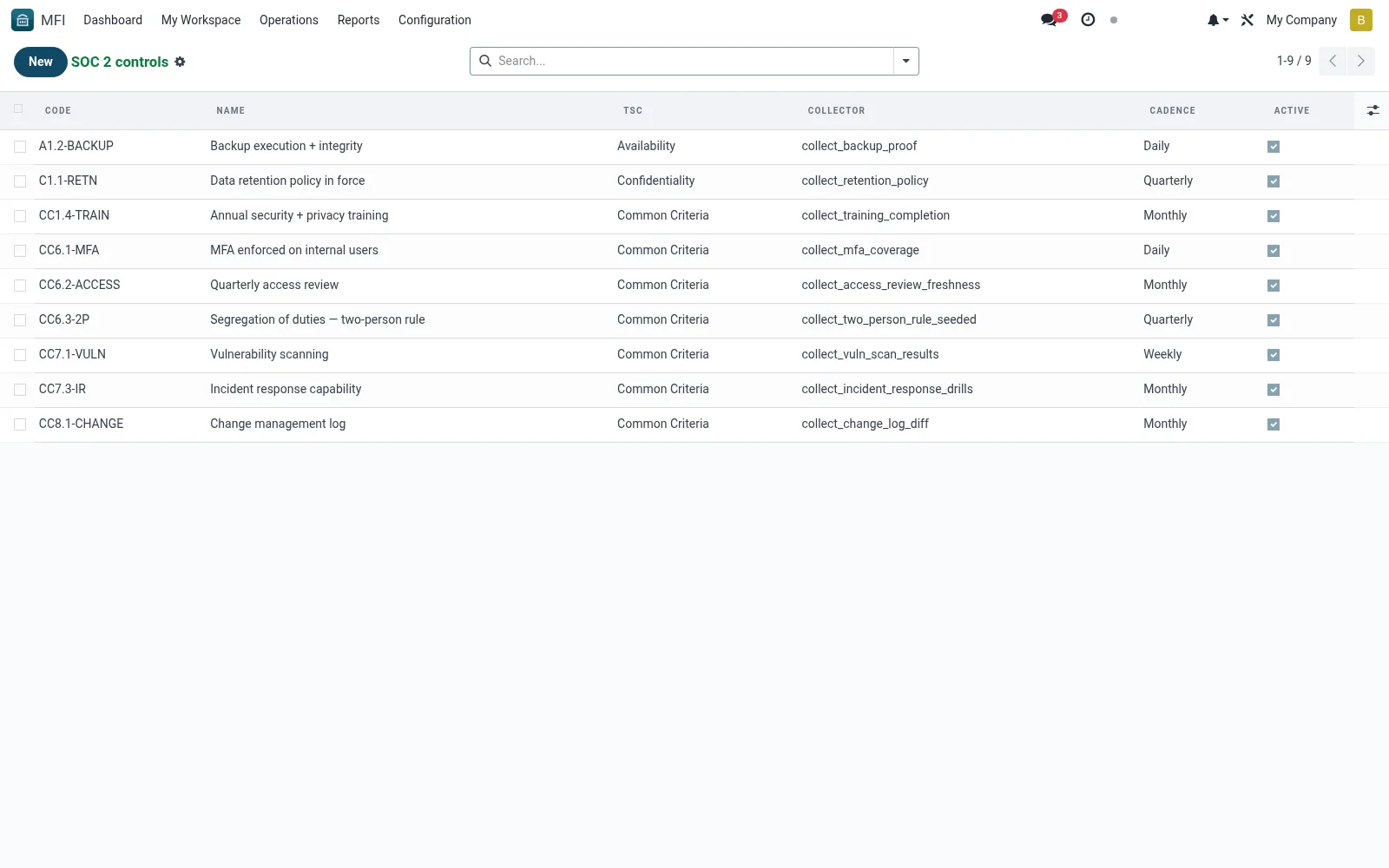
Controls is the register of the SOC 2 control objectives the institution commits to -- security, availability, confidentiality and processing-integrity measures -- each tracked for status and ownership. It frames what the institution must prove and ties each control to its evidence. Compliance leads use it to manage readiness across the trust criteria.
Workflow
- Open MFI > Configuration > Tools > SOC 2 > Controls
- Review the registered control objectives and owners
- Open a control to see its description and status
- Link the relevant evidence collected for it
- Track gaps and assign remediation owners
Fields reference
Every field on this screen, drawn from the live data model.
| Field | Type | Required | Description |
|---|---|---|---|
Collectorcollector | Text | — | Name of the method on mfi.soc2.evidence that collects evidence for this control (e.g. 'collect_mfa_coverage'). |
Namename | Text | Yes | Name |
Codecode | Text | Yes | Code |
Tsctsc | Choice: Common Criteria, Availability, Confidentiality, Processing Integrity, Privacy | Yes | Tsc |
Descriptiondescription | Long text | — | Description |
Cadencecadence | Choice: Daily, Weekly, Monthly, Quarterly | — | Cadence |
Activeactive | Yes/No | — | Active |
Notes & rules
- Model mfi.soc2.control -- control register
- Key fields: control objective, owner, status
- Related: Evidence, Audit Logs
- Used by compliance and security leads
Was this page helpful?