

Runs
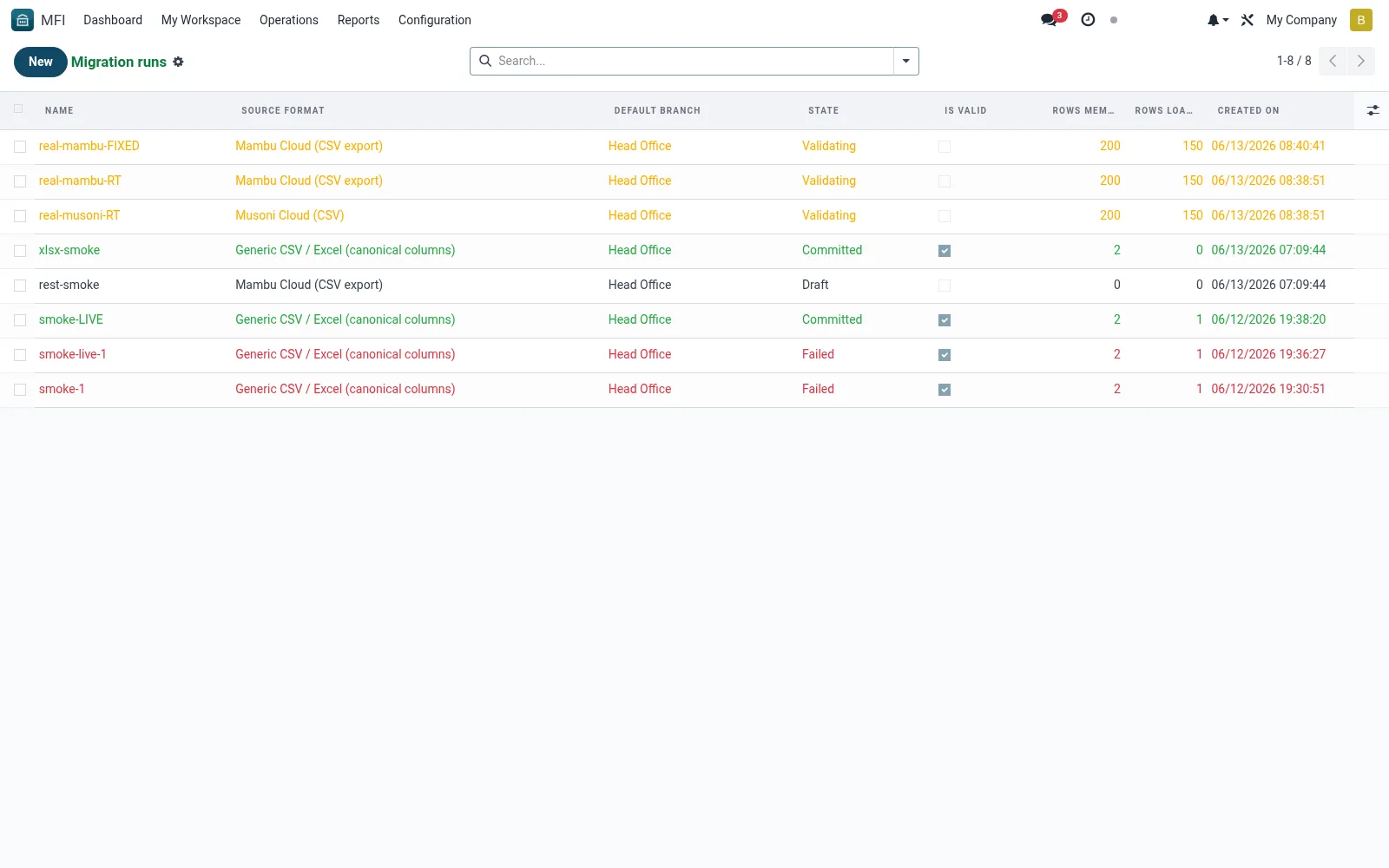
Runs lists each data-migration execution that imported records from a legacy core-banking or spreadsheet source, with counts, status and errors. It lets implementers track onboarding progress and re-run or fix failed batches. It is central to a clean, verifiable conversion when an institution adopts the suite.
Workflow
- Open MFI > Configuration > Tools > Migration > Runs
- Click New to start a migration run and pick the source
- Upload or point to the source data file
- Execute and monitor the import counts and errors
- Review the Mapping Audit and fix any rejected rows
Fields reference
Every field on this screen, drawn from the live data model.
| Field | Type | Required | Description |
|---|---|---|---|
Default branchbranch_id | Link → mfi.branch | Yes | Records without an explicit branch in the source will be assigned to this branch. |
Website Messageswebsite_message_ids | List | — | Website communication history |
Dry Rundry_run | Yes/No | — | If True, the Commit button only stages and validates — no live writes. |
Pull via REST APIapi_mode | Yes/No | — | When true, the operator fills credentials below; the Pull-from-API action populates the file attachments. |
API base URLapi_base_url | Text | — | e.g. https://acme.sandbox.mambu.com/api |
Namename | Text | Yes | Name |
Source Formatsource_format_id | Link → mfi.migration.source.format | Yes | Source Format |
Has Messagehas_message | Yes/No | — | Has Message |
Ratingsrating_ids | List | — | Ratings |
Statestate | Choice: Draft, Files staged, Validating, Ready to commit, Committed, Rolled back, Failed | — | State |
Members CSV/XLSXfile_members_id | Link → ir.attachment | — | Members CSV/XLSX |
Savings accountsfile_savings_acc_id | Link → ir.attachment | — | Savings accounts |
Savings transactionsfile_savings_txn_id | Link → ir.attachment | — | Savings transactions |
Loansfile_loans_id | Link → ir.attachment | — | Loans |
Loan schedulesfile_loan_schedules_id | Link → ir.attachment | — | Loan schedules |
Rows Membersrows_members | Number | — | Rows Members |
Rows Savings Accrows_savings_acc | Number | — | Rows Savings Acc |
Rows Savings Txnrows_savings_txn | Number | — | Rows Savings Txn |
Rows Loansrows_loans | Number | — | Rows Loans |
Rows Loan Schedulesrows_loan_schedules | Number | — | Rows Loan Schedules |
Validation Report Jsonvalidation_report_json | Long text | — | Validation Report Json |
Validation Report Htmlvalidation_report_html | Rich text | — | Validation Report Html |
Is Validis_valid | Yes/No | — | Is Valid |
Commit Logcommit_log | Long text | — | Commit Log |
API username / consumer keyapi_username | Text | — | API username / consumer key |
API password / consumer secretapi_password | Text | — | API password / consumer secret |
Tenant code (Musoni)api_tenant | Text | — | Tenant code (Musoni) |
Api Page Sizeapi_page_size | Number | — | Api Page Size |
Mapping Countmapping_count | Number | — | Mapping Count |
Actions & buttons
Buttons available on this screen and what they do:
- Stage files
- Validate
- Commit (dry-run)
- Commit (LIVE)
- Pull from API
Status lifecycle
Records on this screen move through these statuses:
Draft → Files staged → Validating → Ready to commit → Committed → Rolled back → Failed
Notes & rules
- Model mfi.migration.run -- import executions
- Key fields: source format, counts, status, errors
- Related: Source Formats, Mapping Audit
- Used by implementers and data migration teams
Was this page helpful?