

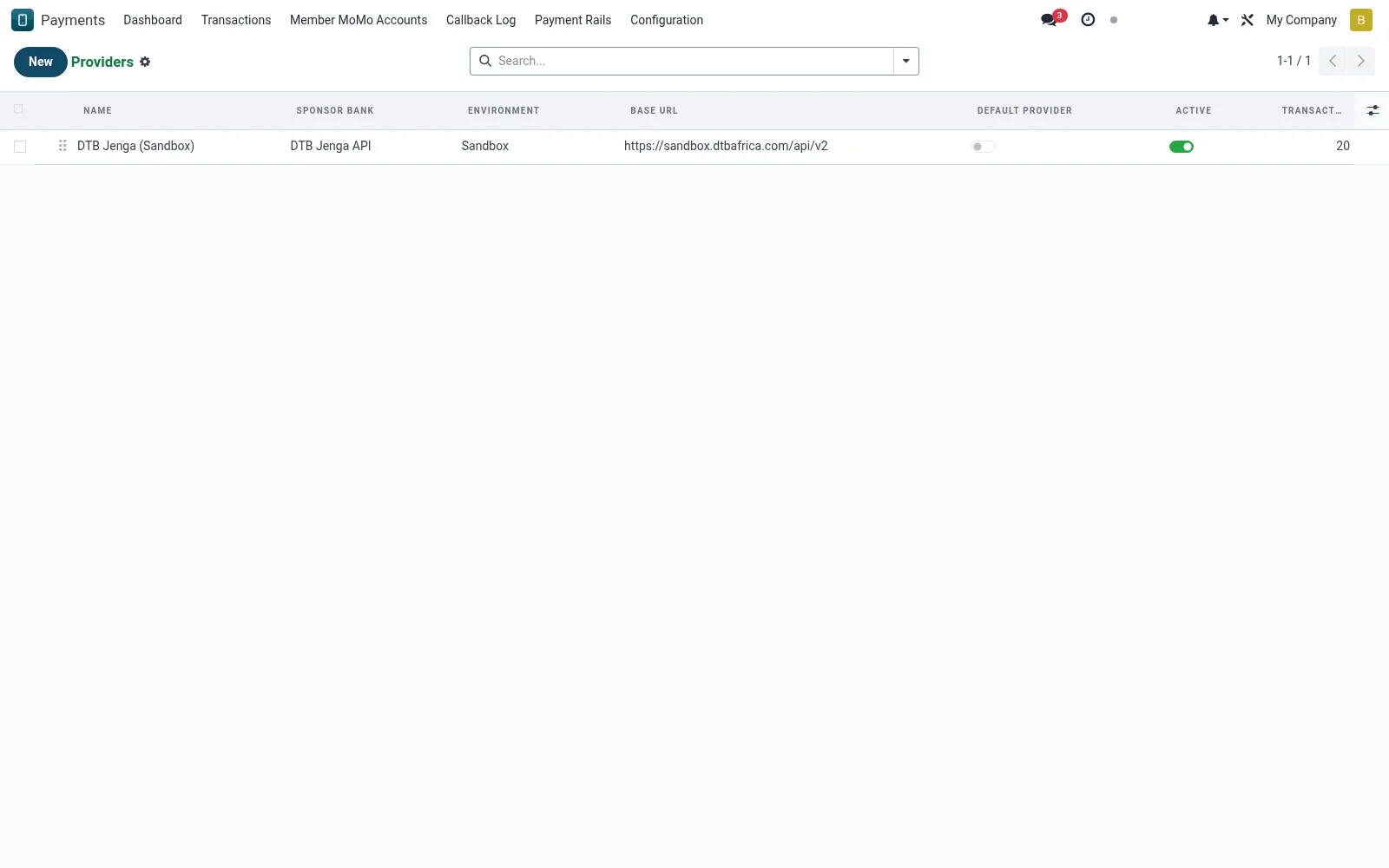
Providers
Defines the PesaLink provider connections (mfi.pesalink.provider) - endpoint URLs, credentials, signing keys and transfer limits used to reach the interbank network. A correctly configured provider is what lets the transfer wizard and transactions communicate with the rail. Administrators manage sandbox-versus-production toggles here.
Workflow
- Open Providers under PesaLink Configuration.
- Create or edit a provider entry with its endpoint and credentials.
- Set the environment toggle to sandbox or production.
- Enter signing keys and per-transaction limits.
- Save and run a connection test before going live.
Fields reference
Every field on this screen, drawn from the live data model.
| Field | Type | Required | Description |
|---|---|---|---|
Base URLbase_url | Text | Yes | e.g. https://uat.jengahq.io or https://sandbox.stanbicbank.co.ke |
Token Endpoint Pathtoken_endpoint | Text | — | Path appended to base_url for OAuth2. |
Public Callback URLcallback_url | Text | — | Full HTTPS URL where the sponsor bank POSTs camt.054 notifications. Should point to /pesalink/webhook on this BridgeERP. |
Merchant/Account Codemerchant_code | Text | — | Configured on the sponsor-bank side for signature canonicalisation. |
RSA Signing Key (PEM)signing_key_pem | Long text | — | Merchant private key used to sign outbound payloads. |
HMAC Secrethmac_secret | Text | — | Shared secret used to verify inbound webhook signatures. |
Funding Savings Accountfunding_account_id | Link → mfi.savings.account | — | Account whose balance is debited for outbound transfers (your MFI float held at the sponsor bank). |
Default Provideris_default | Yes/No | — | At most one provider should be default. |
Namename | Text | Yes | Name |
Sponsor Banksponsor_bank | Choice: DTB Jenga API, Stanbic Bank Kenya (sandbox), Generic ISO 20022 | Yes | Sponsor Bank |
Environmentenvironment | Choice: Sandbox, Production | Yes | Environment |
Has Messagehas_message | Yes/No | — | Has Message |
Sequencesequence | Number | — | Sequence |
Companycompany_id | Link → res.company | — | Company |
Initiate Transfer Endpoint Pathinitiate_endpoint | Text | — | Initiate Transfer Endpoint Path |
Query Status Endpoint Pathquery_endpoint | Text | — | Query Status Endpoint Path |
Client IDclient_id | Text | — | Client ID |
Client Secretclient_secret | Text | — | Client Secret |
API Keyapi_key | Text | — | API Key |
Sponsor Bank BICfunding_account_bic | Text | — | Sponsor Bank BIC |
Sponsor Bank Account Numberfunding_account_number | Text | — | Sponsor Bank Account Number |
Activeactive | Yes/No | — | Active |
Last Token Atlast_token_at | Date & time | — | Last Token At |
Last API Calllast_audit_at | Date & time | — | Last API Call |
Transaction Counttransaction_count | Number | — | Transaction Count |
Dispute Countdispute_count | Number | — | Dispute Count |
Actions & buttons
Buttons available on this screen and what they do:
- Test Connection
Notes & rules
- Credentials and signing keys authenticate every outbound message.
- Sandbox/production toggle isolates testing from live settlement.
- Transfer limits enforced here cap individual transactions.
- Only administrators should edit production provider records.
Was this page helpful?