

Dashboard
An analytical dashboard over the mmm.transaction ledger that visualises payment volume, value and success rate across every mobile-money and bank rail. Graph and pivot views let treasury staff spot failed-callback spikes, per-rail throughput and settlement gaps at a glance. Use it as the daily health check before opening individual transaction records.
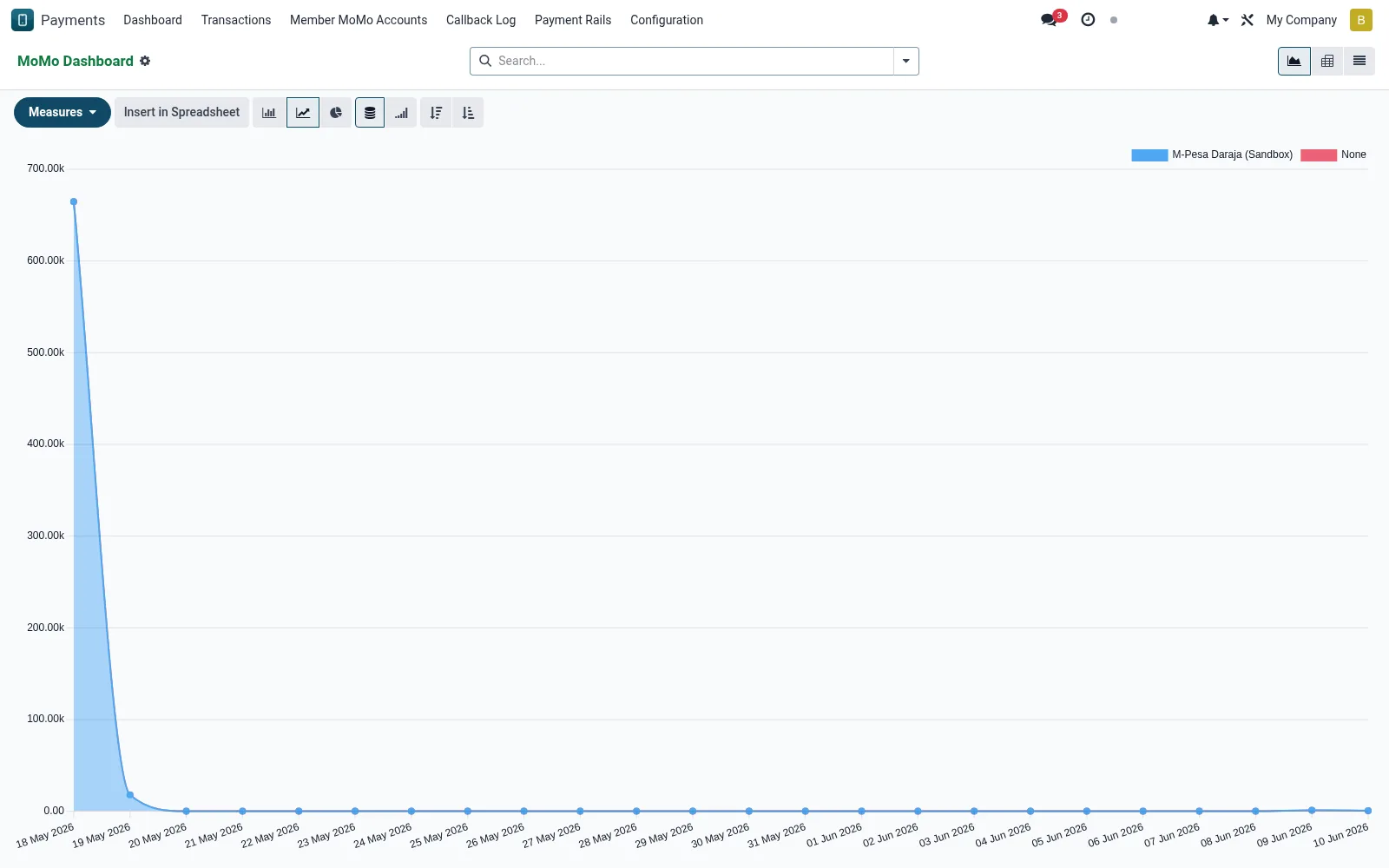
Workflow
- Open Payments and select Dashboard to load the transaction analytics.
- Switch between graph and pivot to slice by rail, status or date.
- Group by provider or state to isolate failures and pending callbacks.
- Drill into any data point to jump to the underlying transaction list.
- Filter by date range to compare day-over-day settlement trends.
Fields reference
Every field on this screen, drawn from the live data model.
| Field | Type | Required | Description |
|---|---|---|---|
Reference / Receiptreference | Text | Yes | Reference / Receipt |
Providerprovider_id | Link → mmm.provider | Yes | Provider |
Directiondirection | Choice: In (C2B / receive), Out (B2C / payout), Reversal | Yes | Direction |
Amountamount | Money | Yes | Amount |
Currencycurrency_id | Link → res.currency | Yes | Currency |
Has Messagehas_message | Yes/No | — | Has Message |
MoMo Accountaccount_id | Link → mmm.account | — | MoMo Account |
Membermember_id | Link → mfi.member | — | Member |
Feefee | Money | — | Fee |
Statusstatus | Choice: Pending, Processing, Success, Failed, Reversed, Idempotency Replay | — | Status |
MSISDNmsisdn | Text | — | MSISDN |
Counterparty Namecounterparty_name | Text | — | Counterparty Name |
Rail-side Referencerail_reference | Text | — | Rail-side Reference |
Checkout Request IDcheckout_request_id | Text | — | Checkout Request ID |
Merchant Request IDmerchant_request_id | Text | — | Merchant Request ID |
Originator Conversation IDoriginator_conversation_id | Text | — | Originator Conversation ID |
Conversation IDconversation_id | Text | — | Conversation ID |
Result Coderesult_code | Text | — | Result Code |
Result Descriptionresult_desc | Text | — | Result Description |
M-Pesa Receipt Numbermpesa_receipt_number | Text | — | M-Pesa Receipt Number |
Last Polledlast_polled_at | Date & time | — | Last Polled |
Idempotency Keyidempotency_key | Text | — | Idempotency Key |
Raw Webhook Payloadraw_payload | Long text | — | Raw Webhook Payload |
Originating Callbackcallback_log_id | Link → mmm.callback.log | — | Originating Callback |
Reconciled Savings Txnreconciled_savings_txn_id | Link → mfi.savings.transaction | — | Reconciled Savings Txn |
Posted Atposted_at | Date & time | — | Posted At |
Companycompany_id | Link → res.company | — | Company |
Actions & buttons
Buttons available on this screen and what they do:
- Mark Success
- Reverse
Notes & rules
- Aggregates mmm.transaction across all configured rails.
- Status breakdown distinguishes initiated, confirmed, failed and reversed.
- Pivot supports per-provider fee and value summaries.
- Read-only - a monitoring surface, not a place to edit transactions.
Was this page helpful?