

Callback Log
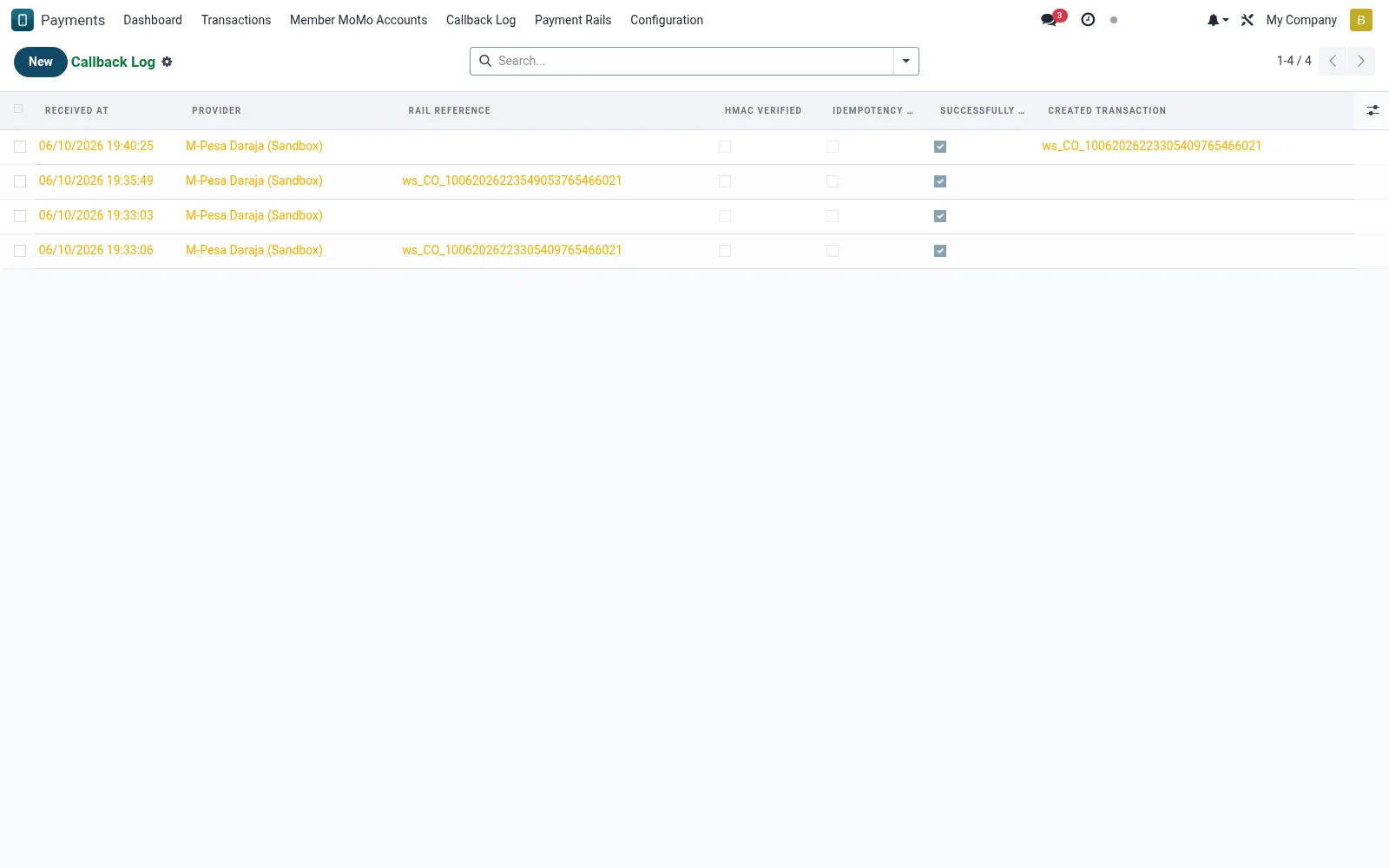
A raw audit trail of every asynchronous callback received from payment rails, captured as mmm.callback.log entries. Each row stores the inbound payload, the HMAC signature-verification result and which transaction it was matched to. Engineers and support use it to diagnose stuck payments and confirm that confirmations were processed exactly once.
Workflow
- Open Callback Log to review inbound provider notifications.
- Filter by provider or by signature-validation outcome.
- Open an entry to read the full payload and the matched transaction.
- Confirm the idempotency key prevented any duplicate posting.
- Re-link or escalate an orphaned callback that found no transaction.
Fields reference
Every field on this screen, drawn from the live data model.
| Field | Type | Required | Description |
|---|---|---|---|
Providerprovider_id | Link → mmm.provider | Yes | Provider |
Raw Bodyraw_body | Long text | Yes | Raw Body |
Received Atreceived_at | Date & time | Yes | Received At |
Rail Referencereference | Text | — | Rail Reference |
Headersheaders | Long text | — | Headers |
HMAC Verifiedhmac_verified | Yes/No | — | HMAC Verified |
Idempotency Replayis_replay | Yes/No | — | Idempotency Replay |
Successfully Parsedparsed | Yes/No | — | Successfully Parsed |
Parse Errorparse_error | Long text | — | Parse Error |
Created Transactiontransaction_id | Link → mmm.transaction | — | Created Transaction |
Companycompany_id | Link → res.company | — | Company |
Notes & rules
- Callbacks are HMAC-signed; an invalid signature is rejected and flagged.
- The idempotency key guarantees a repeated callback posts only once.
- Orphan callbacks (no matching transaction) are retained for investigation.
- Payloads are stored verbatim for dispute and forensic evidence.
Was this page helpful?