

New Transfer
A guided wizard (mfi.pesalink.transfer.wizard) for sending a single PesaLink interbank transfer to another bank account. It validates the destination bank, beneficiary account and amount, then builds the ISO 20022 payment instruction for submission. The wizard is the safe, validated front door to outbound PesaLink payments.
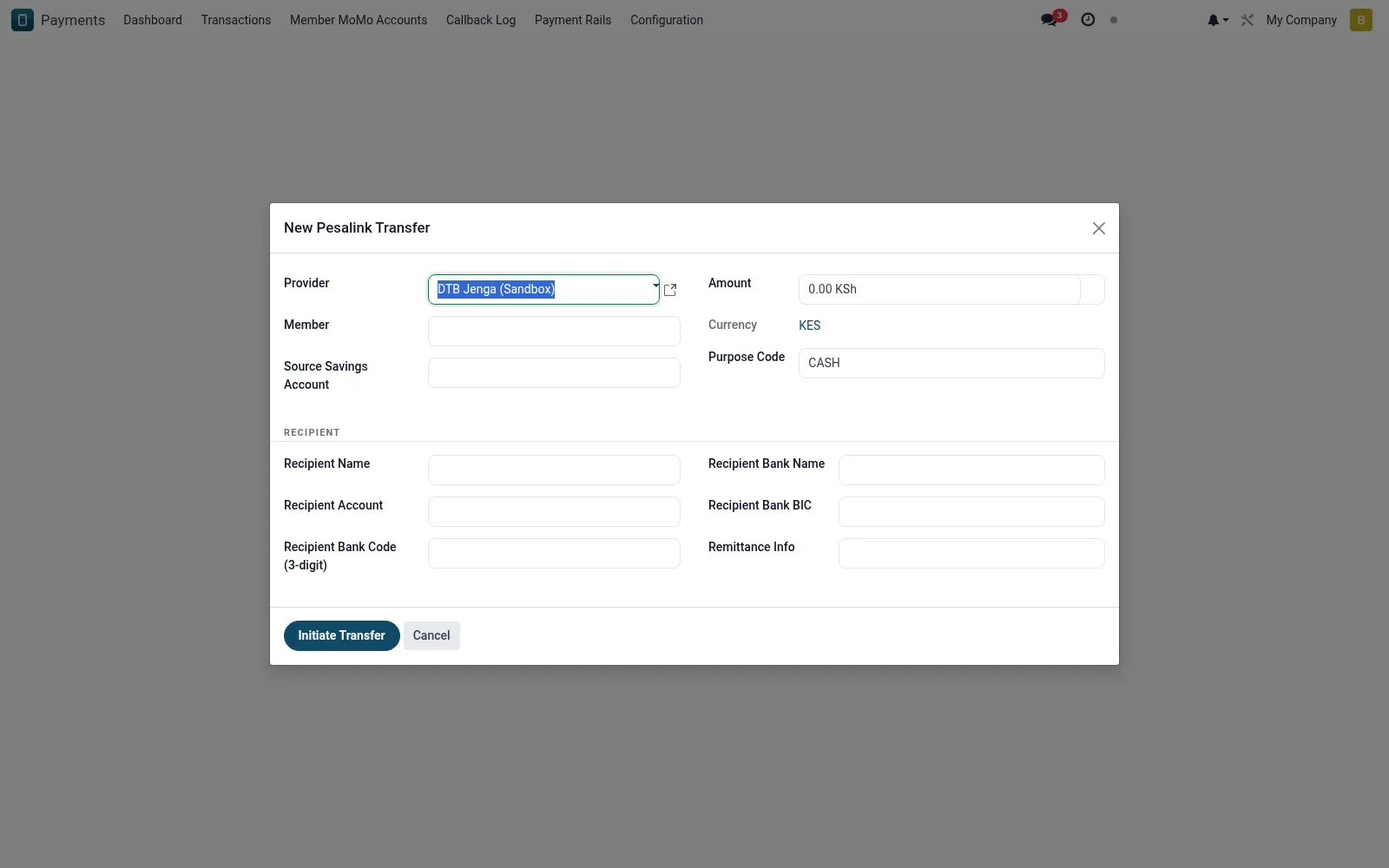
Workflow
- Open New Transfer under the PesaLink menu.
- Select the destination bank and enter the beneficiary account number.
- Capture the amount, currency and a payment narrative.
- Confirm the resolved beneficiary name returned by the rail.
- Submit to create a tracked mfi.pesalink.transaction record.
Fields reference
Every field on this screen, drawn from the live data model.
| Field | Type | Required | Description |
|---|---|---|---|
Providerprovider_id | Link → mfi.pesalink.provider | Yes | Provider |
Membermember_id | Link → mfi.member | Yes | Member |
Source Savings Accountsavings_account_id | Link → mfi.savings.account | Yes | Source Savings Account |
Recipient Namecounterparty_name | Text | Yes | Recipient Name |
Recipient Accountcounterparty_account | Text | Yes | Recipient Account |
Amountamount | Money | Yes | Amount |
Recipient Bank Code (3-digit)counterparty_bank_code | Text | — | Recipient Bank Code (3-digit) |
Recipient Bank Namecounterparty_bank_name | Text | — | Recipient Bank Name |
Recipient Bank BICcounterparty_bank_bic | Text | — | Recipient Bank BIC |
Currencycurrency_id | Link → res.currency | — | Currency |
Remittance Inforemittance_info | Text | — | Remittance Info |
Purpose Codepurpose_code | Text | — | Purpose Code |
Actions & buttons
Buttons available on this screen and what they do:
- Initiate Transfer
Notes & rules
- Builds an ISO 20022 pacs message for the interbank network.
- Beneficiary-name resolution guards against misdirected funds.
- Each submission produces a traceable transaction with a provider reference.
- Amount limits are enforced per the active provider configuration.
Was this page helpful?