

OTP Challenges
OTP Challenges logs the one-time-password authorisations issued for sensitive savings actions - large withdrawals, transfers or profile changes - where a code is sent to the member to confirm the instruction. Each mfi.savings.otp.challenge records the action, status and verification outcome for audit.
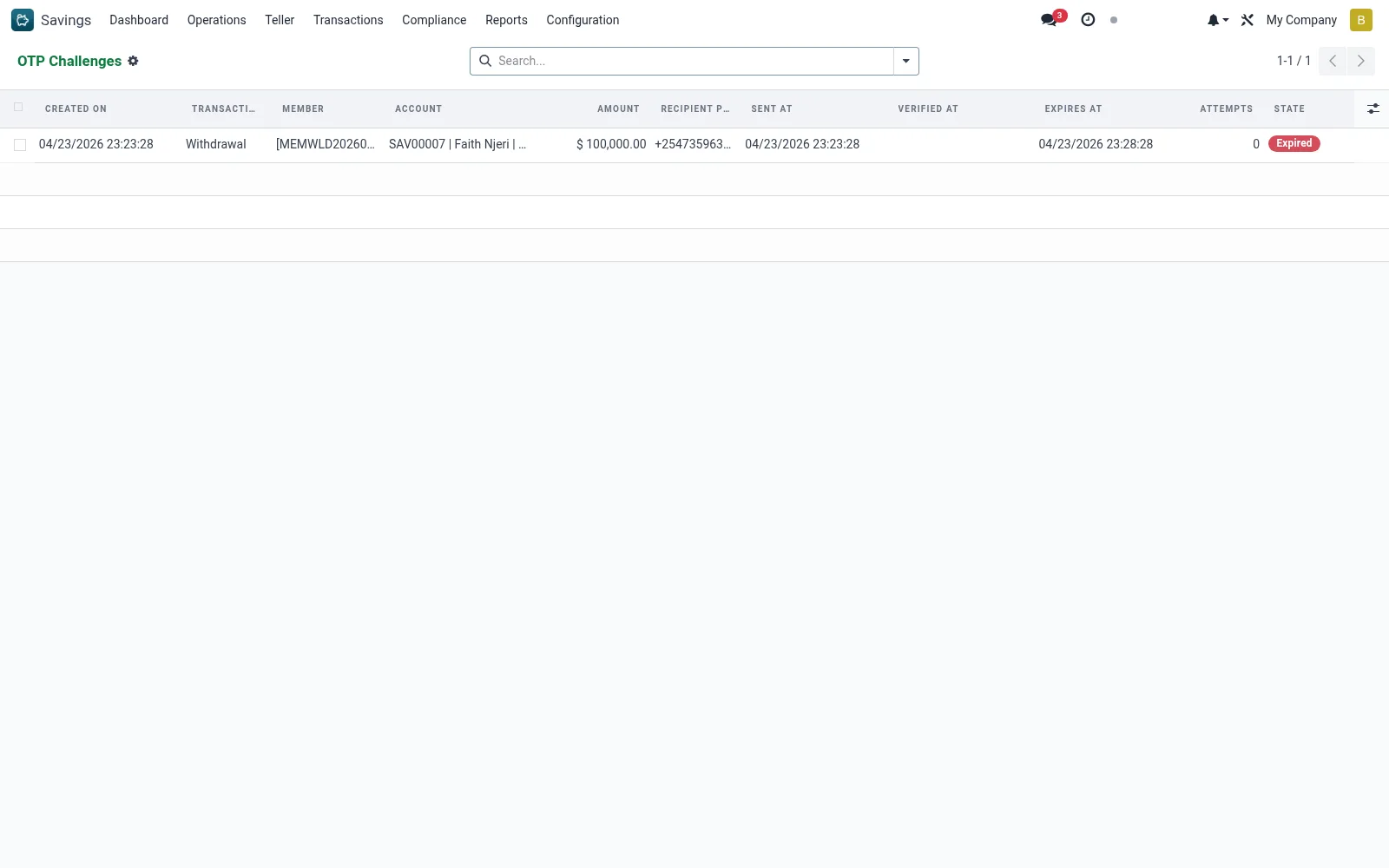
Workflow
- Open Savings > Transactions > OTP Challenges.
- Locate the challenge by member, action or date.
- Review whether the OTP was verified, expired or failed.
- Use it to investigate a disputed or stalled transaction.
- Confirm the linked transaction proceeded only on a verified OTP.
Fields reference
Every field on this screen, drawn from the live data model.
| Field | Type | Required | Description |
|---|---|---|---|
OTP Hashotp_hash | Text | — | SHA-256 of issued code. Plaintext is never persisted. |
Transaction Typetxn_type | Choice: Deposit, Withdrawal, Transfer | Yes | Transaction Type |
Membermember_id | Link → mfi.member | Yes | Member |
Amountamount | Money | Yes | Amount |
Currencycurrency_id | Link → res.currency | Yes | Currency |
Statestate | Choice: Pending, Verified, Failed, Expired | Yes | State |
Companycompany_id | Link → res.company | Yes | Company |
Accountaccount_id | Link → mfi.savings.account | — | Account |
Sent Atsent_at | Date & time | — | Sent At |
Verified Atverified_at | Date & time | — | Verified At |
Expires Atexpires_at | Date & time | — | Expires At |
Attemptsattempts | Number | — | Attempts |
IP Addressip_address | Text | — | IP Address |
Recipient Phonerecipient_phone | Text | — | Recipient Phone |
Status lifecycle
Records on this screen move through these statuses:
Pending → Verified → Failed → Expired
Notes & rules
- Records on mfi.savings.otp.challenge for step-up authentication.
- Tracks issued, verified, expired and failed states.
- Provides an audit trail for OTP-gated savings actions.
Was this page helpful?