

Standing Orders
Standing Orders manages member-authorised recurring instructions that automatically move money on a schedule - for example a fixed monthly transfer from a savings account to a loan repayment, a recurring-deposit instalment, or a sweep to another account. Each mfi.standing.order defines the source, destination, amount and frequency.
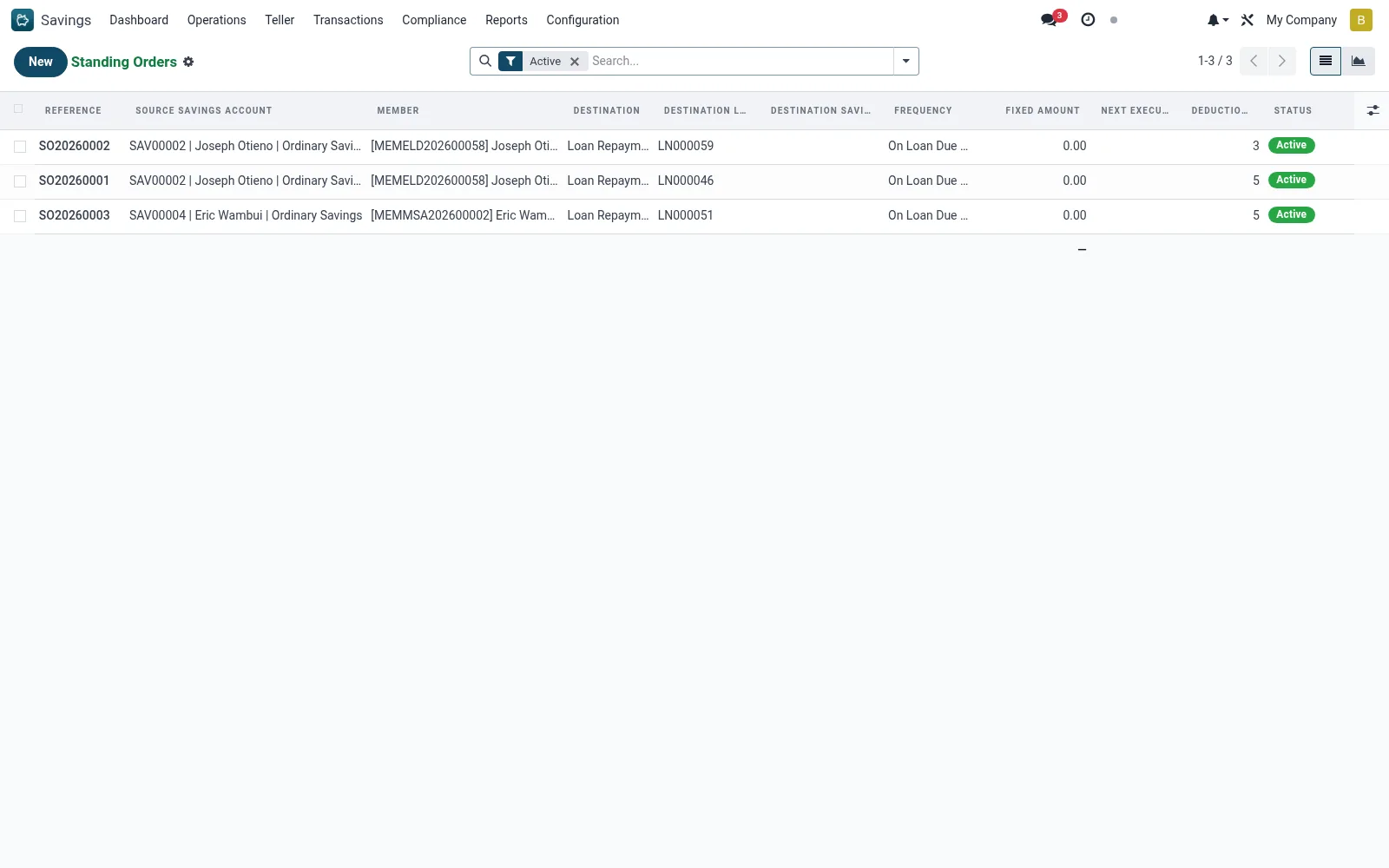
Workflow
- Open Savings > Transactions > Standing Orders.
- Create an instruction selecting the source account and beneficiary.
- Set the amount, frequency and start/end dates.
- Activate the standing order so the scheduler picks it up.
- Monitor executions and handle any failed runs (e.g. insufficient funds).
- Amend or cancel the instruction at the member's request.
Fields reference
Every field on this screen, drawn from the live data model.
| Field | Type | Required | Description |
|---|---|---|---|
Prioritypriority | Number | — | Lower = higher priority |
Max Deductionsmax_deductions | Number | — | 0 = unlimited |
Allow Partial Deductionallow_partial | Yes/No | — | If insufficient balance, deduct what is available |
Source Savings Accountsavings_account_id | Link → mfi.savings.account | Yes | Source Savings Account |
Destinationdestination_type | Choice: Loan Repayment, Another Savings Account | Yes | Destination |
Frequencyfrequency | Choice: Daily, Weekly, Monthly, On Loan Due Date | Yes | Frequency |
Amount Typeamount_type | Choice: Fixed Amount, Full Loan Installment, Percentage of Balance | Yes | Amount Type |
Start Datestart_date | Date | Yes | Start Date |
Statusstate | Choice: Draft, Active, Paused, Completed, Cancelled | Yes | Status |
Has Messagehas_message | Yes/No | — | Has Message |
Referencename | Text | — | Reference |
Membermember_id | Link → mfi.member | — | Member |
Branchbranch_id | Link → mfi.branch | — | Branch |
Currencycurrency_id | Link → res.currency | — | Currency |
Companycompany_id | Link → res.company | — | Company |
Destination Loandestination_loan_id | Link → mfi.loan | — | Destination Loan |
Destination Savingsdestination_savings_id | Link → mfi.savings.account | — | Destination Savings |
Fixed Amountfixed_amount | Money | — | Fixed Amount |
Percentage (%)percentage | Decimal | — | Percentage (%) |
End Dateend_date | Date | — | End Date |
Deductions Madededuction_count | Number | — | Deductions Made |
Last Executionlast_execution_date | Date | — | Last Execution |
Next Executionnext_execution_date | Date | — | Next Execution |
Total Deductedtotal_deducted | Money | — | Total Deducted |
SMS on Deductionsms_on_deduction | Yes/No | — | SMS on Deduction |
Notesnotes | Long text | — | Notes |
Actions & buttons
Buttons available on this screen and what they do:
- Activate
- Pause
- Resume
- Cancel
Status lifecycle
Records on this screen move through these statuses:
Draft → Active → Paused → Completed → Cancelled
Notes & rules
- Recurring instructions on mfi.standing.order executed on schedule.
- Common uses: loan repayment, RD instalments and inter-account sweeps.
- Runs that fail for insufficient funds are flagged for retry or follow-up.
Was this page helpful?