

All Transactions
All Transactions is the complete savings ledger, listing every posted money movement across all accounts - deposits, withdrawals, transfers, interest and fees. Each mfi.savings.transaction line carries the account, type, amount, running balance, value date and the user who posted it. It is the primary screen for transaction enquiry and reconciliation.
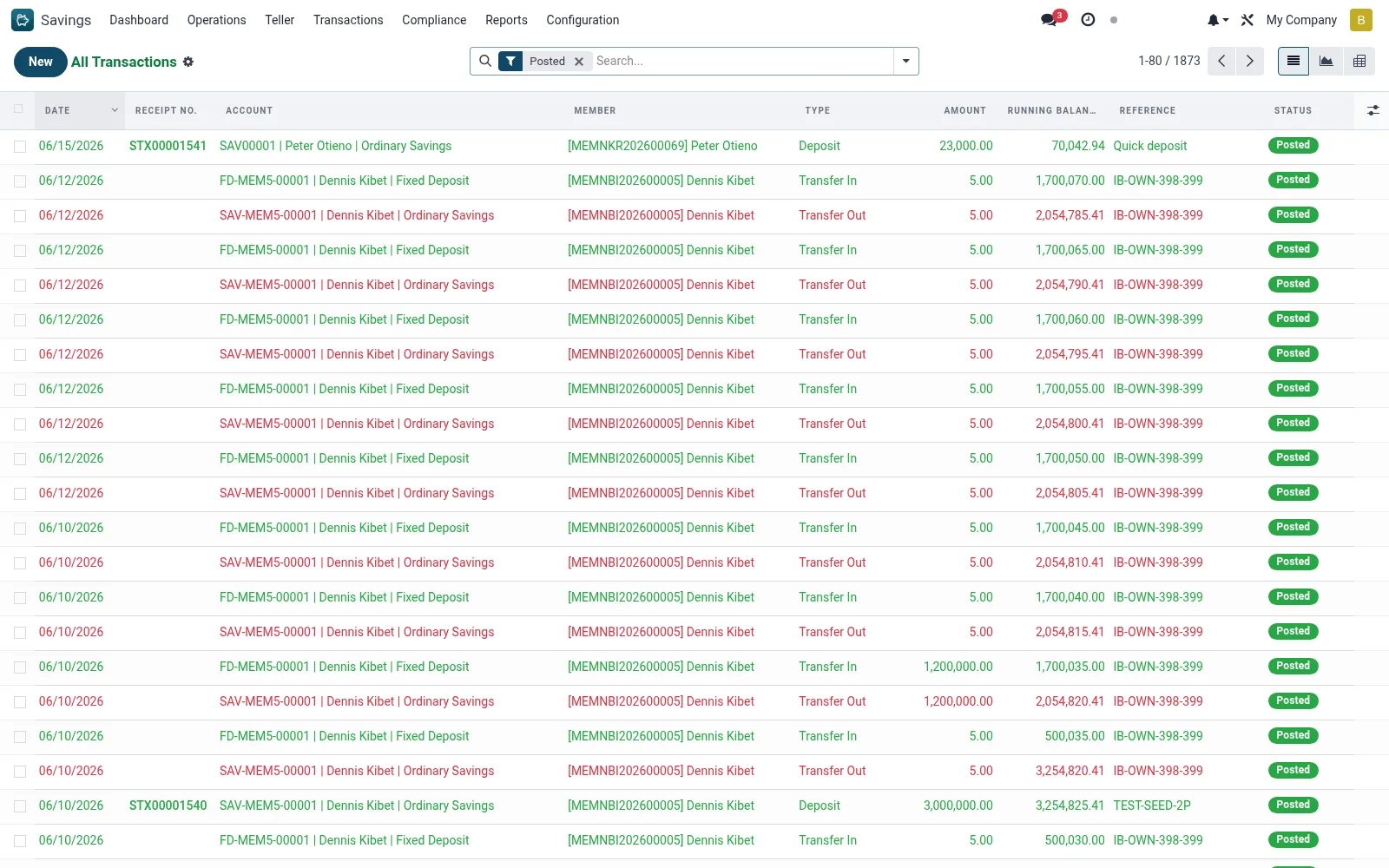
Workflow
- Open Savings > Transactions > All Transactions.
- Filter by account, type, date range or branch to narrow the ledger.
- Open a transaction to see its full detail and linked references.
- Group or pivot by type or product to reconcile totals.
- Locate a posting that needs correcting before raising a reversal.
Fields reference
Every field on this screen, drawn from the live data model.
| Field | Type | Required | Description |
|---|---|---|---|
Reversal Transactionreversed_id | Link → mfi.savings.transaction | — | The reversal transaction that reversed this one |
Reversal Ofreversal_of_id | Link → mfi.savings.transaction | — | The original transaction this reversal undoes |
Reversal Directionreversal_direction | Choice: Credit (Money In), Debit (Money Out) | — | For reversal transactions: whether this added or removed money |
Transfer Reftransfer_id | Text | — | Shared identifier linking transfer_out and transfer_in legs. |
FX Detailsfx_note | Text | — | If cash was received in a different currency from the account currency. |
Accountaccount_id | Link → mfi.savings.account | Yes | Account |
Typetransaction_type | Choice: Deposit, Withdrawal, Interest Posting, Fee/Charge, Transfer In, Transfer Out, Loan Auto-Debit, Dividend Credit | Yes | Type |
Amountamount | Money | Yes | Amount |
Datetransaction_date | Date | Yes | Date |
Statusstate | Choice: Draft, Posted, Reversed | Yes | Status |
Has Messagehas_message | Yes/No | — | Has Message |
Membermember_id | Link → mfi.member | — | Member |
Phonemember_phone | Text | — | Phone |
ID Numbermember_id_number | Text | — | ID Number |
Branchbranch_id | Link → mfi.branch | — | Branch |
Currencycurrency_id | Link → res.currency | — | Currency |
Companycompany_id | Link → res.company | — | Company |
Is Creditis_credit | Yes/No | — | Is Credit |
Running Balancerunning_balance | Money | — | Running Balance |
Value Datevalue_date | Date | — | Value Date |
Referencereference | Text | — | Reference |
Receipt No.receipt_number | Text | — | Receipt No. |
Channelchannel_id | Link → mfi.loan.repayment.channel | — | Channel |
Mobile Numbermobile_number | Text | — | Mobile Number |
Bank Referencebank_reference | Text | — | Bank Reference |
Processed Byreceived_by | Link → res.users | — | Processed By |
Notesnotes | Long text | — | Notes |
Teller Commissionteller_commission | Money | — | Teller Commission |
Voucher No.voucher_number | Text | — | Voucher No. |
Voucher Requiredvoucher_required | Yes/No | — | Voucher Required |
Tellerteller_id | Link → res.users | — | Teller |
Journal Entrymove_id | Link → account.move | — | Journal Entry |
Actions & buttons
Buttons available on this screen and what they do:
- Post Transaction
- Reverse Transaction
- Print Receipt
Status lifecycle
Records on this screen move through these statuses:
Draft → Posted → Reversed
Notes & rules
- Full ledger on mfi.savings.transaction across every type.
- Each line records the post-transaction running balance.
- Supports list, form, graph and pivot for reconciliation.
Was this page helpful?