

Webhooks
Webhooks defines the outbound event subscriptions that push real-time notifications to partner systems -- for example, notifying a mobile app when a deposit posts or a loan is approved. It lets external platforms stay in sync without polling. Integration admins configure endpoints and the events each should receive.
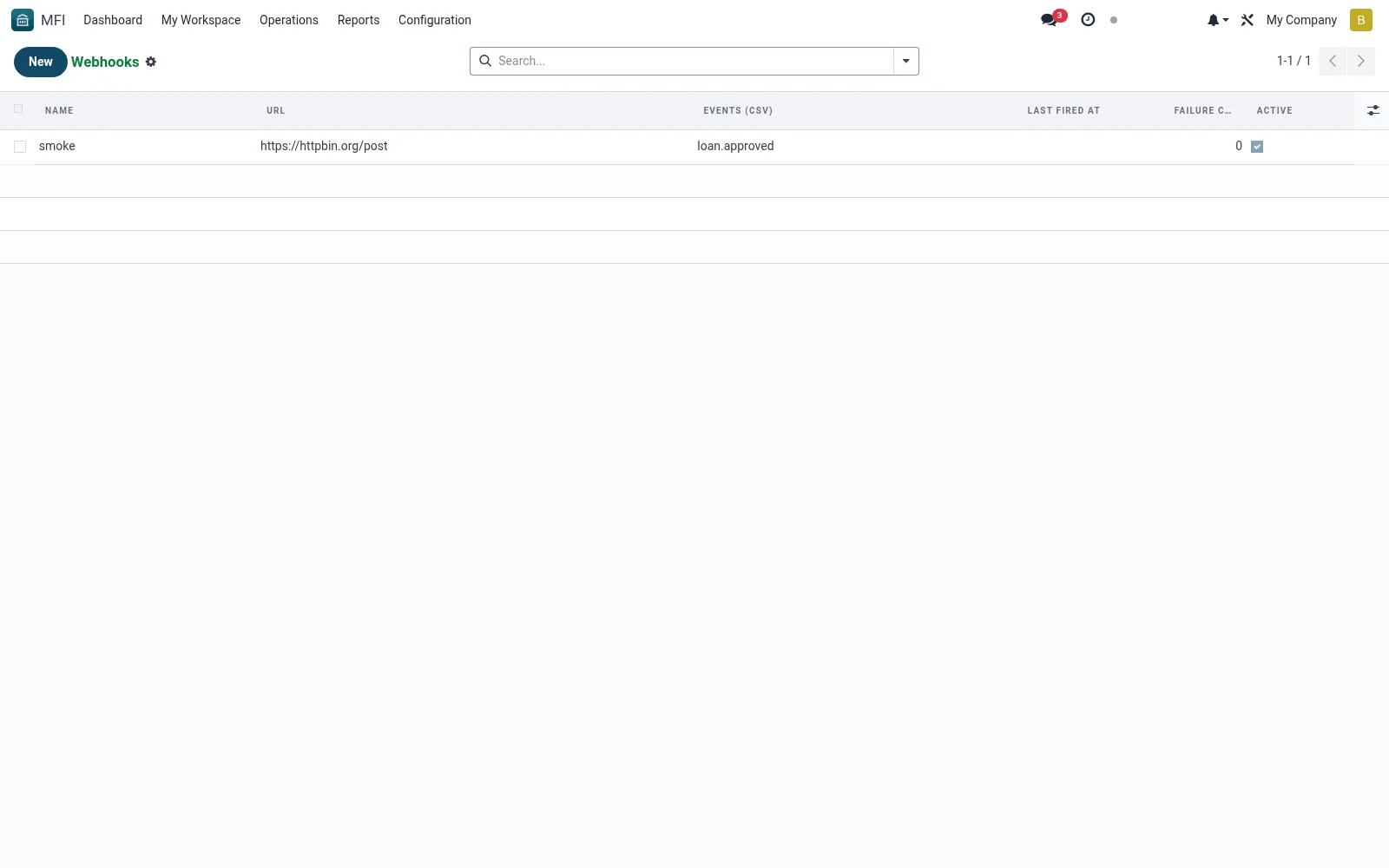
Workflow
- Open MFI > Configuration > API / Integrations > Webhooks
- Click New and enter the partner endpoint URL
- Select the events that should trigger a push
- Set authentication and retry behaviour
- Save and verify delivery via the Webhook Queue
Fields reference
Every field on this screen, drawn from the live data model.
| Field | Type | Required | Description |
|---|---|---|---|
Events (CSV)events | Text | Yes | Comma-separated event codes or "*" for all. |
Namename | Text | Yes | Name |
Urlurl | Text | Yes | Url |
Secret Keysecret_key | Text | Yes | Secret Key |
Activeactive | Yes/No | — | Active |
Last Fired Atlast_fired_at | Date & time | — | Last Fired At |
Failure Countfailure_count | Number | — | Failure Count |
Api Keyapi_key_id | Link → mfi.api.key | — | Api Key |
Notes & rules
- Model mfi.webhook -- outbound event subscriptions
- Key fields: endpoint, events, auth, status
- Related: Webhook Queue, API Keys
- Used by integration admins
Was this page helpful?