

Generate New API Key
Generate New API Key is the wizard that mints a fresh credential for an integration, letting the admin name it, set scopes and capture the secret securely on creation. It enforces that secrets are shown once and access is least-privilege. Admins use it when onboarding a new partner or app.
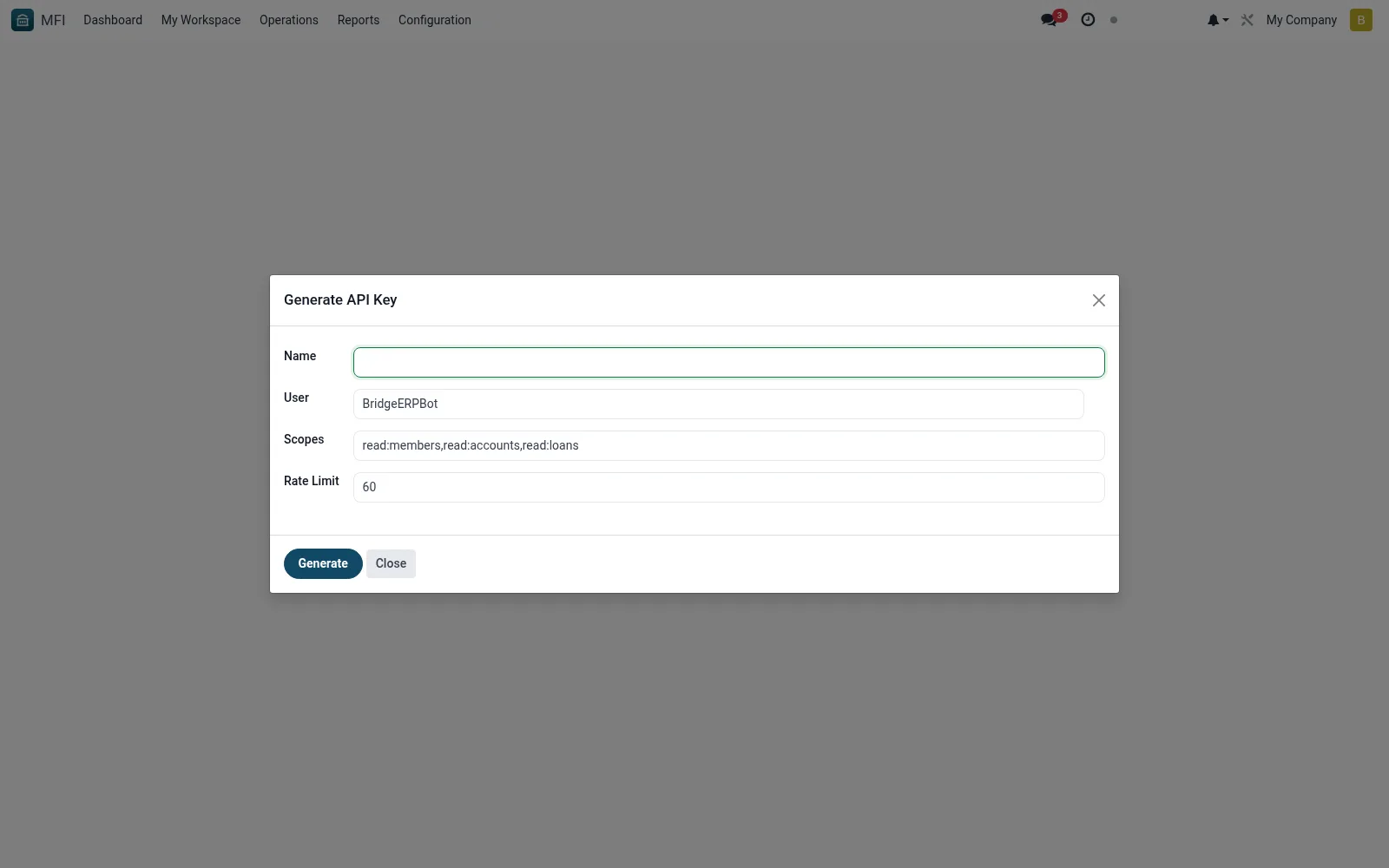
Workflow
- Open MFI > Configuration > API / Integrations > Generate New API Key
- Name the integration and choose its owner
- Select the scopes and permissions to grant
- Generate the key and securely copy the secret shown
- Confirm the new key appears in the API Keys list
Fields reference
Every field on this screen, drawn from the live data model.
| Field | Type | Required | Description |
|---|---|---|---|
Namename | Text | Yes | Name |
Useruser_id | Link → res.users | Yes | User |
Scopesscopes | Text | Yes | Scopes |
Rate Limitrate_limit | Number | — | Rate Limit |
Generated Keygenerated_key | Text | — | Generated Key |
Actions & buttons
Buttons available on this screen and what they do:
- Generate
Notes & rules
- Wizard model mfi.api.key.wizard
- Outputs a scoped credential to mfi.api.key
- Related: API Keys, API Documentation
- Used by IT and integration admins
Was this page helpful?