

API Logs
API Logs records every external API call made against the suite -- endpoint, caller, payload metadata, response code and timing -- giving full visibility of integration traffic. It is the first place to look when a partner integration misbehaves or when investigating suspicious access. Operations and security teams monitor it for anomalies.
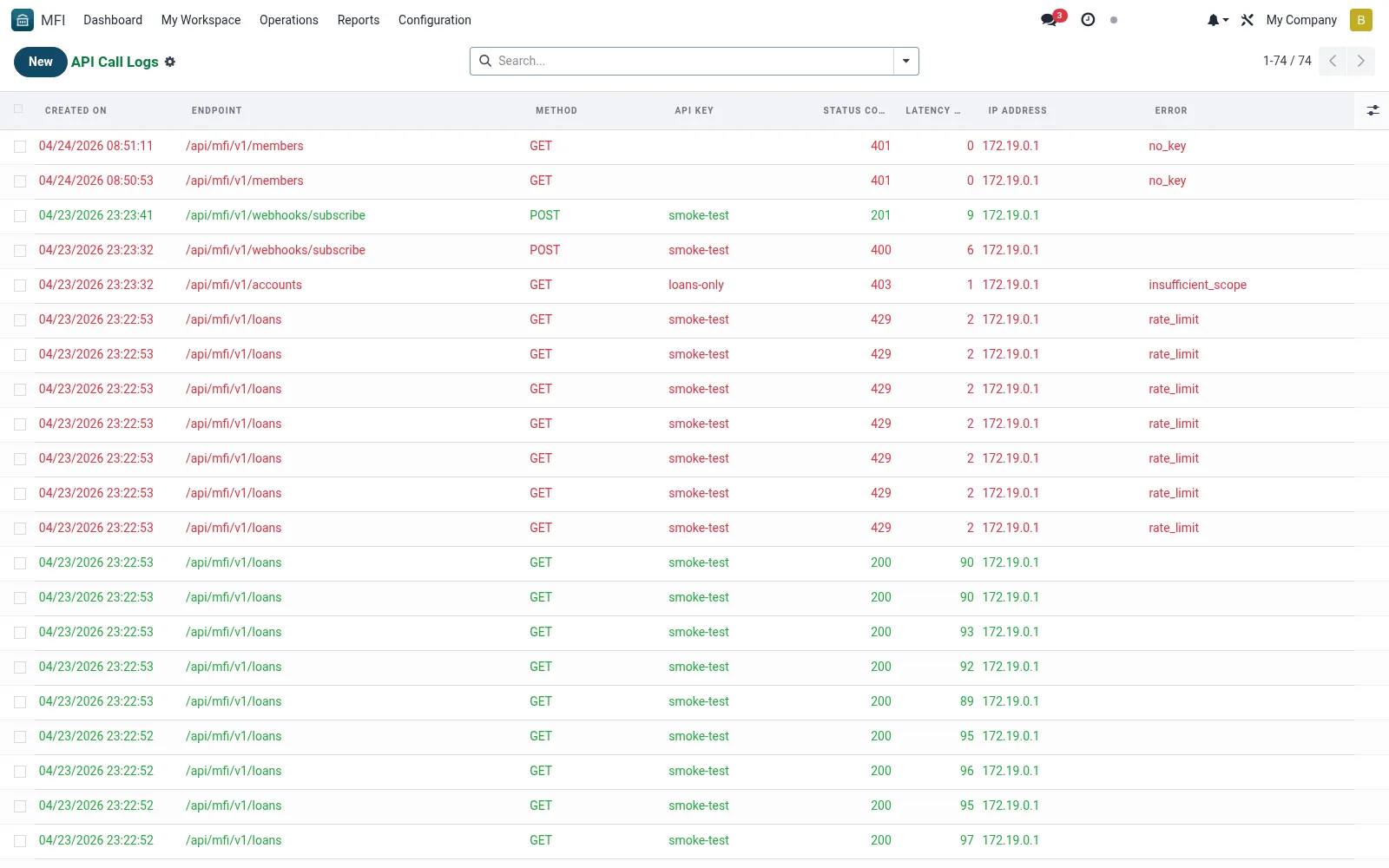
Workflow
- Open MFI > Configuration > API / Integrations > API Logs
- Filter by key, endpoint, status or date
- Open an entry to inspect the request and response details
- Trace failed or slow calls to diagnose an integration
- Export logs for security or partner troubleshooting
Fields reference
Every field on this screen, drawn from the live data model.
| Field | Type | Required | Description |
|---|---|---|---|
Endpointendpoint | Text | Yes | Endpoint |
Methodmethod | Text | — | Method |
Api Keyapi_key_id | Link → mfi.api.key | — | Api Key |
Useruser_id | Link → res.users | — | User |
Status Codestatus_code | Number | — | Status Code |
Latency Mslatency_ms | Number | — | Latency Ms |
Errorerror | Long text | — | Error |
Ip Addressip_address | Text | — | Ip Address |
Request Sizerequest_size | Number | — | Request Size |
Response Sizeresponse_size | Number | — | Response Size |
Notes & rules
- Model mfi.api.log -- external request history
- Key fields: key, endpoint, status, timestamp
- Related: API Keys, Webhooks
- Used by IT and security staff
Was this page helpful?