

Modules
Defines the catalogue of financial-education courses the institution offers members, such as savings discipline, loan responsibility or business management. Each module holds its content outline, duration and pass criteria, forming the basis for member enrolments and certification.
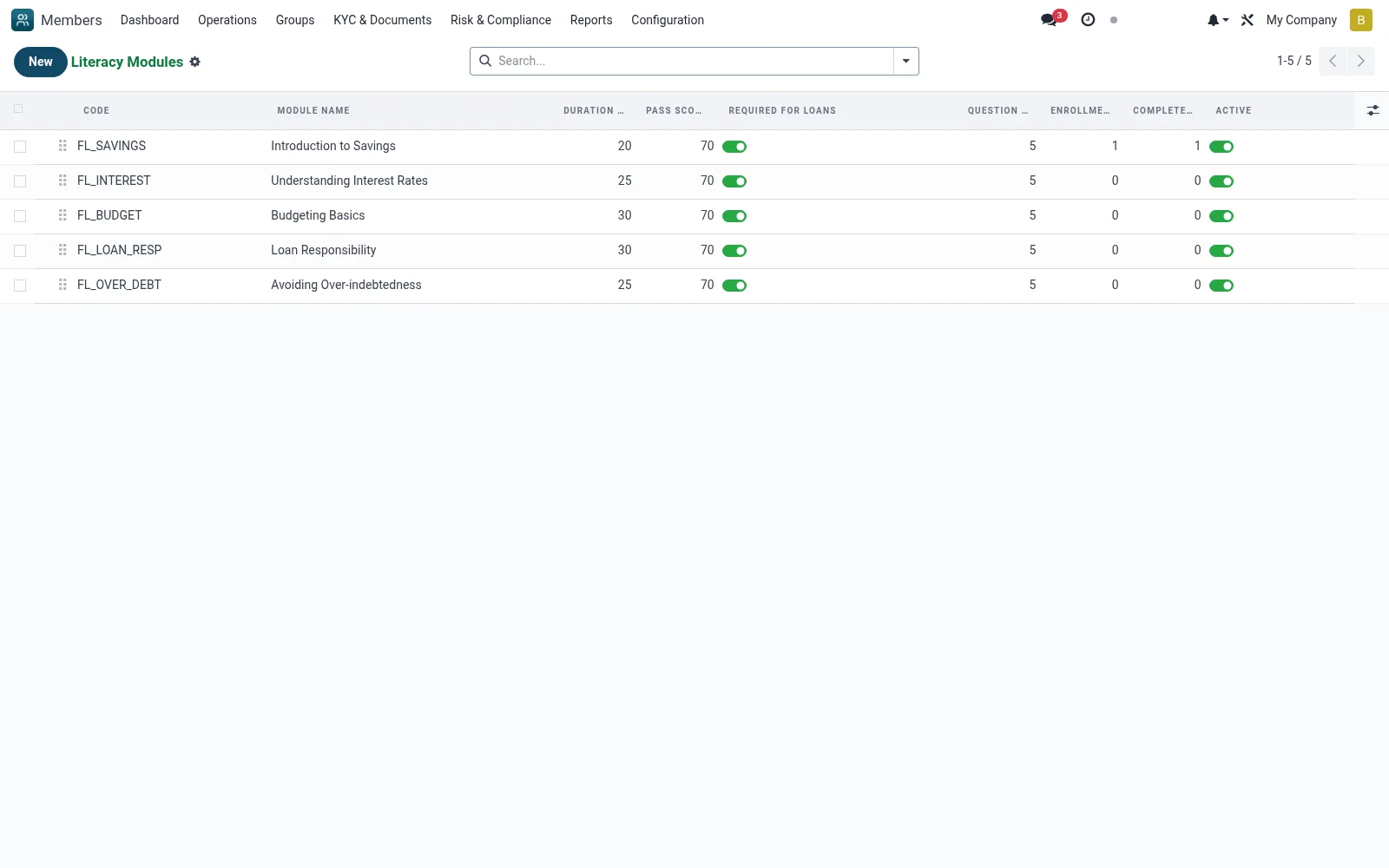
Workflow
- Open Financial Literacy then Modules
- Click New to create a literacy module
- Name it and outline the topics, duration and completion criteria
- Activate the module so it can be enrolled in
- Maintain and revise modules as the curriculum evolves
Fields reference
Every field on this screen, drawn from the live data model.
| Field | Type | Required | Description |
|---|---|---|---|
Required for Loansrequired_for_loan | Yes/No | — | If set, members must complete this module before a loan requiring financial literacy can be submitted. |
Content URLcontent_url | Text | — | Link to the video / PDF / LMS page |
Module Namename | Text | Yes | Module Name |
Codecode | Text | Yes | Code |
Descriptiondescription | Rich text | — | Description |
Duration (minutes)duration_minutes | Number | — | Duration (minutes) |
Pass Score (%)required_pass_score | Number | — | Pass Score (%) |
Sequencesequence | Number | — | Sequence |
Activeactive | Yes/No | — | Active |
Questionsquestion_ids | List | — | Questions |
Question Countquestion_count | Number | — | Question Count |
Enrollment Countenrollment_count | Number | — | Enrollment Count |
Completed Countcompleted_count | Number | — | Completed Count |
Notes & rules
- Model mfi.member.literacy.module
- Catalogue of training courses
- Defines pass criteria for certificates
- Referenced by enrollments and certificates screens
Was this page helpful?