

Communications
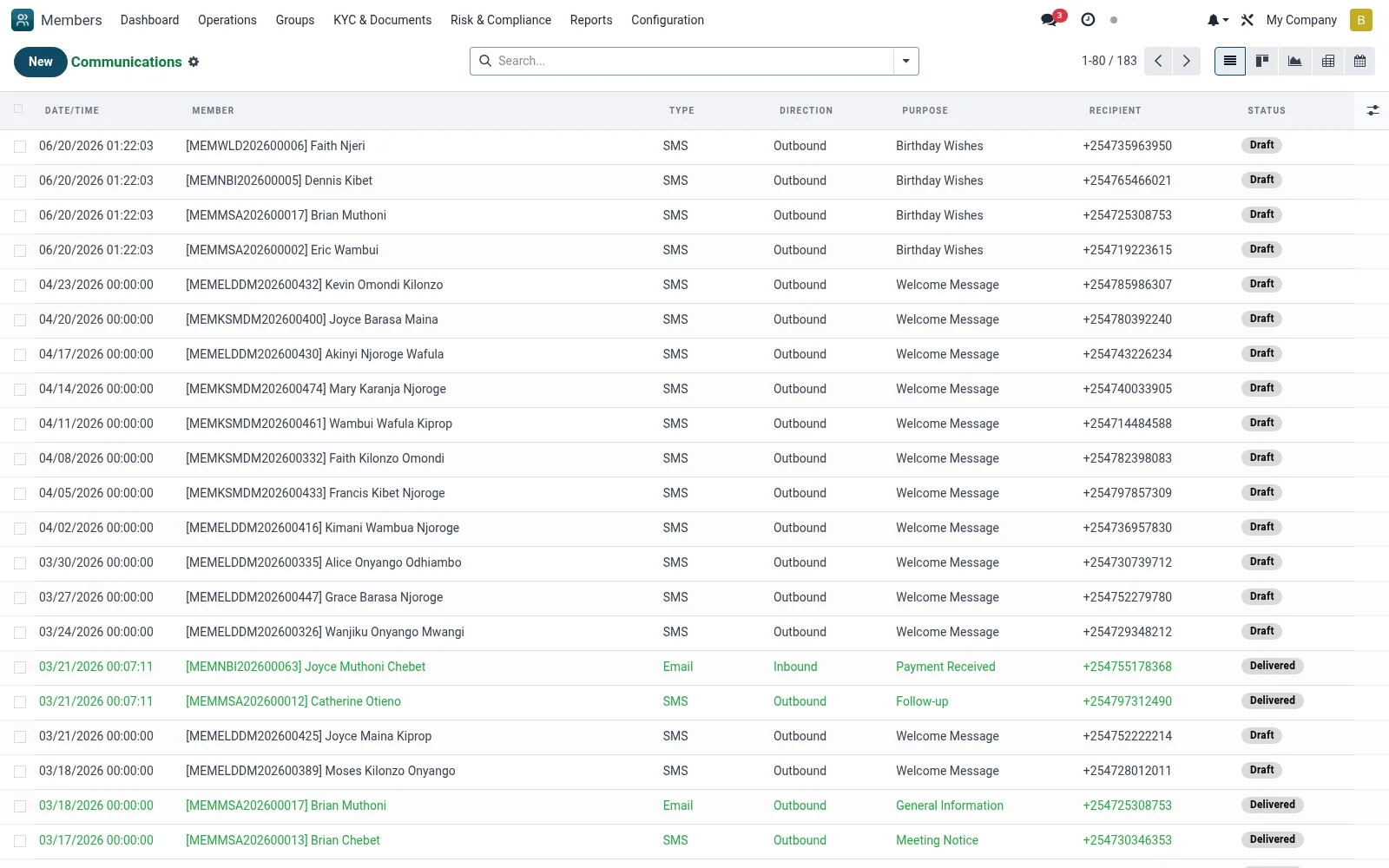
A log of every outbound and inbound communication with members such as SMS, email, calls and visits, captured against the member CIF. It gives officers an auditable contact history for servicing, collections follow-up and dispute evidence, and supports calendar scheduling of planned outreach.
Workflow
- Go to Operations then Communications
- Click New to log a communication and link it to the member
- Select the channel such as SMS, email, call or visit and record the subject and outcome
- Schedule a follow-up date so it appears on the calendar view
- Review a member's full contact history from their 360 timeline
Fields reference
Every field on this screen, drawn from the live data model.
| Field | Type | Required | Description |
|---|---|---|---|
Recipientrecipient | Text | — | Phone number or email |
Membermember_id | Link → mfi.member | Yes | Member |
Typecommunication_type | Choice: SMS, Email, WhatsApp, Phone Call, Visit, Letter, System Notification, Other | Yes | Type |
Directiondirection | Choice: Outbound, Inbound | Yes | Direction |
Purposepurpose | Choice: Welcome Message, Payment Reminder, Payment Received, Loan Approved, Loan Disbursed, Loan Due Reminder, Loan Overdue Notice, Savings Reminder | Yes | Purpose |
Messagemessage | Long text | Yes | Message |
Date/Timecommunication_date | Date & time | Yes | Date/Time |
Subjectsubject | Text | — | Subject |
Sendersender | Text | — | Sender |
Scheduled Datescheduled_date | Date & time | — | Scheduled Date |
Statusstate | Choice: Draft, Scheduled, Sent, Delivered, Failed, Cancelled | — | Status |
Delivery Statusdelivery_status | Text | — | Delivery Status |
Delivery Datedelivery_date | Date & time | — | Delivery Date |
Failure Reasonfailure_reason | Long text | — | Failure Reason |
Costcost | Decimal | — | Cost |
Currencycurrency_id | Link → res.currency | — | Currency |
Gateway Referencegateway_reference | Text | — | Gateway Reference |
Gateway Responsegateway_response | Long text | — | Gateway Response |
Has Responsehas_response | Yes/No | — | Has Response |
Response Dateresponse_date | Date & time | — | Response Date |
Responseresponse_text | Long text | — | Response |
Call Duration (sec)call_duration | Number | — | Call Duration (sec) |
Call Outcomecall_outcome | Choice: Answered, No Answer, Busy, Voicemail, Wrong Number, Disconnected | — | Call Outcome |
Visit Locationvisit_location | Text | — | Visit Location |
Visit Purposevisit_purpose | Text | — | Visit Purpose |
Visit Outcomevisit_outcome | Long text | — | Visit Outcome |
Attachmentsattachment_ids | Tags | — | Attachments |
Sent Bysent_by_id | Link → res.users | — | Sent By |
Bulk SMSbulk_sms_id | Link → mfi.member.bulk.sms | — | Bulk SMS |
Notesnotes | Long text | — | Notes |
Companycompany_id | Link → res.company | — | Company |
Status lifecycle
Records on this screen move through these statuses:
Draft → Scheduled → Sent → Delivered → Failed → Cancelled
Notes & rules
- Model mfi.member.communication
- Channels: SMS, email, call, in-person
- Views include calendar for scheduled outreach
- Feeds the member 360 timeline and audit trail
Was this page helpful?