

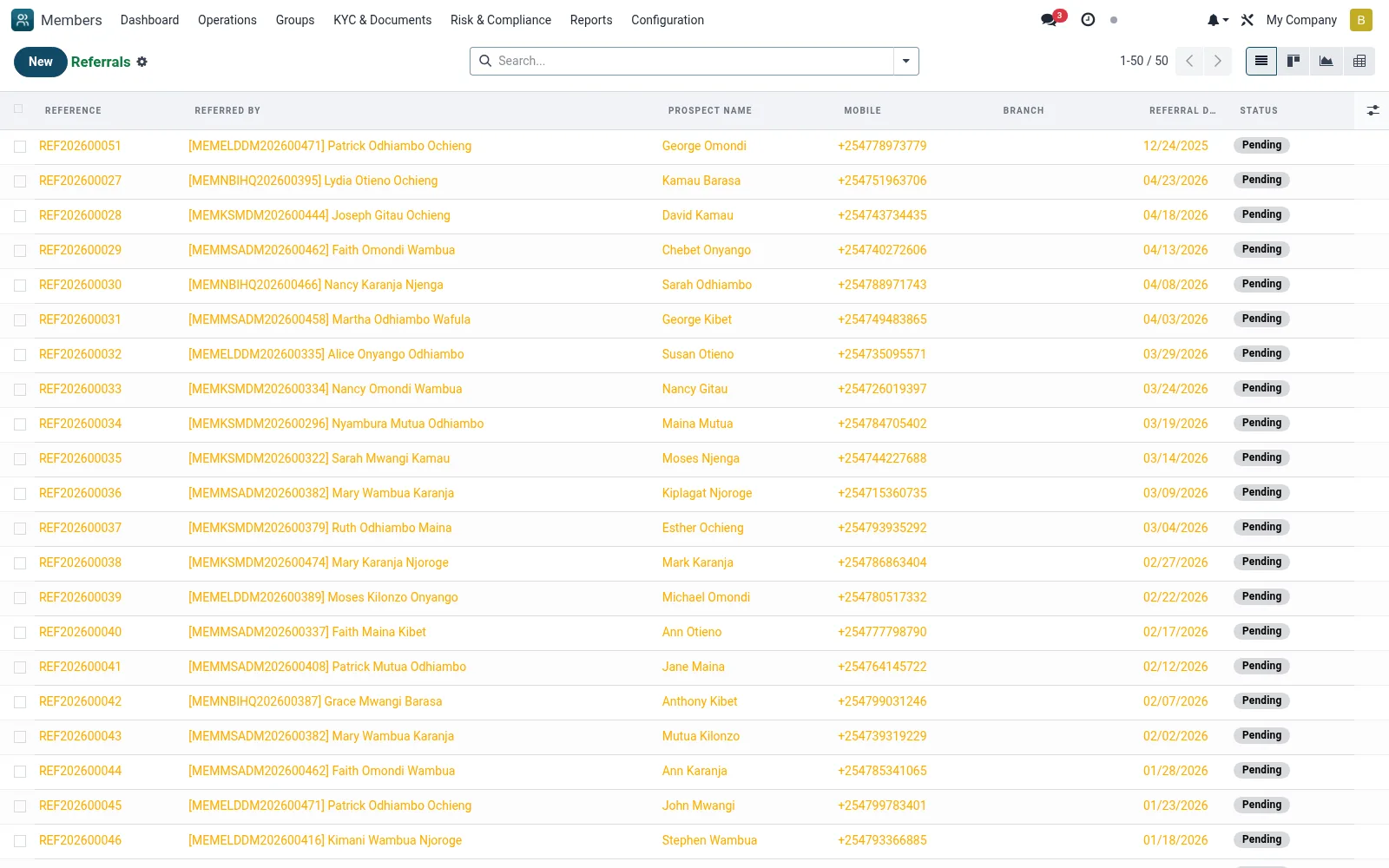
Referrals
Tracks members introduced by existing members, recording the referrer, the new member and any referral reward or status. Referral programmes are a core low-cost acquisition channel for SACCOs, and this screen lets the institution attribute new joiners and manage incentive payouts.
Workflow
- Open Operations then Referrals
- Click New and select the referring member and the referred prospect
- Track the referral status from lead through to converted member
- Mark rewards as earned or paid once the referred member is active
- Analyse top referrers via the graph and pivot views
Fields reference
Every field on this screen, drawn from the live data model.
| Field | Type | Required | Description |
|---|---|---|---|
Min Savings for Bonusmin_savings_for_bonus | Decimal | — | Minimum savings the new member must make for referrer to get bonus |
Min Days for Bonusmin_membership_days_for_bonus | Number | — | Minimum days the new member must remain active |
Referred Byreferrer_id | Link → mfi.member | Yes | Referred By |
Prospect Nameprospect_name | Text | Yes | Prospect Name |
Mobileprospect_mobile | Text | Yes | Mobile |
Referral Datereferral_date | Date | Yes | Referral Date |
Has Messagehas_message | Yes/No | — | Has Message |
Referencename | Text | — | Reference |
Referral Codereferrer_code | Text | — | Referral Code |
New Memberreferred_member_id | Link → mfi.member | — | New Member |
Emailprospect_email | Text | — | |
ID Numberprospect_id_number | Text | — | ID Number |
Statusstate | Choice: Pending, Contacted, Applied, Approved, Rejected, Bonus Pending, Bonus Paid, Expired | — | Status |
First Contact Datecontact_date | Date | — | First Contact Date |
Application Dateapplication_date | Date | — | Application Date |
Approval Dateapproval_date | Date | — | Approval Date |
Expiry Dateexpiry_date | Date | — | Expiry Date |
Branchbranch_id | Link → mfi.branch | — | Branch |
Assigned Tofield_officer_id | Link → res.users | — | Assigned To |
Bonus Eligiblebonus_eligible | Yes/No | — | Bonus Eligible |
Bonus Amountbonus_amount | Decimal | — | Bonus Amount |
Bonus Paidbonus_paid | Yes/No | — | Bonus Paid |
Bonus Payment Datebonus_payment_date | Date | — | Bonus Payment Date |
Payment Referencebonus_reference | Text | — | Payment Reference |
Follow-up Notesfollowup_notes | Long text | — | Follow-up Notes |
Next Follow-upnext_followup_date | Date | — | Next Follow-up |
Notesnotes | Long text | — | Notes |
Companycompany_id | Link → res.company | — | Company |
Status lifecycle
Records on this screen move through these statuses:
Pending → Contacted → Applied → Approved → Rejected → Bonus Pending → Bonus Paid → Expired
Notes & rules
- Model mfi.member.referral
- Links referrer and referred member records
- Status tracks lead to conversion
- Supports incentive/reward management and acquisition analytics
Was this page helpful?