

Certificates
Lists completed literacy enrollments that qualify for a certificate of completion. It evidences that members have received financial education, which can be a precondition for group-loan eligibility or a client-protection compliance record.
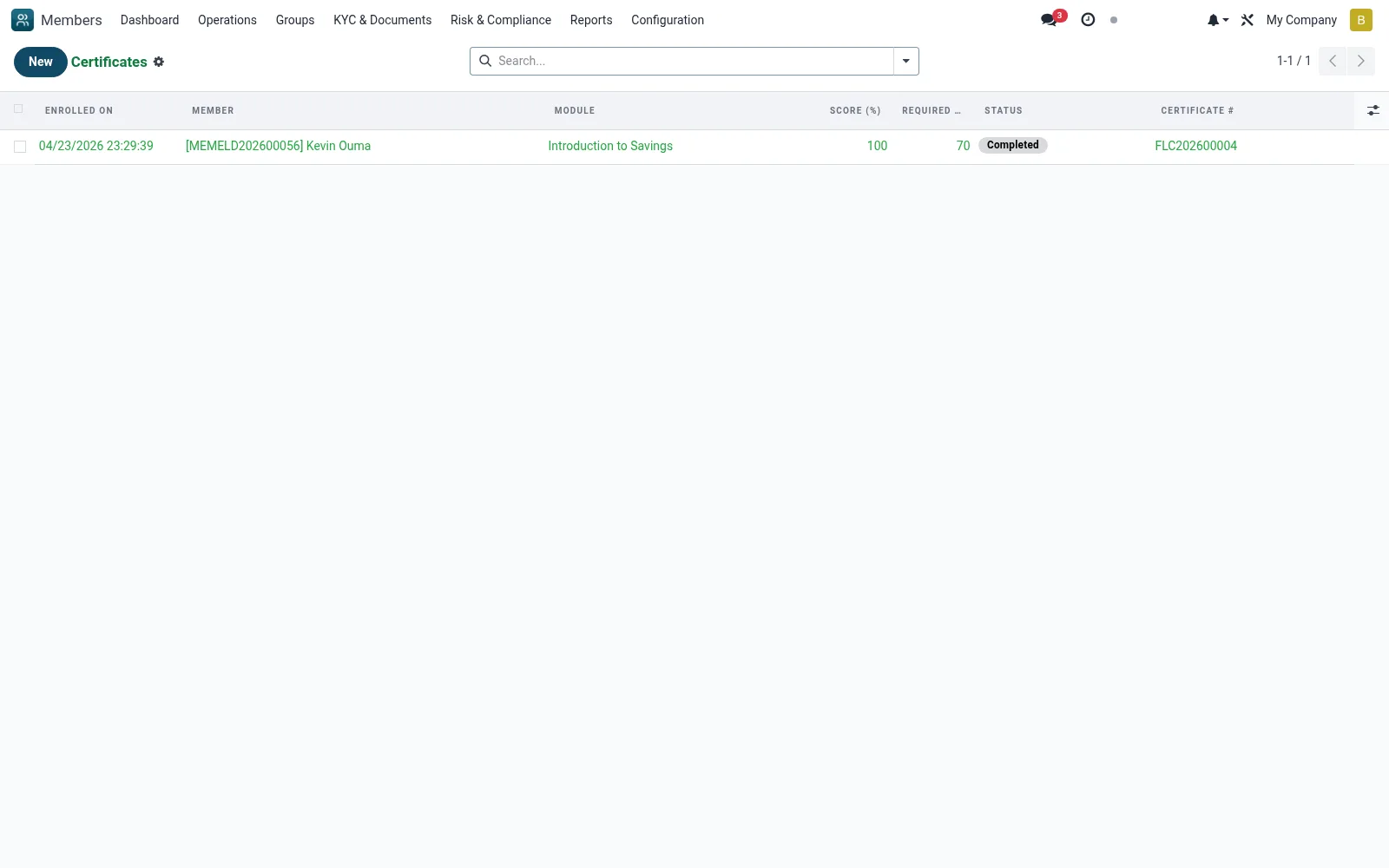
Workflow
- Open Financial Literacy then Certificates
- Review enrollments marked as completed
- Open a record to confirm the member met the pass criteria
- Issue or print the certificate for the member
- Use the record as proof of education for loan or audit purposes
Fields reference
Every field on this screen, drawn from the live data model.
| Field | Type | Required | Description |
|---|---|---|---|
Membermember_id | Link → mfi.member | Yes | Member |
Modulemodule_id | Link → mfi.member.literacy.module | Yes | Module |
Enrolled Onenrolled_date | Date & time | Yes | Enrolled On |
Statusstate | Choice: Enrolled, In Progress, Completed, Failed | Yes | Status |
Has Messagehas_message | Yes/No | — | Has Message |
Started Onstarted_date | Date & time | — | Started On |
Completed Oncompleted_date | Date & time | — | Completed On |
Score (%)score | Number | — | Score (%) |
Required Score (%)pass_score | Number | — | Required Score (%) |
Responsesresponse_ids | List | — | Responses |
Companycompany_id | Link → res.company | — | Company |
Certificate #certificate_number | Text | — | Certificate # |
Actions & buttons
Buttons available on this screen and what they do:
- Start
- Auto-Score and Complete
- Mark Complete (Admin)
- Print Certificate
Status lifecycle
Records on this screen move through these statuses:
Enrolled → In Progress → Completed → Failed
Notes & rules
- Model mfi.member.literacy.enrollment filtered to completed
- Evidence of completed financial education
- May gate group-loan eligibility
- Supports client-protection documentation
Was this page helpful?