

KYC Vendors
Defines the external KYC service providers the suite integrates with, holding each vendor's endpoint, credentials, supported check types and active status. Administrators configure vendors here so that member verifications can route to the right provider.
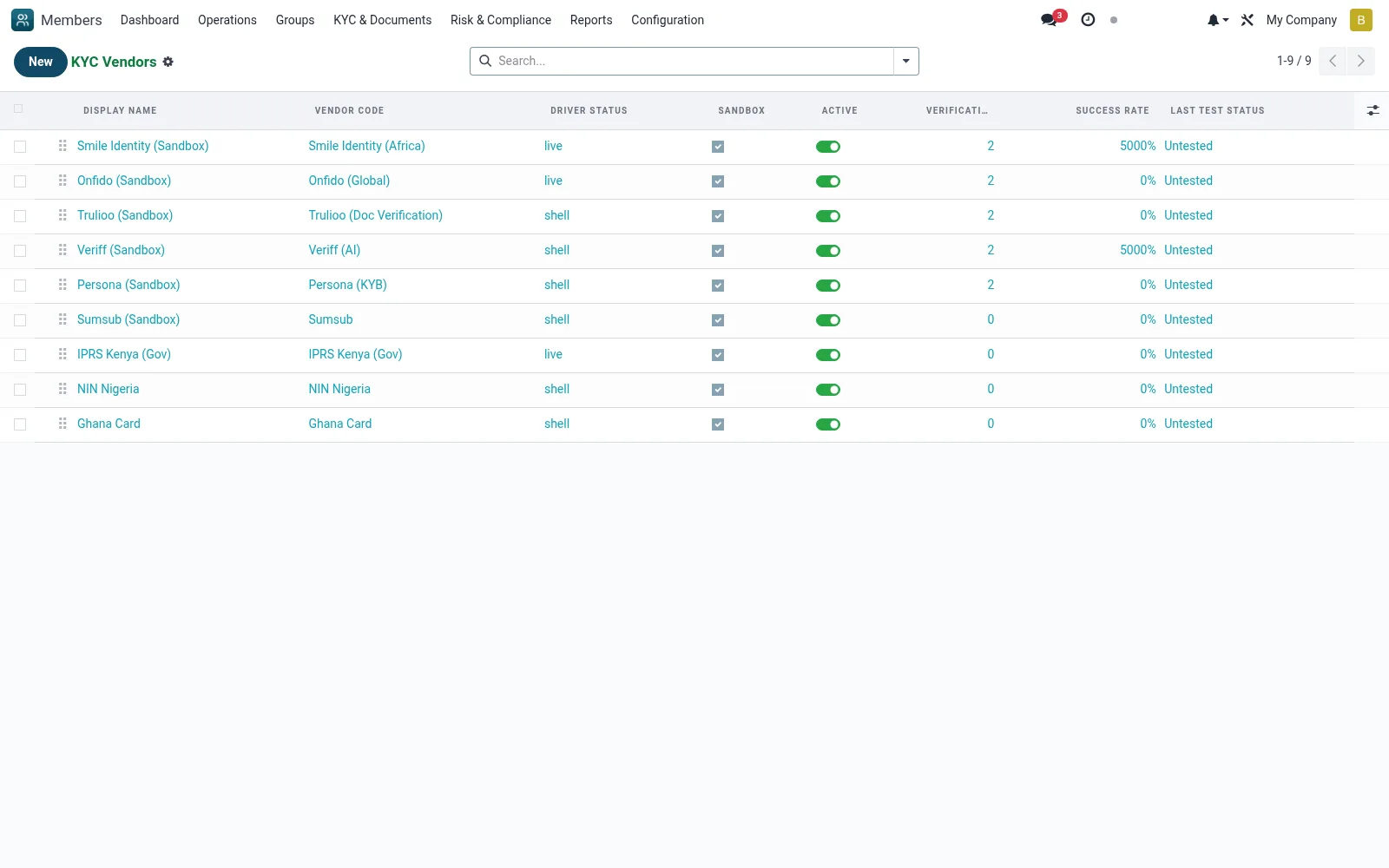
Workflow
- Go to KYC Aggregator then Configuration then KYC Vendors
- Click New to add a vendor
- Enter the API endpoint, credentials and supported check types
- Activate the vendor and set it as default if required
- Test a verification to confirm the connection works
Fields reference
Every field on this screen, drawn from the live data model.
| Field | Type | Required | Description |
|---|---|---|---|
Driver Statusdriver_status | Text | — | Whether a concrete driver class is loaded for this vendor code. |
Display Namename | Text | Yes | Display Name |
Vendor Codecode | Choice: Smile Identity (Africa), Onfido (Global), Trulioo (Doc Verification), Veriff (AI), Persona (KYB), Sumsub, IPRS Kenya (Gov), NIN Nigeria | Yes | Vendor Code |
Base Urlbase_url | Text | Yes | Base Url |
Has Messagehas_message | Yes/No | — | Has Message |
Sequencesequence | Number | — | Sequence |
Activeactive | Yes/No | — | Active |
Sandboxsandbox | Yes/No | — | Sandbox |
Api Keyapi_key | Text | — | Api Key |
Api Secretapi_secret | Text | — | Api Secret |
Hmac Secrethmac_secret | Text | — | Hmac Secret |
Supports Id Verificationsupports_id_verification | Yes/No | — | Supports Id Verification |
Supports Biometricsupports_biometric | Yes/No | — | Supports Biometric |
Supports Livenesssupports_liveness | Yes/No | — | Supports Liveness |
Supports Aml Screeningsupports_aml_screening | Yes/No | — | Supports Aml Screening |
Supports Kybsupports_kyb | Yes/No | — | Supports Kyb |
Supports Addresssupports_address | Yes/No | — | Supports Address |
Callback Urlcallback_url | Text | — | Callback Url |
Colorcolor | Number | — | Color |
Companycompany_id | Link → res.company | — | Company |
Verification Countverification_count | Number | — | Verification Count |
Success Ratesuccess_rate | Decimal | — | Success Rate |
Last Connection Testlast_test_at | Date & time | — | Last Connection Test |
Last Test Statuslast_test_status | Choice: OK, Failed, Untested | — | Last Test Status |
Last Test Messagelast_test_message | Text | — | Last Test Message |
Actions & buttons
Buttons available on this screen and what they do:
- Test Connection
Notes & rules
- Model kyc.vendor
- Holds endpoint, credentials, check types
- Drives where Verifications are routed
- Admin-only configuration
Was this page helpful?