

Scenarios
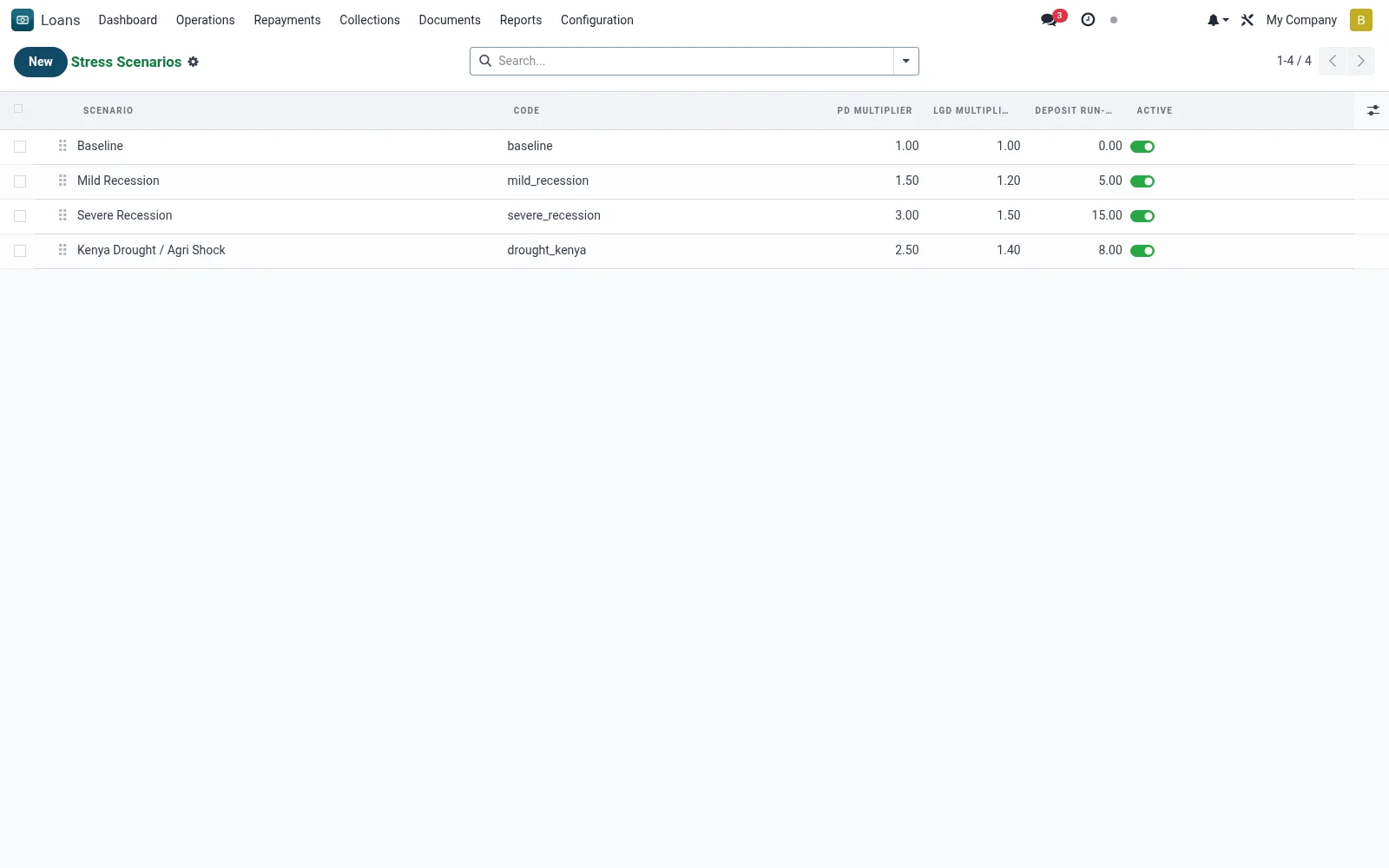
Scenarios defines the stress assumptions applied to the portfolio - shocks such as a jump in PAR, mass restructuring, a sector downturn or a deterioration in PD/LGD. Each scenario codifies the shock parameters so they can be applied consistently and repeatably in stress runs.
Workflow
- Create a scenario and name the shock it represents.
- Set the shock parameters (PAR uplift, PD/LGD increase, default migration).
- Define the macro overlay or sector affected if applicable.
- Save the scenario for use in stress runs.
- Maintain a library of baseline, moderate and severe scenarios.
Fields reference
Every field on this screen, drawn from the live data model.
| Field | Type | Required | Description |
|---|---|---|---|
PD Multiplierpd_multiplier | Decimal | — | Multiplier applied to probability of default |
LGD Multiplierlgd_multiplier | Decimal | — | Multiplier applied to loss given default |
Deposit Run-off %deposit_runoff_pct | Decimal | — | Percent of savings withdrawn under stress |
Scenarioname | Text | Yes | Scenario |
Codecode | Text | Yes | Code |
Sequencesequence | Number | — | Sequence |
Activeactive | Yes/No | — | Active |
Descriptiondescription | Long text | — | Description |
Interest Rate Shock %interest_rate_shock | Decimal | — | Interest Rate Shock % |
FX Shock %fx_shock | Decimal | — | FX Shock % |
Notes & rules
- Model: mfi.stress.scenario.
- Parameters: PAR shock, PD/LGD uplift, migration, sector overlay.
- Consumed by Stress Runs.
- Supports ICAAP and supervisory stress expectations.
Was this page helpful?