

Screening Matches
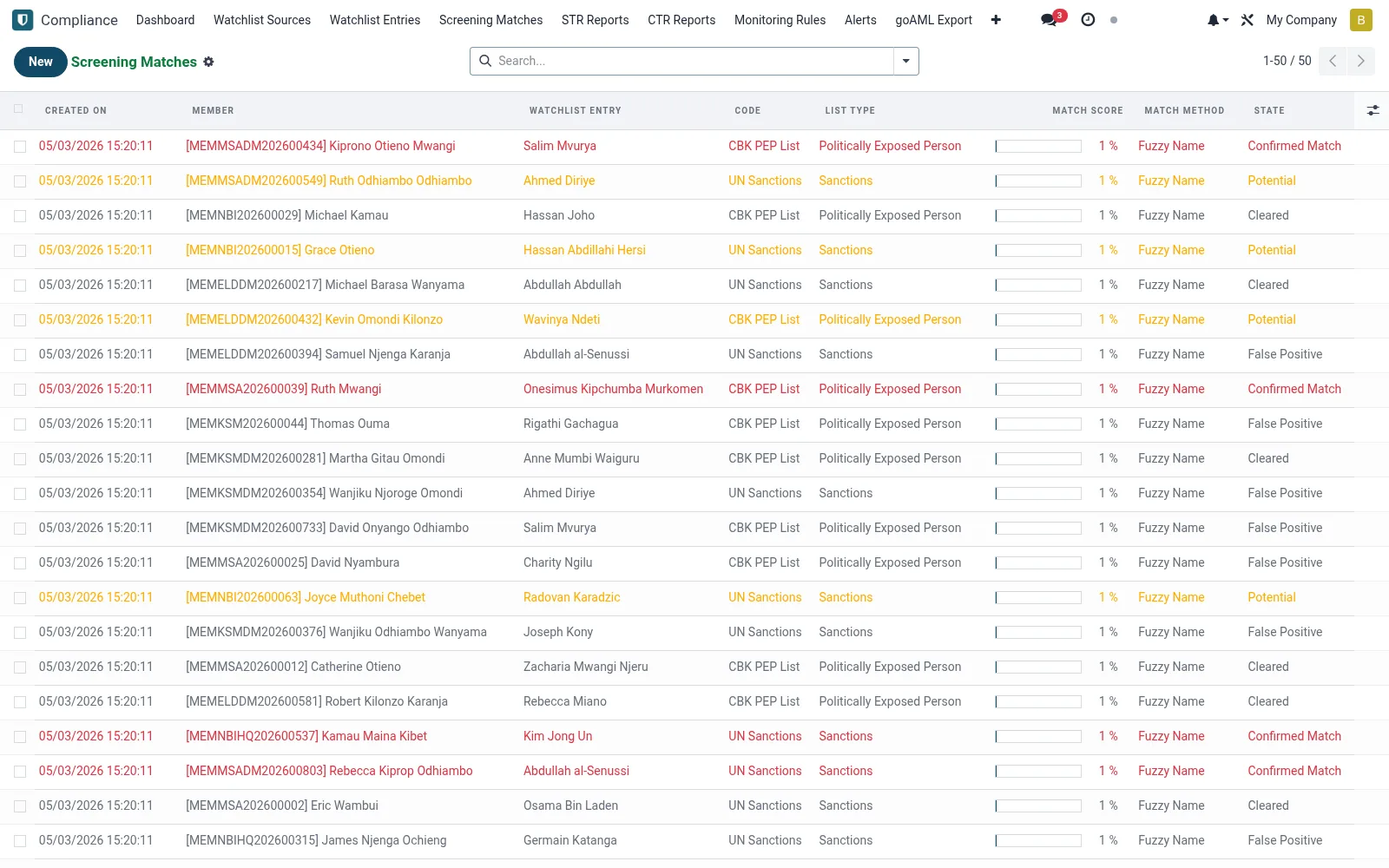
Holds the hits the screening engine raises when a member or counterparty resembles a watchlist entry (mfi.aml.screening.match), each with a similarity score and review status. Compliance staff adjudicate every match as a true hit or a false positive, building an auditable disposition trail. Unresolved matches block onboarding or transactions per policy.
Workflow
- Open Screening Matches under Compliance.
- Filter by status to see undecided matches first.
- Open a match to compare the member against the watchlist entry.
- Disposition it as a confirmed hit or a documented false positive.
- Escalate confirmed hits to an STR and apply any account restriction.
Fields reference
Every field on this screen, drawn from the live data model.
| Field | Type | Required | Description |
|---|---|---|---|
Membermember_id | Link → mfi.member | Yes | Member |
Watchlist Entrywatchlist_entry_id | Link → mfi.aml.watchlist.entry | Yes | Watchlist Entry |
Match Methodmatch_method | Choice: Exact National ID, Exact Name, Fuzzy Name, DOB Match, Composite | Yes | Match Method |
Has Messagehas_message | Yes/No | — | Has Message |
Namename | Text | — | Name |
Codesource_code | Choice: UN Sanctions, US OFAC SDN, CBK PEP List, EU Financial Sanctions, INTERPOL Notices, UK HMT Sanctions, Custom List | — | Code |
List Typelist_type | Choice: Politically Exposed Person, Sanctions, Criminal, Terrorist, AML High Risk | — | List Type |
Match Scorematch_score | Decimal | — | Match Score |
Statestate | Choice: Potential, Confirmed Match, False Positive, Cleared | — | State |
Reviewed Byreviewed_by_id | Link → res.users | — | Reviewed By |
Reviewed Datereviewed_date | Date & time | — | Reviewed Date |
Notesnotes | Long text | — | Notes |
Companycompany_id | Link → res.company | — | Company |
Actions & buttons
Buttons available on this screen and what they do:
- Confirm Match
- False Positive
- Clear
Status lifecycle
Records on this screen move through these statuses:
Potential → Confirmed Match → False Positive → Cleared
Notes & rules
- Each match carries a similarity score for prioritisation.
- Confirmed hits feed directly into STR creation.
- False-positive decisions are recorded with a justification.
- Open matches can gate onboarding and transaction processing.
Was this page helpful?