

Submission Log
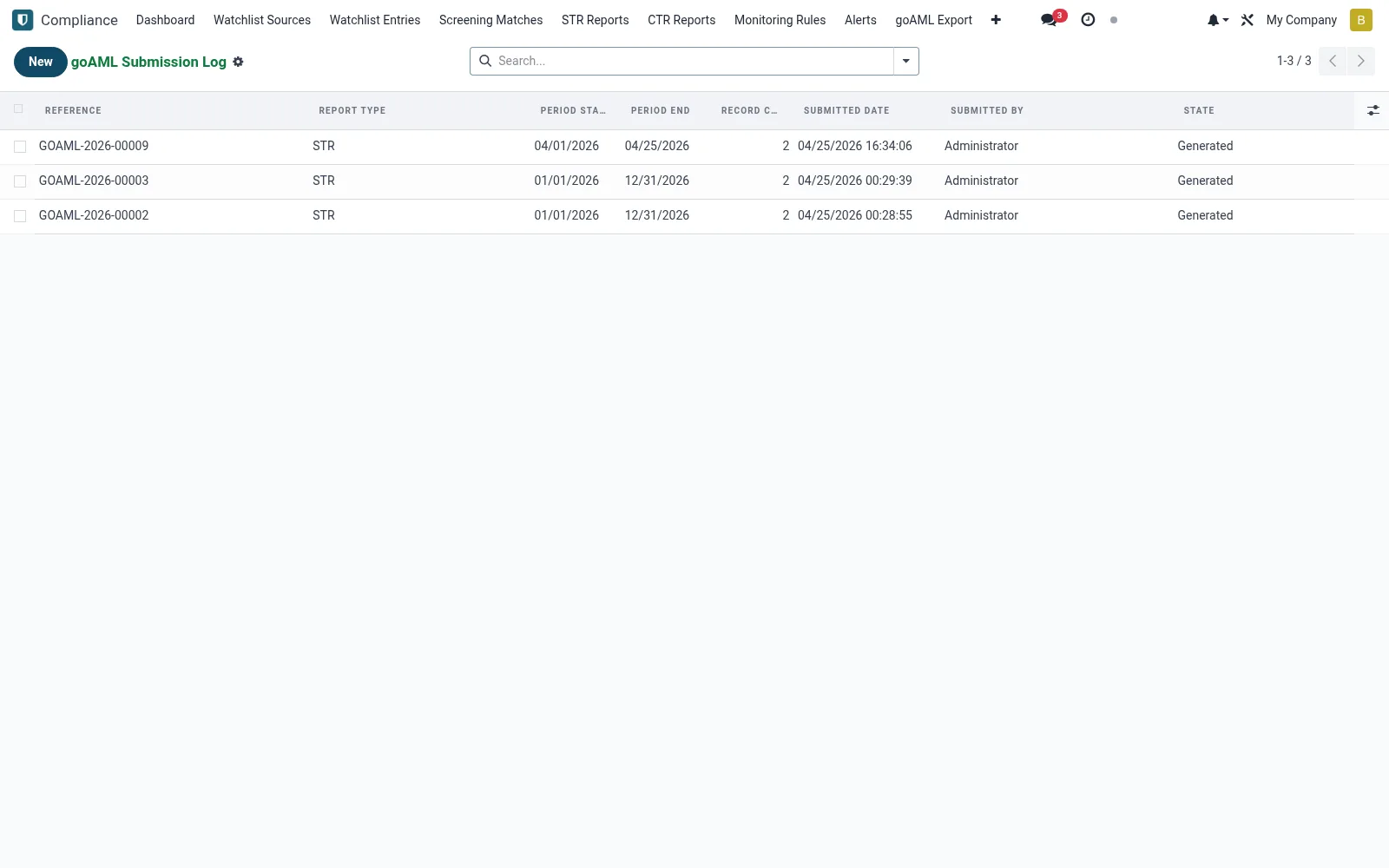
An audit register of every regulatory submission made (mfi.goaml.submission.log) - goAML filings and other regulator reports, with the timestamp, included reports and acknowledgement reference. It proves to examiners that filings were made on time and accepted. Staff use it to track acknowledgements and resubmit any rejected filing.
Workflow
- Open Submission Log under Compliance.
- Review submissions by period and status.
- Open an entry to see which STRs/CTRs it contained.
- Record the regulator's acknowledgement reference on acceptance.
- Resubmit and log any filing the regulator rejected.
Fields reference
Every field on this screen, drawn from the live data model.
| Field | Type | Required | Description |
|---|---|---|---|
Period Startperiod_start | Date | Yes | Period Start |
Period Endperiod_end | Date | Yes | Period End |
Report Typereport_type | Choice: STR, CTR, Manual | Yes | Report Type |
Has Messagehas_message | Yes/No | — | Has Message |
Referencereference | Text | — | Reference |
FRC Institution IDinstitution_id | Text | — | FRC Institution ID |
SHA-256file_hash | Text | — | SHA-256 |
File Sizefile_size | Number | — | File Size |
Record Countrecord_count | Number | — | Record Count |
Attachmentattachment_id | Link → ir.attachment | — | Attachment |
Submitted Bysubmitted_by_id | Link → res.users | — | Submitted By |
Submitted Datesubmitted_date | Date & time | — | Submitted Date |
Statestate | Choice: Generated, Submitted, Acknowledged, Rejected | — | State |
Notesnotes | Long text | — | Notes |
Companycompany_id | Link → res.company | — | Company |
Status lifecycle
Records on this screen move through these statuses:
Generated → Submitted → Acknowledged → Rejected
Notes & rules
- Captures the full history of FIU and regulator submissions.
- Acknowledgement references prove acceptance.
- Links each submission to the reports it carried.
- Evidences timely filing for CBK/SASRA-style examinations.
Was this page helpful?