

Pharmacy
The Pharmacy area of BridgeERP HMS runs the full medication lifecycle inside the hospital: verifying and dispensing prescriptions, controlling stock and controlled substances, vending from automated dispensing cabinets, administering doses at the bedside with barcode verification, programming smart IV pumps, and selling over-the-counter items through a pharmacy point of sale. It is designed so that every dose a patient receives is traceable from the shelf to the bedside.
Who uses this area
- Pharmacists verify prescriptions for allergies and interactions, then dispense.
- Pharmacy technicians and cashiers pick stock and handle OTC sales.
- Nurses administer medication at the bedside under barcode verification (BCMA).
- Pharmacy managers own stock, expiry, reorder, controlled-substance registers and regulatory reporting.
Where to find it
Everything lives under the Pharmacy top menu:
| Menu path | What it opens |
|---|---|
| Pharmacy → Dispense Bench → Open Bench / Quick Dispense | The pharmacist's working bench for processing prescriptions. |
| Pharmacy → BCMA → Administrations | Bedside medication administrations and the 5-Rights record. |
| Pharmacy → BCMA → Sessions / Open Scanner / Bedside Labels | Nurse scan sessions, the scanner and barcode labels. |
| Pharmacy → BCMA → Exceptions / Shift Handoff | Administration exceptions and end-of-shift handoff reports. |
| Pharmacy → BCMA → Configuration → Override Reasons | The catalogue of allowed override reasons. |
| Pharmacy → BridgeERP Pharmacy POS → Operations → POS Dispenses / Orders / Sessions | Counter dispensing and OTC sales. |
| Pharmacy → BridgeERP Pharmacy POS → Audit → Override Audit Log | Audit trail of POS overrides. |
| Pharmacy → Configuration → Settings | Module-wide pharmacy options. |
Stock, expiry, reorder and controlled-drug registers are covered on Dispense register, stock & controlled drugs; the dispensing workflow itself on Dispensing, BCMA & IV pumps.
How the pieces fit together
A medication usually starts life as a prescription written during a consultation. From there it can travel through several paths depending on the setting: an inpatient dose is dispensed to the ward and given at the bedside under barcode verification; an outpatient prescription is dispensed at the pharmacy window; a walk-in or over-the-counter request is sold at the pharmacy point of sale; and ward-held stock is vended from an automated dispensing cabinet. Whichever path applies, the same dispense record underpins it, so on-hand stock, lot and expiry, controlled-substance logging and prescription progress all stay consistent. The sections below describe each path; the two child pages go into operational detail.
The dispensing model
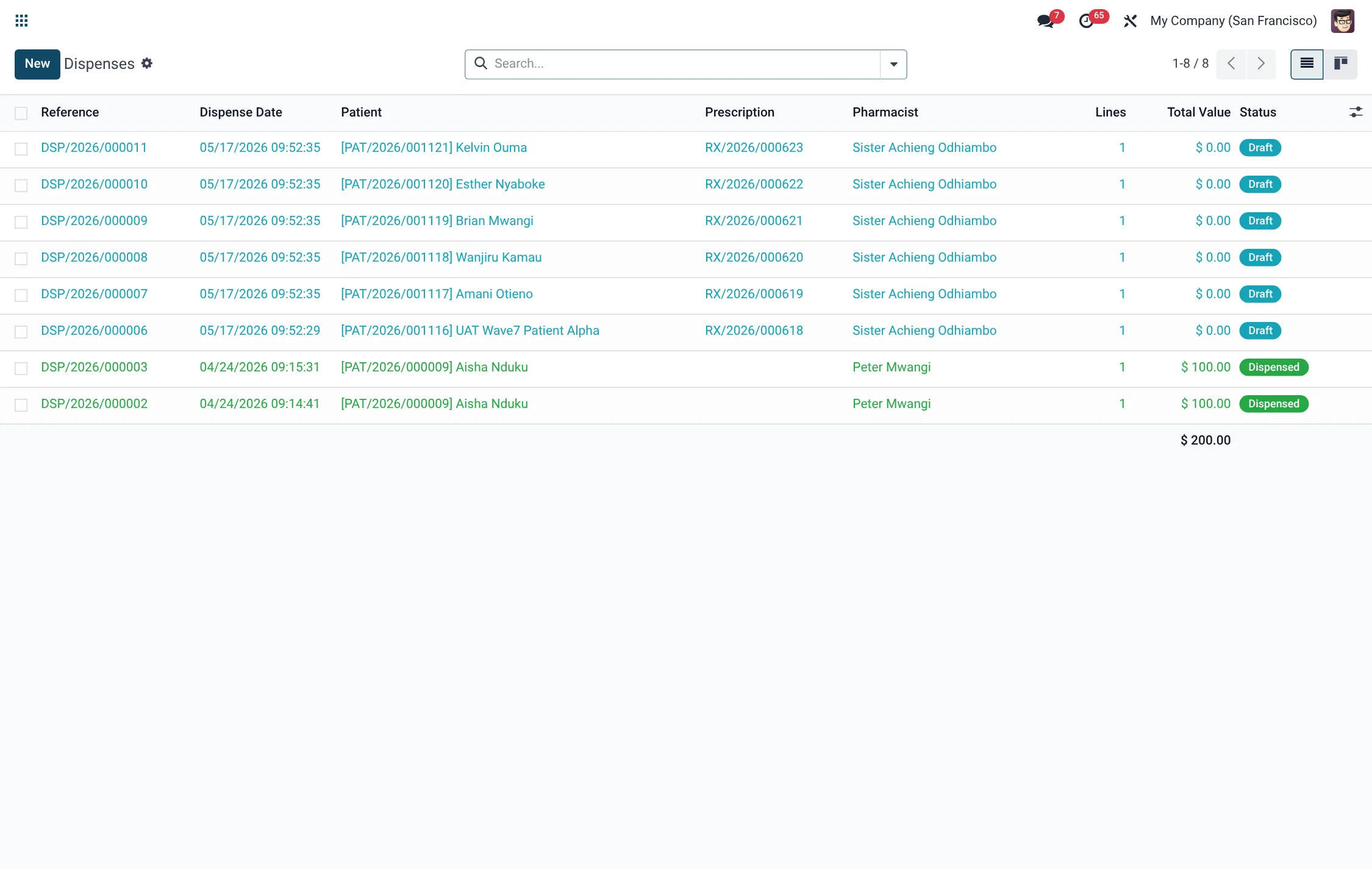
Dispensing is a controlled state machine. A dispense record moves Draft → Verified → Dispensed, and may be Cancelled from any point before completion:
| Status | Meaning |
|---|---|
| Draft | Lines assembled from a prescription (or ad-hoc); not yet checked. |
| Verified | Allergy and drug-interaction safety checks have passed (or been justified). |
| Dispensed | Stock moved by first-expiry-first-out lot selection; controlled register written; prescription progressed. |
| Cancelled | Reversed; any executed stock move is reversed. |
Verification runs the clinical safety checks; only after they pass does dispensing move physical stock and progress the parent prescription toward fully-dispensed.
Automated dispensing cabinets (ADC)
For ward-level stock, BridgeERP HMS supports automated dispensing cabinets. Each cabinet is a registered location, and every vend, return or override at the cabinet is logged as an event with the user and item, giving a continuous record of which dose left which cabinet for which patient.
Barcode medication administration (BCMA)
At the bedside, nurses administer medication under barcode verification. The nurse scans the patient wristband and the drug barcode, and the system checks the 5 Rights — right patient, right drug, right dose, right route, right time. An administration records how many of the five rights passed, and an administration that proceeds without all five passing and without an override reason is captured as an exception. See Dispensing, BCMA & IV pumps for the full bedside workflow.
IV smart pumps
Continuous and intermittent infusions are programmed as smart-pump orders validated against a DERS drug library. The library holds dose-rate guardrails, and a program that breaches a hard limit is blocked, while soft-limit breaches are flagged — the same safety philosophy as BCMA, applied to infusions.
Pharmacy point of sale
The BridgeERP Pharmacy POS handles walk-in and OTC dispensing at a counter, with its own terminals, payment methods, sessions and daily-sales reporting, and an override audit log for any counter override. POS dispenses are recorded as dispense records so they share the same traceability as clinical dispensing. Stock, lot and expiry behaviour is identical to clinical dispensing, which keeps the on-hand picture accurate whether a medicine left the building through a ward, a window or the counter.
A safety-first design
The common thread across every Pharmacy path is that a safety check sits in front of each handover. The pharmacist's verification screens for allergies and interactions before stock can move; the nurse's barcode scan confirms the 5 Rights before a dose reaches the patient; the IV drug library blocks out-of-range pump programs; and double authentication guards controlled substances. Each of these checks either passes, or requires an explicit, recorded justification — nothing is silently bypassed. That is what lets a hospital reconstruct, after the fact, exactly which medicine reached which patient, who authorised it, and what was checked along the way.
Roles & access
Verification and dispensing buttons are restricted to the pharmacist group; doctors can view dispenses but not action them; cashiers operate OTC sales at the counter; managers and admins maintain stock, registers and configuration. This separation ensures that the person who authorises a dispense is a pharmacist.
The BCMA 5 Rights
Every bedside administration evaluates five checks; the record stores whether each passed and the overall n / 5 result:
| Right | Field | Confirmed by |
|---|---|---|
| Right Patient | Right Patient | Scanned wristband matches the patient. |
| Right Drug | Right Drug | Scanned drug barcode matches the order. |
| Right Dose | Right Dose | Dose given matches the prescribed dose. |
| Right Route | Right Route | Route administered matches the order. |
| Right Time | Right Time | Administration falls in the scheduled window. |
ADC cabinet event types
Every interaction with an automated dispensing cabinet is logged as an event:
| Event type | Meaning |
|---|---|
| Vend (dispense to nurse) | Dispense to a nurse from the cabinet. |
| Return to cabinet | Item returned to the cabinet. |
| Waste | Item wasted / discarded (witness required if controlled). |
| Override (no order match) | Removal without a matching order; reason recorded. |
| Count / inventory | Cabinet inventory count event. |
| Refill / stock | Cabinet replenished with stock. |
Pharmacy menus at a glance
The Pharmacy menu tree and the record behind each entry:
| Menu | Record type | Purpose |
|---|---|---|
| Dispense Bench → Open Bench / Quick Dispense | Dispense | Pharmacist working bench. |
| BCMA → Administrations | BCMA Administration | Bedside 5-Rights administrations. |
| BCMA → Sessions | BCMA Scan Session | Nurse scan sessions. |
| BCMA → Bedside Labels | BCMA Barcode Label | Wristband / drug barcode labels. |
| BCMA → Exceptions | BCMA Exception | Failed-rights / override review list. |
| BCMA → Shift Handoff | BCMA Handoff Report | End-of-shift administration sign-off. |
| BCMA → Configuration → Override Reasons | BCMA Override | Allowed override-reason catalogue. |
| Pharmacy POS → Operations → POS Dispenses | Dispense | Counter dispense register. |
| Pharmacy POS → Audit → Override Audit Log | POS Override Log | Audit of counter overrides. |
| Configuration → Settings | Settings | Module-wide pharmacy options. |