

Emergency
The Emergency department in BridgeERP HMS is built for speed and triage-driven flow. Every patient who arrives — walk-in, ambulance, police vehicle or referral — becomes an arrival that is registered fast, triaged to an acuity colour, and then pushed through consultation, investigation and a clear disposition. This overview explains how the ED works end to end: rapid registration, the triage-driven queue, the colour worklists, resuscitation and trauma documentation, and how a patient leaves the department. ED nurses, clinicians, charge nurses and registration clerks all work here.
Where to find it
The ED has its own Emergency top menu:
- Emergency → Emergency → Arrivals — All Arrivals, Today, and the colour worklists Red, Yellow and Green.
- Emergency → Emergency → ED Dashboard and ED Whiteboard — the live department picture.
- Emergency → Emergency → Rapid Triage — the triage wizard.
- Emergency → Emergency → Ambulance Receive — pre-arrival pickup from the ambulance crew.
- Emergency → Emergency → Interventions, Observation Charts, Trauma Docs, Emergency Rx and Handovers — the bedside documentation.
- Emergency → Emergency → MCI — mass-casualty incident activation, active and history.
- Emergency → ED Body Regions, ED Injury Types, ED Intervention Types and Configuration → Settings — the setup data.
Before you start
The ED is designed so a critically ill patient can be registered before they are even identified. Before going live, populate the configuration master data — ED Body Regions, ED Injury Types and ED Intervention Types — so triage and trauma documentation have ready pick-lists. Resuscitation and admission steps reach into the wards and ICU, so those areas should also be configured (see beds and ICU).
The ED flow, end to end
- Arrival. A new arrival is created with the Arrival Mode (Walk-In, Ambulance, Private Vehicle, Police Vehicle, Wheelchair, Helicopter / Air Ambulance or Referred from Facility) and a chief complaint. If the patient is unconscious or unknown, tick Unidentified and give a temporary label — registration does not wait for an ID.
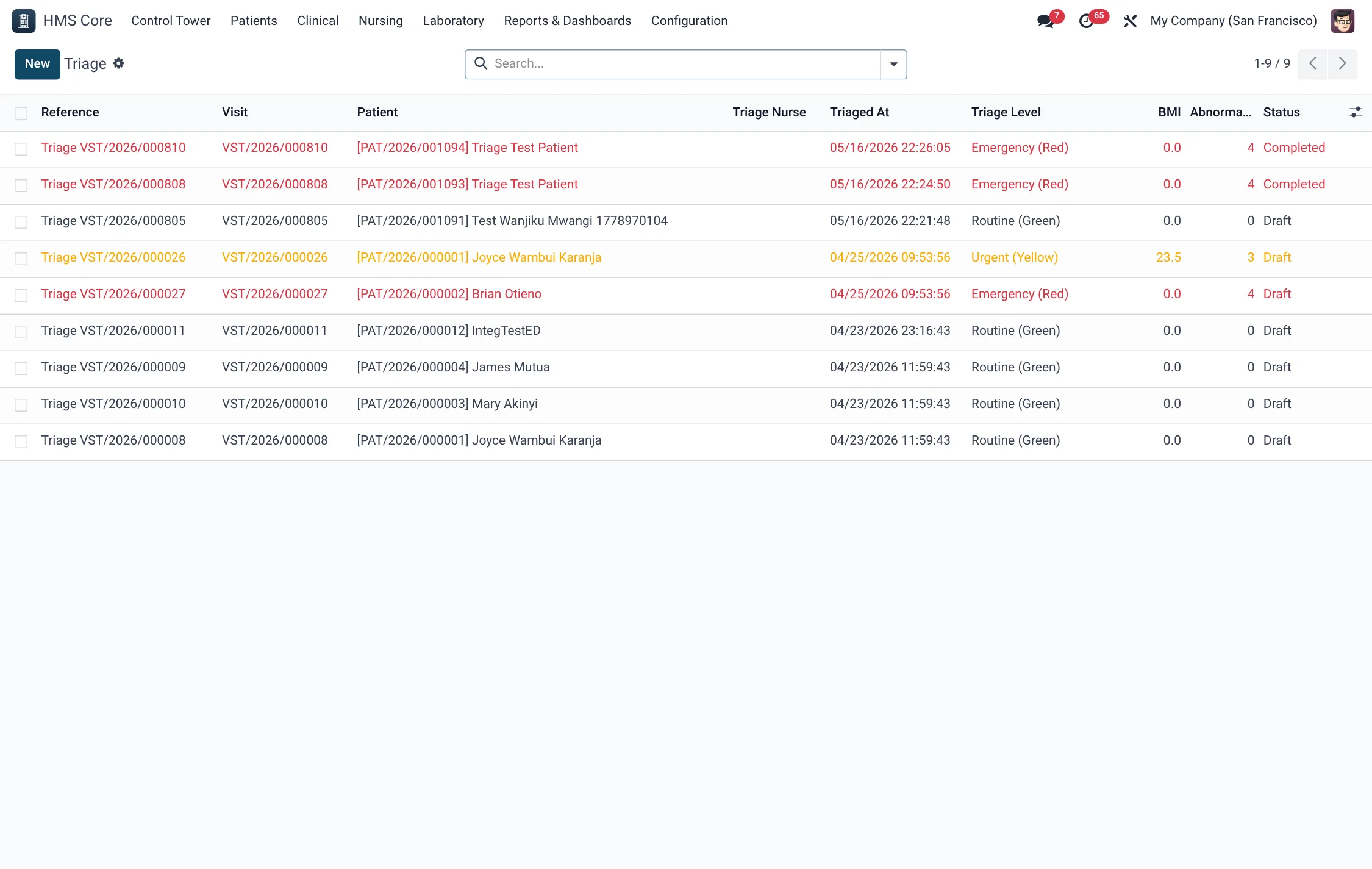
- Triage. Run Rapid Triage to assign an acuity colour and record vitals. The arrival moves to the Triaged state and lands on the matching colour worklist. Full detail is on the triage page.
- Doctor. Use Assign Doctor and Start Consultation to bring the patient into care; the status moves to Awaiting Doctor then In Consultation.
- Investigation. Await Investigation parks the patient while labs and imaging are done; record any bedside Interventions, Observation Charts and Emergency Rx.
- Disposition. Await Disposition, then close the visit with the right outcome — Discharge Home, Admit, Transfer Out, Mark Deceased, LAMA or Absconded.
Arrival modes
Every arrival records how the patient reached the department. The Arrival Mode is chosen from a fixed list:
| Arrival Mode | Meaning |
|---|---|
| Walk-In | Self-presented on foot. |
| Ambulance | Brought by ground ambulance. |
| Private Vehicle | Brought by car, taxi or private transport. |
| Police Vehicle | Brought by police (often a medico-legal case). |
| Wheelchair | Arrived by wheelchair. |
| Helicopter / Air Ambulance | Air-evacuated to the department. |
| Referred from Facility | Sent in from another health facility. |
Arrival states
The arrival walks a twelve-state flow from the door to the disposition. The colour worklists and the whiteboard read directly off this status:
| State | Meaning |
|---|---|
| Arrived | Registered at the door, not yet triaged. |
| Triaged | Acuity colour assigned; on a colour worklist. |
| Awaiting Doctor | Triaged, waiting for a clinician. |
| In Consultation | Being seen by a doctor. |
| Awaiting Investigation | Parked while labs/imaging are done. |
| Awaiting Disposition | Worked up, awaiting the leave decision. |
| Admitted | Admitted to a ward or ICU. |
| Discharged | Sent home from the ED. |
| Transferred Out | Moved to an external facility. |
| Deceased | Died in the department. |
| Left Against Medical Advice | Self-discharged against advice. |
| Absconded | Left without being seen or completing care. |
Ambulance receive & resuscitation
When an ambulance calls ahead, use Ambulance Receive to capture the ambulance identifier, the ETA, a provisional triage colour and the accident type before the patient even arrives — the crew’s ATMIST/MIST pre-hospital report can be recorded on the arrival. The highest-acuity (Red) patients go straight to resus: triage assigns the bed, the trauma team documents on Trauma Docs against body regions and injury types, and interventions are logged as they happen. For a major incident, MCI → Activate MCI switches the department into mass-casualty mode and links arrivals to the incident.
The colour worklists & whiteboard
The Arrivals menu pre-filters the department by triage colour: Red for immediate, Yellow for urgent, Green for less-urgent. The ED Whiteboard and ED Dashboard give the charge nurse the whole floor at a glance — who is waiting, who has breached their triage target, and where each patient is in the flow. The same arrival record carries timing fields (minutes in ED, minutes to doctor, minutes to disposition) so performance is measured automatically.
Disposition types
When a patient leaves the department the clinician records a Disposition Type, which both closes the arrival and drives the next step (such as raising an admission):
| Disposition | What happens next |
|---|---|
| Discharge Home | Patient sent home from the ED. |
| Admit - General Ward | Admitted to a general inpatient ward. |
| Admit - ICU | Admitted straight to critical care. |
| Admit - HDU | Admitted to a high-dependency unit. |
| Direct to Theatre | Taken directly to surgery. |
| Transfer to External Facility | Moved out to another hospital. |
| Mortuary | Deceased; transferred to the mortuary. |
Field reference
| Field | Meaning | Required |
|---|---|---|
| Arrival Mode | How the patient reached the ED. | Yes |
| Unidentified / Label | Register an unknown patient with a temporary label. | If unknown |
| Chief Complaint | Presenting problem. | Recommended |
| Triage Level | Red / Yellow / Green / Blue / Black acuity. | At triage |
| Accident / Medico-Legal | Flags an accident or police case (with OB number). | If applicable |
| Disposition Type | How the patient leaves the ED. | At disposition |
| State | Arrived → Triaged → … → Discharged/Admitted. | Auto |
Roles, reports & KPIs
Triage nurses run the triage wizard and own the colour worklists; ED clinicians pick up patients via consultation and set disposition; the charge nurse manages the whiteboard and MCI activation. The department reports through the ED Dashboard, with triage-time and breach tracking built into every arrival so wait-time performance needs no separate timing log.
Who does what across the ED workflow:
| Role | What they do in Emergency |
|---|---|
| Receptionist | Register arrivals at the door, including unidentified patients on a temporary label. |
| Nurse (triage / ED) | Run Rapid Triage, record first vitals, work the colour worklists and observation charts. |
| Doctor | Assign, consult, order interventions and Emergency Rx, and set the disposition. |
| Charge nurse / HMS Manager | Manage the whiteboard, activate MCI, and review breach and outcome reports. |
Tips & troubleshooting
Bedside documentation
While a patient is in the department, the clinical record is built from several linked documents. Observation Charts trend the vitals over the ED stay; Interventions log each procedure performed (drawn from the ED Intervention Types master data); Emergency Rx captures medicines given in the department; and Trauma Docs record injuries against body regions and injury types for accident cases. Each of these hangs off the arrival, and the arrival shows running counts of interventions, trauma records, observations and emergency prescriptions, so a clinician can see at a glance how much has already been done.
Handovers document the transfer of care at shift change or when a patient is passed between teams, closing the gap that is the classic source of ED error. Together these documents mean an admitted patient arrives on the ward with a complete ED record attached, and a discharged patient leaves with a defensible account of what was done and why.
Related
- Triage — acuity scales, arrivals and disposition in detail.
- Admit, transfer & discharge — where admitted ED patients go next.
- ICU & Critical Care — for the sickest admissions.