

Triage
Triage is the sorting gate of the Emergency department: the moment a nurse assigns each arrival an acuity colour, records first vitals, and decides how fast the patient must be seen. In BridgeERP HMS every emergency arrival flows through triage, lands on a colour worklist, and is timed against an acuity target. This page covers the acuity scale, how to triage walk-ins and ambulance arrivals, how the patient moves through the ED to a disposition, and the timing and breach tracking that measure the department. Triage nurses and charge nurses live in these screens.
Where to find it
- Emergency → Emergency → Rapid Triage — the triage wizard that scores an arrival.
- Emergency → Emergency → Arrivals → Red / Yellow / Green — the colour-filtered worklists.
- Emergency → Emergency → Arrivals → Today and All Arrivals — the full arrival lists.
- Emergency → Emergency → Ambulance Receive — pre-arrival receive from the ambulance crew.
- Emergency → Emergency → ED Dashboard and ED Whiteboard — the live floor and breach view.
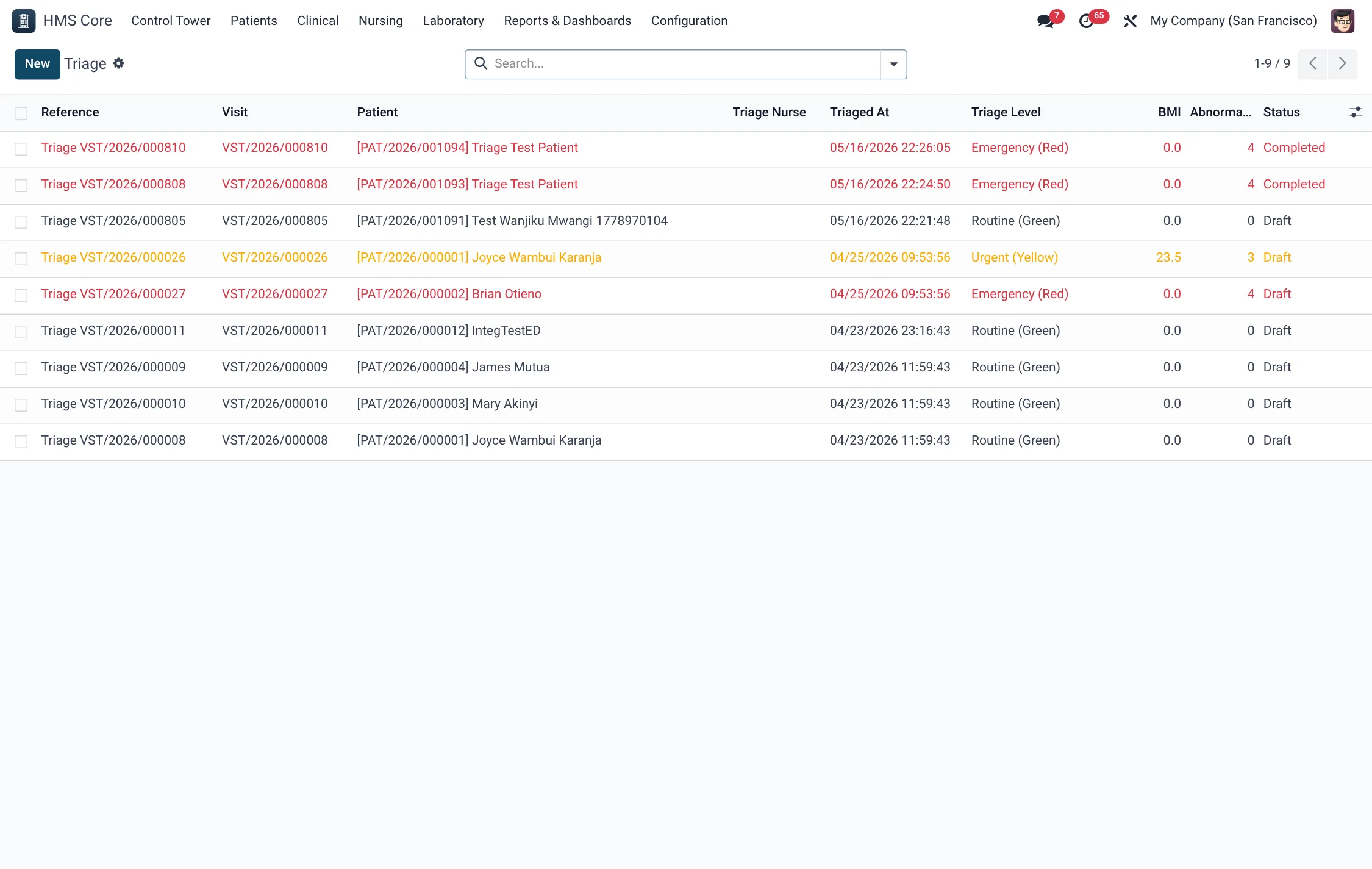
The acuity scale
Triage assigns one of five acuity levels, colour-coded and mapped to a time-to-be-seen target:
| Triage level | Acuity | Target to be seen |
|---|---|---|
| Red — Immediate (ESI 1) | Life-threatening, resus now. | 0 minutes |
| Yellow — Urgent (ESI 2) | Urgent, cannot wait long. | 10 minutes |
| Green — Less Urgent (ESI 3) | Stable, can wait. | 30 minutes |
| Blue — Minor (ESI 4–5) | Minor problem. | 60 minutes |
| Black — Dead on Arrival | Deceased on arrival. | n/a |
The colour the nurse assigns drives everything downstream: which worklist the patient appears on, the time target they are measured against, and whether a breach is raised if that target is missed.
Triage a walk-in arrival
- From the arrival (or the Today worklist) launch Rapid Triage. The wizard opens against that arrival.
- Choose the Triage Level — the acuity colour from the scale above.
- Record first vitals: BP systolic and diastolic, pulse, respiratory rate, SpO2 and a pain score (0–10).
- Assign a bed if one is needed (Red patients go to resus); name the triage nurse.
- Submit. The arrival moves to the Triaged state, the triage completion time is stamped, the triage target and any breach are calculated, and the patient appears on the matching colour worklist.
Ambulance & pre-hospital arrivals
When a crew calls ahead, open Ambulance Receive and capture the ambulance identifier, ETA in minutes, a provisional triage colour and, for trauma, the accident type and any police OB number. On arrival this seeds the arrival record so the patient is effectively pre-triaged and a bed can already be waiting. The crew’s ATMIST/MIST pre-hospital report is held on the arrival’s paramedic report field. Linking the receive to an active MCI lets a wave of ambulance patients flow into a mass-casualty incident.
For accident and trauma cases the arrival also carries an Accident Type, which feeds the medico-legal record and trauma documentation:
| Accident Type | Covers |
|---|---|
| Road Traffic Accident | Vehicle collisions and pedestrian knock-downs. |
| Assault | Interpersonal violence, including stab and gunshot wounds. |
| Burn | Thermal, chemical and electrical burns. |
| Fall | Falls from height or on the level. |
| Poisoning | Overdose, ingestion and toxic exposure. |
| Drowning | Submersion and near-drowning. |
| Electric Shock | Electrocution injuries. |
| Industrial Accident | Workplace and machinery injuries. |
| Animal Bite / Attack | Bites, stings and animal attacks. |
| Other | Any mechanism not covered above. |
From triage to disposition
After triage the arrival walks a defined state path. Each step is a button on the arrival, and the status is what the worklists and whiteboard read:
| State | Meaning |
|---|---|
| Arrived | Registered, not yet triaged. |
| Triaged | Acuity colour assigned. |
| Awaiting Doctor / In Consultation | Assigned to a clinician and being seen. |
| Awaiting Investigation / Awaiting Disposition | Labs/imaging pending, then decision pending. |
| Admitted / Discharged / Transferred Out | Left the ED to a ward, home, or another facility. |
| Deceased / Left Against Medical Advice / Absconded | The other closing outcomes. |
The disposition is the closing decision and has its own fixed type list. Choosing Admit — ICU, for example, links the patient through to a critical-care admission:
| Disposition | What it does |
|---|---|
| Discharge Home | Closes the arrival; patient goes home. |
| Admit - General Ward | Routes to a general inpatient admission. |
| Admit - ICU | Routes to a critical-care admission. |
| Admit - HDU | Routes to a high-dependency admission. |
| Direct to Theatre | Sends the patient straight to surgery. |
| Transfer to External Facility | Moves the patient out to another hospital. |
| Mortuary | For a death; routes to the mortuary. |
Timing & breach tracking
Every arrival measures itself. From the triage colour the system knows the target minutes, stamps the triage completion time, and sets a triage breach flag if the target was missed. It also tracks minutes in the ED, minutes to doctor and minutes to disposition. This means the ED Dashboard and ED Whiteboard can show wait-time performance and breaches with no manual stopwatch — the charge nurse sees at a glance which patients are running over their colour target.
Field reference
| Field | Meaning | Required |
|---|---|---|
| Triage Level | Acuity colour (Red/Yellow/Green/Blue/Black). | Yes |
| BP, Pulse, Resp, SpO2, Pain | First vitals taken at triage. | Recommended |
| Triage Nurse | Who performed the triage. | Recommended |
| Assigned Bed | Bed the patient is placed in (resus for Red). | If needed |
| Triage Target / Breach | Computed target minutes and whether it was missed. | Auto |
| Disposition Type | The closing decision out of the ED. | At disposition |
Tips & troubleshooting
Worklists & the whiteboard
Triage exists to drive flow, and the worklists are where that flow becomes visible. The moment a colour is assigned, the patient drops onto the matching Red, Yellow or Green arrivals list, and onto the ED Whiteboard that the charge nurse watches. The whiteboard is the single source of truth for the floor: who is waiting, what colour they are, how long they have been in the department, and whether they have breached their target. Because the colour and the timing are set at triage, the board stays accurate without anyone updating it by hand — re-triaging a deteriorating patient simply moves them to a higher-priority list.
This is also why triage discipline matters for the whole department’s numbers. The triage colour seeds the time target, the breach flag and the downstream worklist all at once, so a careful, consistent triage step keeps the ED Dashboard honest and the sickest patients at the top of the queue. A rushed or skipped triage, by contrast, leaves a patient invisible on the colour lists and untimed against any target.
Related
- Emergency overview — the full ED flow and resuscitation.
- Admit, transfer & discharge — where admitted ED patients go.
- ICU & Critical Care — for Admit–ICU dispositions.