

Billing
Billing is where every clinical event a patient generates — a consultation, a lab test, an X-ray, a dispensed drug, a bed-night — becomes money the hospital can collect. BridgeERP HMS models this as a full revenue cycle: charges are captured automatically as care is delivered, assembled into a bill, split between the patient and their insurer, sent for prior authorisation where required, billed as an invoice, collected through cash or M-Pesa, and — when a payer disputes or short-pays — worked through denials, appeals, A/R aging and write-offs. This overview orients cashiers, billing officers and revenue-cycle managers to the whole chain before you drill into the detail pages.
What the revenue cycle covers
Revenue Cycle Management (RCM) is the end-to-end discipline of turning delivered care into collected cash with the least leakage. In BridgeERP HMS it spans five linked stages, each backed by its own records:
- Charge capture — every billable service becomes a charge line on the patient's bill, priced from the charge master and routed to the correct revenue account and cost centre.
- Bill assembly — charges are gathered onto a single bill per visit, the patient-versus-insurer split is computed, and the bill is locked and turned into an invoice.
- Prior authorisation — high-cost imaging, specialty drugs, surgery and admissions are cleared with the payer before the service, so the claim is not denied later.
- Payment & claims — the patient share is collected (cash, card, cheque, bank transfer, M-Pesa), and the insurer share is submitted as an insurance/NHIF–SHA claim.
- Follow-up — denials are logged and appealed, receivables are aged by payer, and uncollectable balances are written off under approval.
Where to find it
The whole area lives under the top-level Billing application, organised into two branches plus configuration:
- Billing → RCM — the revenue-cycle workbench. It contains RCM → Charges (Charge Master, DRG Grouper, Router Rules), RCM → Contracts (Payer Contracts), RCM → Denials (Denials, Denial Reasons), RCM → Receivables (A/R Aging, Write-Offs) and the RCM → Dashboard KPI view.
- Billing → Prior Auth — pre-service clearance. It opens PA Requests, a Dashboard, Appeals, and under Prior Auth → Configuration the Auto-Fire Rules and Coverage Requirements (CRD).
- Billing → Configuration → Settings — the area's installation-wide options.
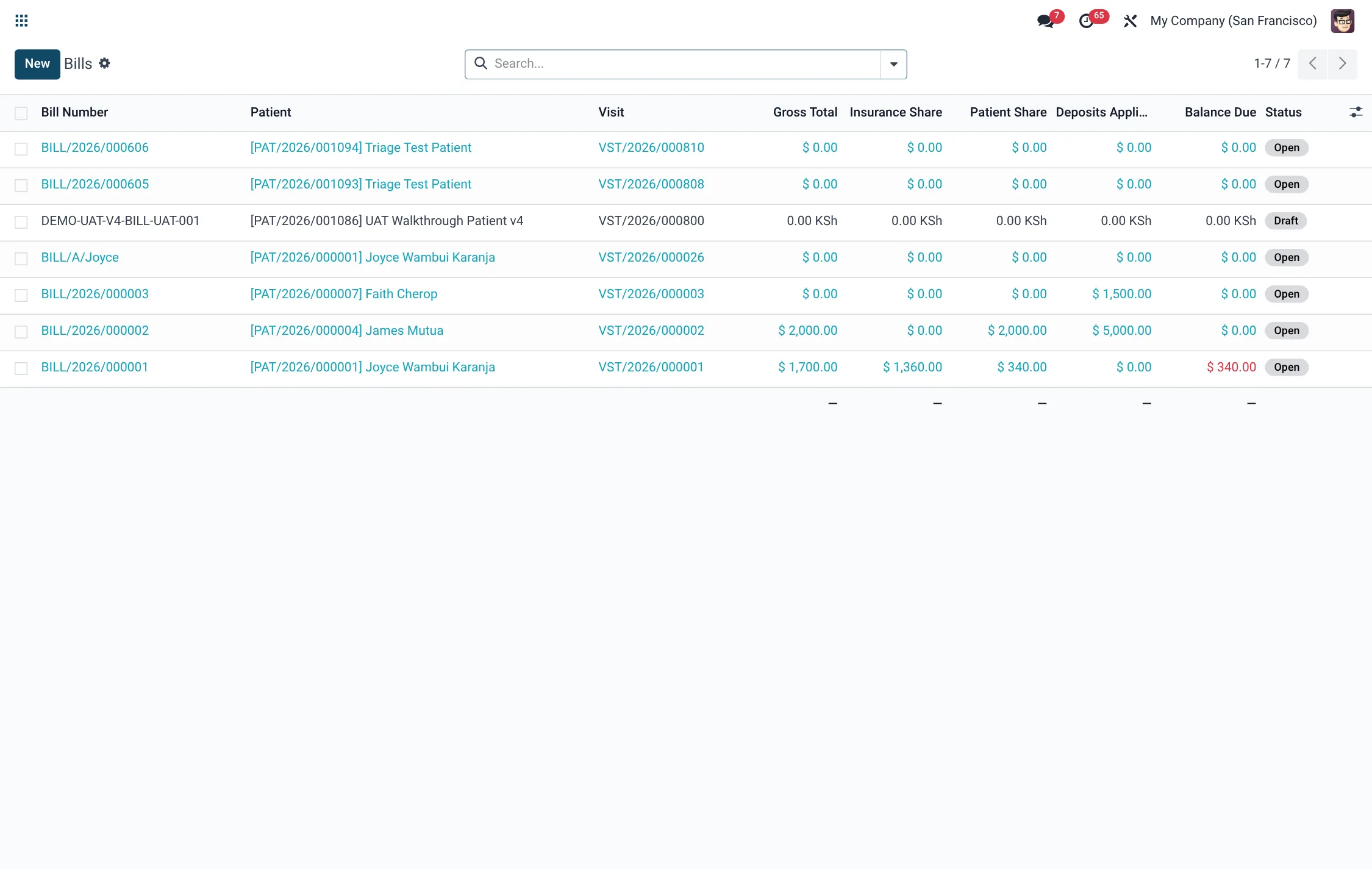
Day-to-day cashiering — the patient bill, the cash collection and the M-Pesa receipt — is covered on the two child pages: Charges & bills for building the bill, and Payments & claims for collecting it and recovering the insurer share.
Before you start
Billing only works once its master data is loaded. Confirm the following are in place before the first patient is billed:
- A populated Charge Master so every service has a price, a service type and a revenue account.
- At least one Service Tariff set, since charges price themselves from the tariff linked to the service.
- The hospital's insurance schemes (including NHIF/SHA and private payers) and, where negotiated, their Payer Contracts.
- For mobile-money collection, a configured M-Pesa shortcode; for tax compliance, the eTIMS device configuration.
The end-to-end flow
A typical billed visit moves through these steps:
- The patient is registered and a visit is opened.
- As clinicians work, each consultation, lab request, dispense and radiology order raises a charge automatically against the visit.
- If a service needs payer clearance, a PA Request is fired (often automatically by an Auto-Fire Rule) and must reach Approved before the service proceeds.
- Charges accumulate on the visit's bill, which computes the patient and insurance shares.
- The cashier locks the bill and generates the invoice; the bill moves Draft → Open → Locked → Invoiced.
- The patient share is collected as a payment; the bill moves to Paid when fully settled.
- The insurer share is sent as an insurance claim; on remittance any shortfall becomes a denial to appeal or a write-off.
Billing menus at a glance
The Billing application groups every revenue-cycle screen under two branches. Use this map to find the right list quickly:
| Branch | Menu | Opens |
|---|---|---|
| RCM → Charges | Charge Master | The catalogue of billable items (hms.rcm.charge.master) |
| RCM → Charges | DRG Grouper | Diagnosis-related-group case bundles (hms.rcm.drg.grouper) |
| RCM → Charges | Router Rules | Cost-centre and revenue routing (hms.rcm.charge.router) |
| RCM → Contracts | Payer Contracts | Negotiated rates per payer (hms.rcm.contract) |
| RCM → Denials | Denials / Denial Reasons | Rejected claims and reason codes (hms.rcm.denial) |
| RCM → Receivables | A/R Aging / Write-Offs | Aged balances and approved write-offs (hms.rcm.ar.aging) |
| RCM | Dashboard | The revenue-cycle KPI board (hms.rcm.kpi.dashboard) |
| Prior Auth | PA Requests / Dashboard / Appeals | Pre-service clearance (hms.priorauth.request) |
| Prior Auth → Configuration | Auto-Fire Rules / Coverage Requirements (CRD) | PA automation and payer rules (hms.priorauth.rule) |
Key records at a glance
| Record | Model | Role in the cycle |
|---|---|---|
| Charge | hms.charge | One billable service line, priced and routed |
| Bill | hms.bill | All charges for a visit, split patient vs insurer |
| Payment | hms.payment | A collection of the patient share |
| PA Request | hms.priorauth.request | Pre-service clearance with the payer |
| Insurance Claim | hms.insurance.claim | The insurer-share submission |
| Denial | hms.rcm.denial | A payer's rejection, with reason code |
| Write-Off | hms.rcm.write.off | An approved removal of uncollectable balance |
Roles & access
Access is layered so frontline staff see only their facility's money while managers see the whole book:
| Group | Can do |
|---|---|
| HMS Bill / cashier (facility) | Build and collect bills, payments and deposits scoped to their own facility |
| HMS Bill / manager (all) | See and manage bills, payments and deposits across every facility |
| RCM User | Work charges, contracts, denials and receivables |
| RCM Manager | Approve write-offs, manage contracts and read the KPI dashboard |
Prior-authorisation states
Every high-cost service that needs payer clearance is tracked by a PA Request whose status tells you whether the service is safe to deliver and bill. A request must reach Approved before the service proceeds:
| State | What it means |
|---|---|
| Draft | Request created but not yet sent to the payer |
| Submitted | Sent to the payer for review |
| Pending Payer Review | Awaiting the payer's decision |
| Approved | Cleared; an authorisation number and validity window are stamped |
| Denied | Refused; a denial reason is recorded |
| Appealed | A denial is being contested through an appeal |
| Cancelled | Request withdrawn before a decision |
Denial reason categories
When a payer rejects or short-pays a claim, the denial is logged against a reason code grouped into one of these categories. The category drives whether the denial is appealable and how it is worked:
| Category | Typical cause |
|---|---|
| Eligibility / Coverage | Patient not covered on the date of service |
| Authorization / Pre-Cert | No approved prior authorisation existed |
| Coding / Documentation | Wrong or unsupported codes |
| Medical Necessity | Payer judged the service not necessary |
| Duplicate Claim | The same claim was already submitted |
| Timely Filing | Submitted after the payer's filing deadline |
| Bundling / Unbundling | Lines billed separately that should be combined |
| Benefit Maximum | The benefit cap for the service was reached |
| Coordination of Benefits | Another payer is primary |
| Other | Any reason outside the above |
Dashboards & KPIs
The Billing → RCM → Dashboard surfaces the health of the revenue cycle: Days in A/R, Denial Rate (%), Clean Claim Rate (%), Collection Rate (%), total A/R and total denied over the trailing 90 days. The Prior Auth → Dashboard tracks how many authorisations are pending, approved and denied. Use these as your daily and weekly control points.
Tips & troubleshooting
Related
- Charges & bills — the charge master, charge capture and building an invoice.
- Payments & claims — collections, M-Pesa, NHIF–SHA claims, denials and write-offs.