

New Transfer
A wizard (mfi.rtgs.transfer.wizard) for originating an RTGS or EFT instruction to a beneficiary bank. It collects beneficiary, bank and amount details, validates them and queues the instruction for settlement through the central-bank rail. This is the controlled entry point for high-value outbound bank payments.
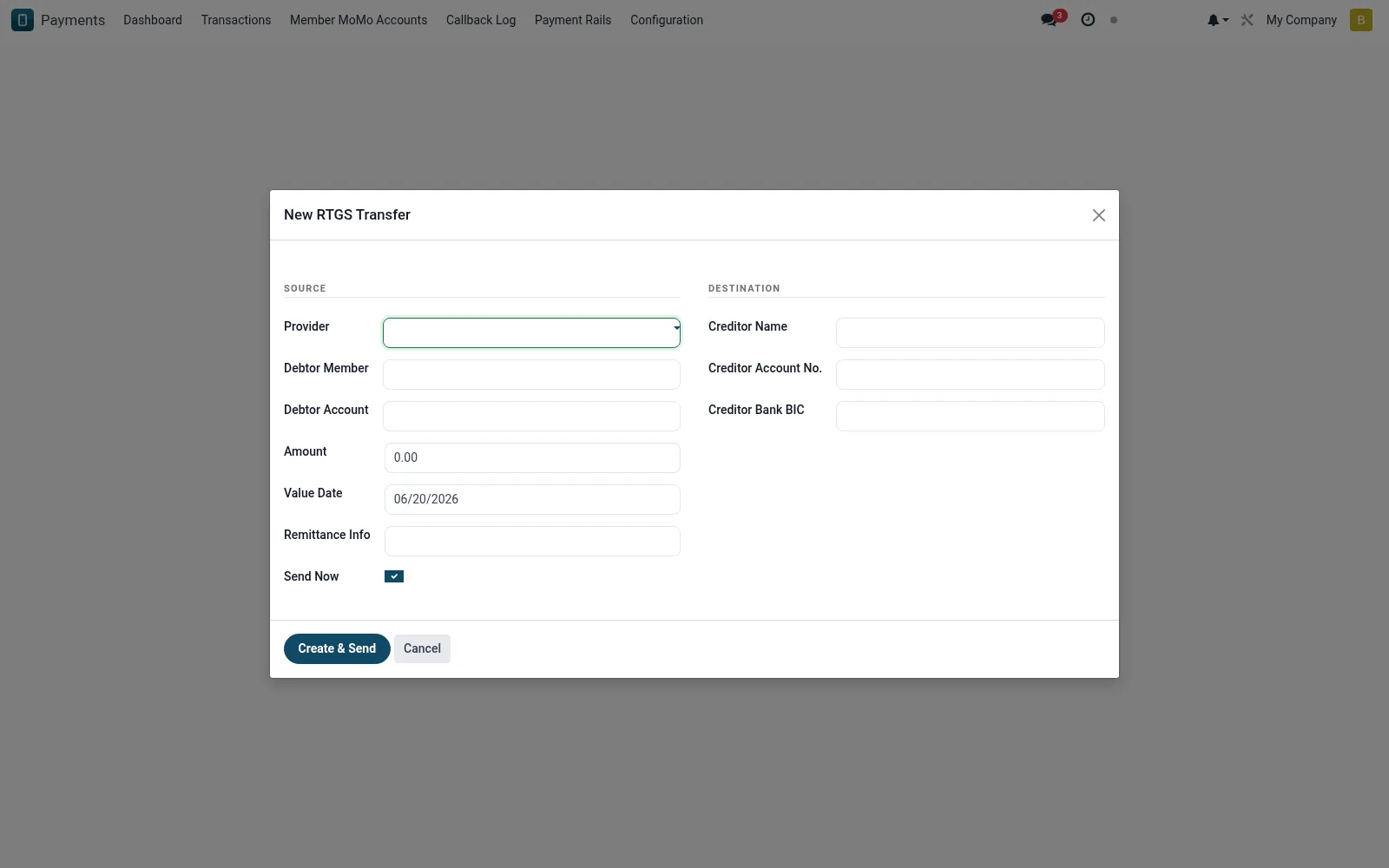
Workflow
- Open New Transfer under RTGS & EFT.
- Choose RTGS for real-time or EFT for batched settlement.
- Enter the beneficiary bank, account and amount.
- Add the payment reference and supporting narrative.
- Submit to generate a tracked mfi.rtgs.transaction.
Fields reference
Every field on this screen, drawn from the live data model.
| Field | Type | Required | Description |
|---|---|---|---|
Providerprovider_id | Link → mfi.rtgs.provider | Yes | Provider |
Creditor Namecreditor_name | Text | Yes | Creditor Name |
Creditor Account No.creditor_account | Text | Yes | Creditor Account No. |
Creditor Bank BICcreditor_bank_bic | Text | Yes | Creditor Bank BIC |
Amountamount | Money | Yes | Amount |
Value Datevalue_date | Date | Yes | Value Date |
Debtor Memberdebtor_member_id | Link → mfi.member | — | Debtor Member |
Debtor Accountdebtor_account_id | Link → mfi.savings.account | — | Debtor Account |
Currencycurrency_id | Link → res.currency | — | Currency |
Remittance Inforemittance_info | Text | — | Remittance Info |
Send Nowsend_immediately | Yes/No | — | Send Now |
Actions & buttons
Buttons available on this screen and what they do:
- Create & Send
Notes & rules
- RTGS settles individually in real time; EFT settles in batches.
- Used for high-value payments above mobile-money and PesaLink ceilings.
- Each submission creates an auditable transaction record.
- Beneficiary details are validated before the instruction is queued.
Was this page helpful?