

Transactions
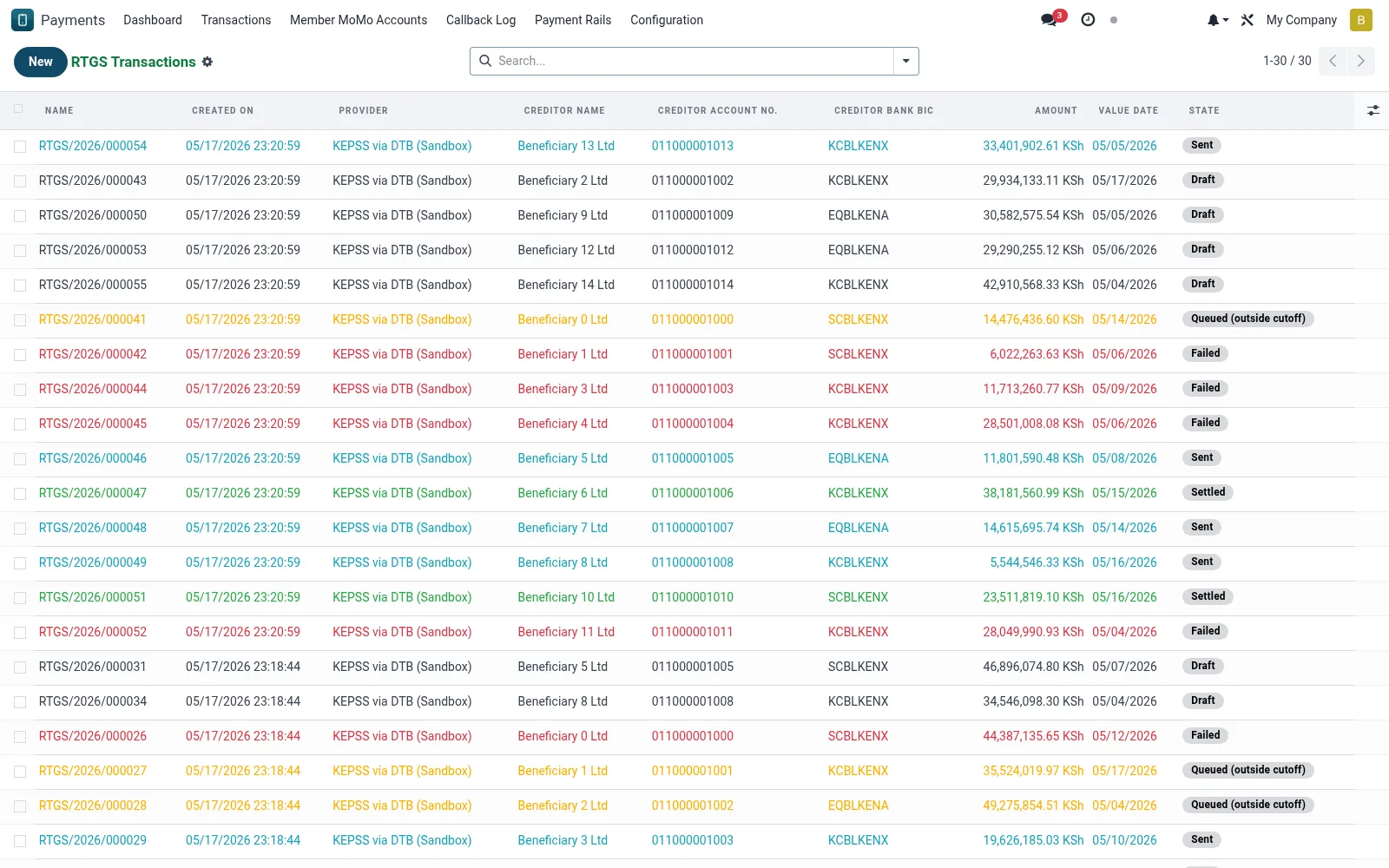
The ledger of RTGS and EFT transfers (mfi.rtgs.transaction) with their settlement status, value dates and bank references. It tracks each instruction from submission through central-bank acknowledgement to settlement. Treasury uses it to confirm large payments cleared and to feed daily reconciliation.
Workflow
- Open Transactions under RTGS & EFT.
- Filter by RTGS versus EFT, status or value date.
- Open a record to inspect bank references and settlement status.
- Confirm settlement acknowledgement for high-value items.
- Flag unsettled or returned transfers for reconciliation.
Fields reference
Every field on this screen, drawn from the live data model.
| Field | Type | Required | Description |
|---|---|---|---|
Namename | Text | Yes | Name |
Providerprovider_id | Link → mfi.rtgs.provider | Yes | Provider |
Creditor Namecreditor_name | Text | Yes | Creditor Name |
Creditor Account No.creditor_account | Text | Yes | Creditor Account No. |
Creditor Bank BICcreditor_bank_bic | Text | Yes | Creditor Bank BIC |
Amountamount | Money | Yes | Amount |
Value Datevalue_date | Date | Yes | Value Date |
Statestate | Choice: Draft, Queued (outside cutoff), Sent, Settled, Failed, Reversed | Yes | State |
Has Messagehas_message | Yes/No | — | Has Message |
Companycompany_id | Link → res.company | — | Company |
Currencycurrency_id | Link → res.currency | — | Currency |
Debtor Memberdebtor_member_id | Link → mfi.member | — | Debtor Member |
Debit From Accountdebtor_account_id | Link → mfi.savings.account | — | Debit From Account |
Remittance Info / Narrativeremittance_info | Text | — | Remittance Info / Narrative |
Msgmsg_id | Text | — | Msg |
Sponsor Bank Referencesponsor_ref | Text | — | Sponsor Bank Reference |
Settlement Datesettlement_date | Date & time | — | Settlement Date |
Failure Reasonfailure_reason | Text | — | Failure Reason |
Raw Requestraw_request | Long text | — | Raw Request |
Raw Responseraw_response | Long text | — | Raw Response |
Linked Savings Debitsavings_transaction_id | Link → mfi.savings.transaction | — | Linked Savings Debit |
Actions & buttons
Buttons available on this screen and what they do:
- Send to RTGS
- Reverse
Status lifecycle
Records on this screen move through these statuses:
Draft → Queued (outside cutoff) → Sent → Settled → Failed → Reversed
Notes & rules
- Separates real-time RTGS items from batched EFT items.
- Value date drives when EFT batches are expected to clear.
- Bank reference ties each item to the settlement statement.
- Feeds the RTGS reconciliation workspace.
Was this page helpful?