

Overdue
Lists complaints that have breached, or are about to breach, their resolution SLA. This is the escalation view supervisors monitor to ensure no member grievance is left unattended, protecting both the member and the institution's conduct record.
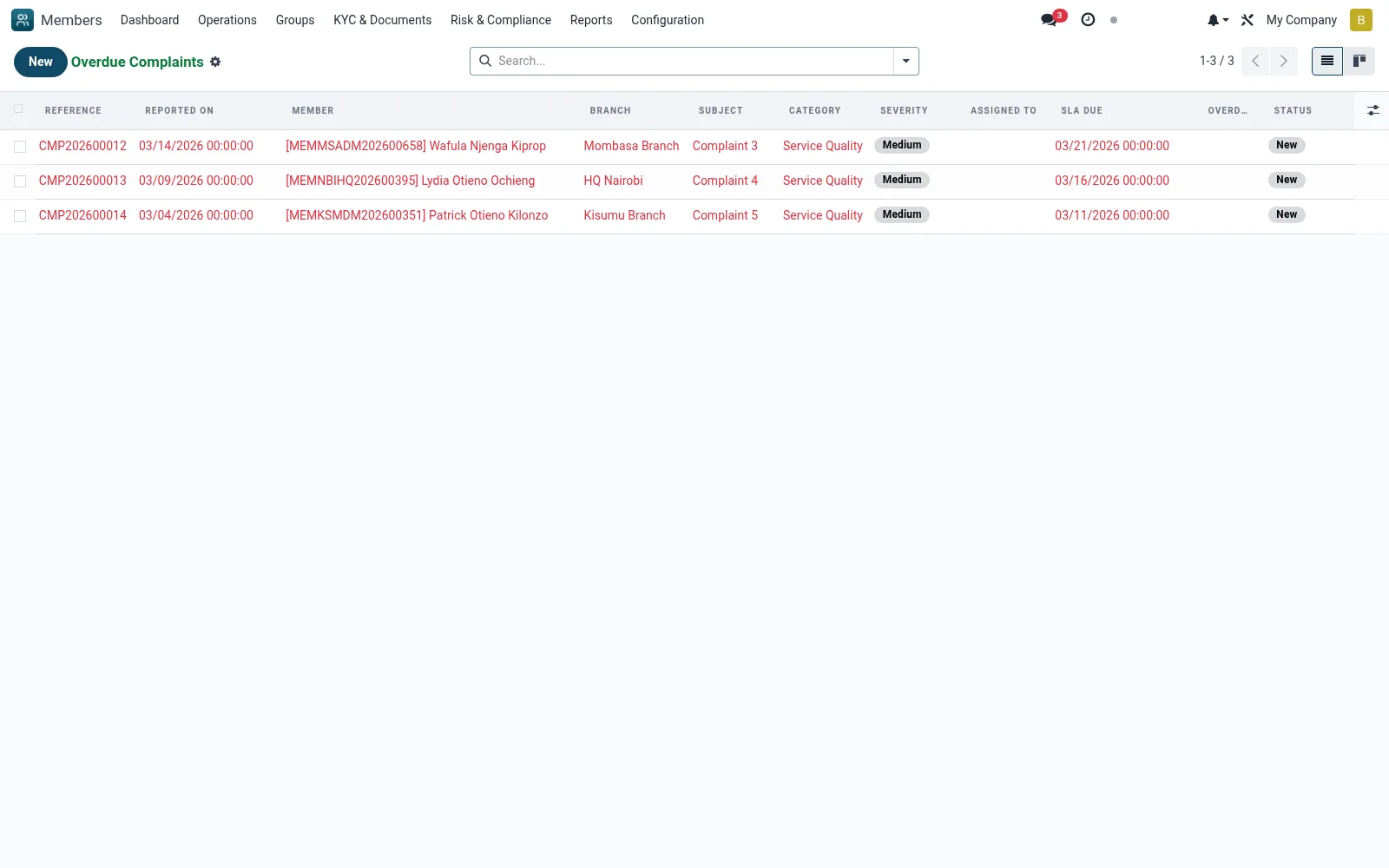
Workflow
- Open Complaints then Overdue
- Review cases past their resolution deadline
- Reassign or escalate stalled cases to a senior officer
- Contact the affected member with an update
- Drive each overdue case to closure and note the delay reason
Fields reference
Every field on this screen, drawn from the live data model.
| Field | Type | Required | Description |
|---|---|---|---|
Subjectname | Text | Yes | Subject |
Membermember_id | Link → mfi.member | Yes | Member |
Categorycategory | Choice: Service Quality, Fees / Charges, Account Issue, Loan Issue, Staff Conduct, Discrimination, Fraud / Suspicious Activity, Other | Yes | Category |
Severityseverity | Choice: Low, Medium, High, Critical | Yes | Severity |
Descriptiondescription | Rich text | Yes | Description |
Reported Onreported_date | Date & time | Yes | Reported On |
Reported Byreported_by | Choice: Member (Self), Branch Officer, Call Centre, Social Media, Regulator Referral | Yes | Reported By |
Statusstate | Choice: New, Assigned, Investigating, Resolved, Escalated, Closed, Reopened | Yes | Status |
Has Messagehas_message | Yes/No | — | Has Message |
Referencereference | Text | — | Reference |
Member Nomember_no | Text | — | Member No |
Branchbranch_id | Link → mfi.branch | — | Branch |
Companycompany_id | Link → res.company | — | Company |
Supporting Documentsattachment_ids | Tags | — | Supporting Documents |
Contact Channelcontact_channel | Choice: In Person, Phone, Email, SMS, WhatsApp, Social Media, Member Portal, Letter | — | Contact Channel |
Assigned Toassigned_to_id | Link → res.users | — | Assigned To |
Assigned Onassigned_date | Date & time | — | Assigned On |
Resolutionresolution | Long text | — | Resolution |
Resolved Onresolved_date | Date & time | — | Resolved On |
Resolved Byresolved_by_id | Link → res.users | — | Resolved By |
Closed Onclosed_date | Date & time | — | Closed On |
SLA Duesla_due_date | Date & time | — | SLA Due |
SLA (hours)sla_hours | Number | — | SLA (hours) |
Overdueoverdue | Yes/No | — | Overdue |
SLA Breach Notifiedbreached_notified | Yes/No | — | SLA Breach Notified |
Satisfactionsatisfaction_rating | Choice: 1 - Very Dissatisfied, 2 - Dissatisfied, 3 - Neutral, 4 - Satisfied, 5 - Very Satisfied | — | Satisfaction |
Satisfaction Commentsatisfaction_comment | Long text | — | Satisfaction Comment |
Rating Submittedsatisfaction_date | Date & time | — | Rating Submitted |
Escalated to Regulatorescalation_to_regulator | Yes/No | — | Escalated to Regulator |
Regulatorregulator_body | Choice: Central Bank of Kenya (CBK), SASRA, Financial Reporting Centre (FRC), Other | — | Regulator |
Regulator Referenceregulator_ref | Text | — | Regulator Reference |
Escalation Dateregulator_date | Date & time | — | Escalation Date |
Actions & buttons
Buttons available on this screen and what they do:
- Assign to Me
- Start Investigating
- Mark Resolved
- Close
- Escalate to Regulator
- Reopen
Status lifecycle
Records on this screen move through these statuses:
New → Assigned → Investigating → Resolved → Escalated → Closed → Reopened
Notes & rules
- Model mfi.member.complaint filtered to overdue SLA
- Escalation / supervisor monitoring view
- Highlights conduct and SLA-breach risk
- Pairs with Assigned to Me for handler workload
Was this page helpful?