

New
A quick-capture form to register a new member complaint or grievance. It records the complainant, category, channel and description, and starts the SLA clock for resolution. Logging complaints formally is a market-conduct and consumer-protection obligation for MFIs and SACCOs.
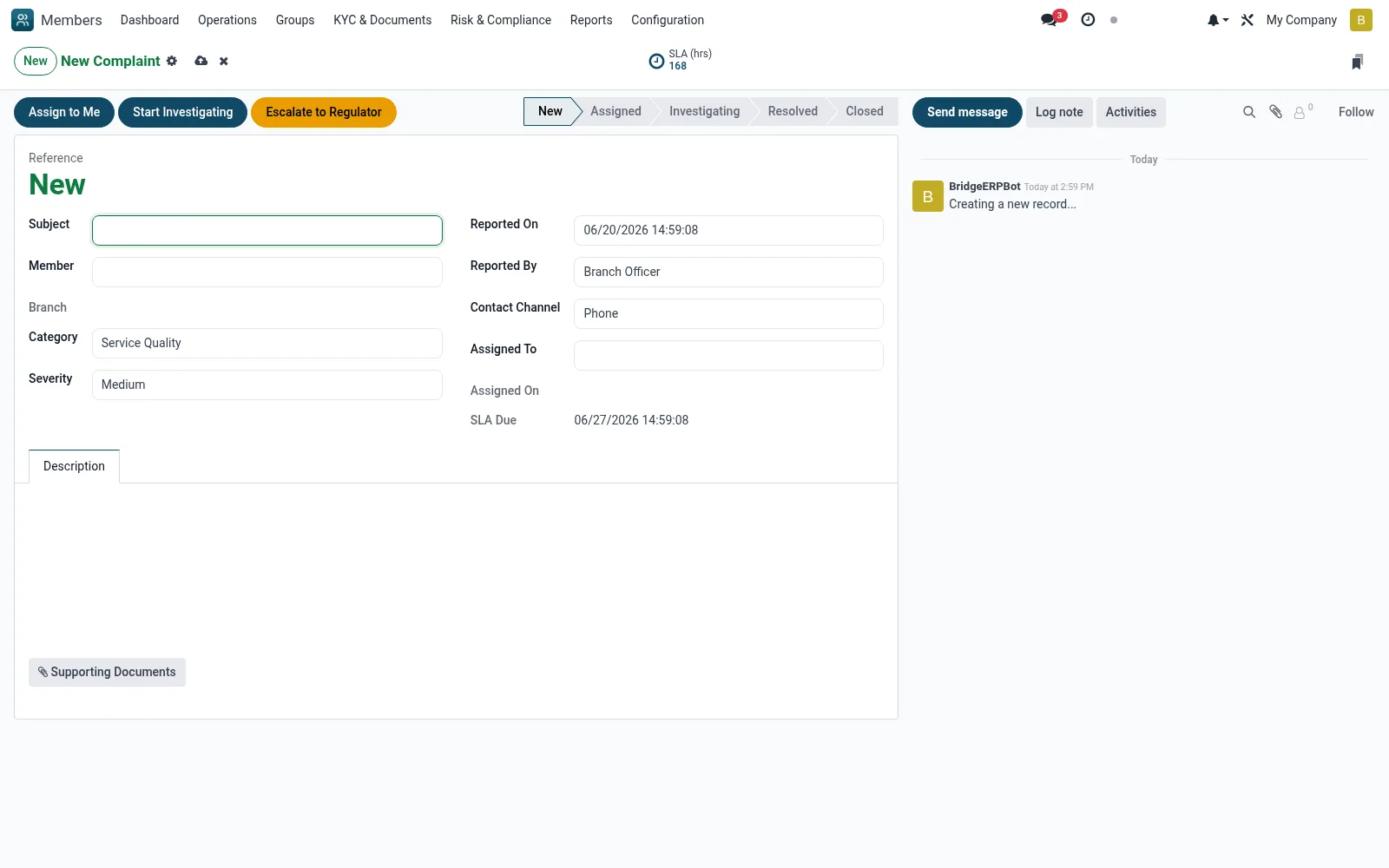
Workflow
- Go to Complaints then New
- Select the member and complaint category
- Describe the issue and record the channel it arrived through
- Set priority and assign it to a handling officer or team
- Save to open the case and start the resolution SLA timer
Fields reference
Every field on this screen, drawn from the live data model.
| Field | Type | Required | Description |
|---|---|---|---|
Subjectname | Text | Yes | Subject |
Membermember_id | Link → mfi.member | Yes | Member |
Categorycategory | Choice: Service Quality, Fees / Charges, Account Issue, Loan Issue, Staff Conduct, Discrimination, Fraud / Suspicious Activity, Other | Yes | Category |
Severityseverity | Choice: Low, Medium, High, Critical | Yes | Severity |
Descriptiondescription | Rich text | Yes | Description |
Reported Onreported_date | Date & time | Yes | Reported On |
Reported Byreported_by | Choice: Member (Self), Branch Officer, Call Centre, Social Media, Regulator Referral | Yes | Reported By |
Statusstate | Choice: New, Assigned, Investigating, Resolved, Escalated, Closed, Reopened | Yes | Status |
Has Messagehas_message | Yes/No | — | Has Message |
Referencereference | Text | — | Reference |
Member Nomember_no | Text | — | Member No |
Branchbranch_id | Link → mfi.branch | — | Branch |
Companycompany_id | Link → res.company | — | Company |
Supporting Documentsattachment_ids | Tags | — | Supporting Documents |
Contact Channelcontact_channel | Choice: In Person, Phone, Email, SMS, WhatsApp, Social Media, Member Portal, Letter | — | Contact Channel |
Assigned Toassigned_to_id | Link → res.users | — | Assigned To |
Assigned Onassigned_date | Date & time | — | Assigned On |
Resolutionresolution | Long text | — | Resolution |
Resolved Onresolved_date | Date & time | — | Resolved On |
Resolved Byresolved_by_id | Link → res.users | — | Resolved By |
Closed Onclosed_date | Date & time | — | Closed On |
SLA Duesla_due_date | Date & time | — | SLA Due |
SLA (hours)sla_hours | Number | — | SLA (hours) |
Overdueoverdue | Yes/No | — | Overdue |
SLA Breach Notifiedbreached_notified | Yes/No | — | SLA Breach Notified |
Satisfactionsatisfaction_rating | Choice: 1 - Very Dissatisfied, 2 - Dissatisfied, 3 - Neutral, 4 - Satisfied, 5 - Very Satisfied | — | Satisfaction |
Satisfaction Commentsatisfaction_comment | Long text | — | Satisfaction Comment |
Rating Submittedsatisfaction_date | Date & time | — | Rating Submitted |
Escalated to Regulatorescalation_to_regulator | Yes/No | — | Escalated to Regulator |
Regulatorregulator_body | Choice: Central Bank of Kenya (CBK), SASRA, Financial Reporting Centre (FRC), Other | — | Regulator |
Regulator Referenceregulator_ref | Text | — | Regulator Reference |
Escalation Dateregulator_date | Date & time | — | Escalation Date |
Actions & buttons
Buttons available on this screen and what they do:
- Assign to Me
- Start Investigating
- Mark Resolved
- Close
- Escalate to Regulator
- Reopen
Status lifecycle
Records on this screen move through these statuses:
New → Assigned → Investigating → Resolved → Escalated → Closed → Reopened
Notes & rules
- Model mfi.member.complaint creation form
- Starts SLA / resolution-deadline tracking
- Captures category, channel, priority
- Feeds Assigned, Overdue and All Complaints views
Was this page helpful?