

Fixed Deposits
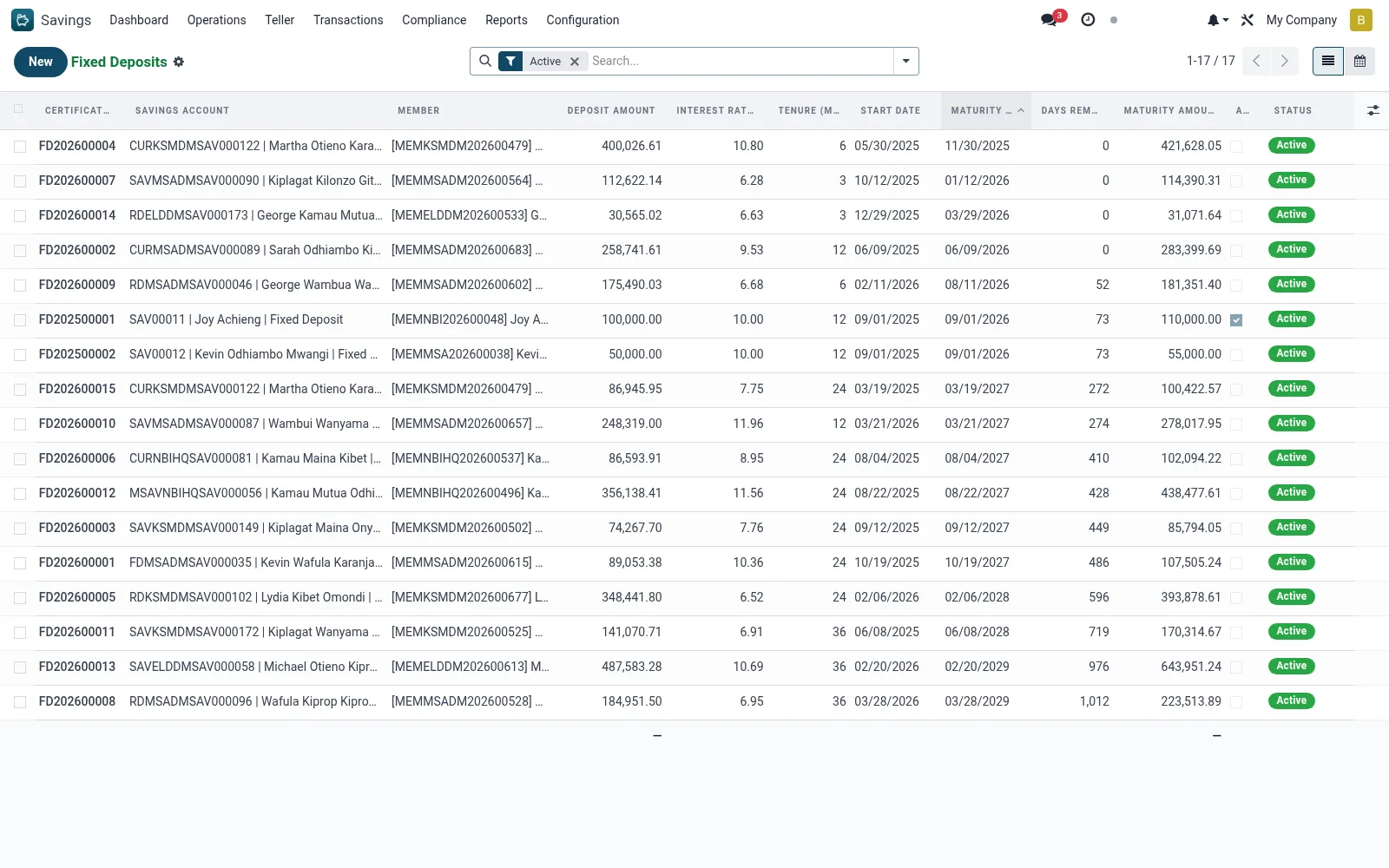
Fixed Deposits manages lump-sum, fixed-tenure investments where a member locks an amount for an agreed term at a contracted interest rate. Each mfi.fixed.deposit record tracks principal, rate, start and maturity dates, accrued interest and the maturity instruction (payout or roll-over).
Workflow
- Open Savings > Operations > Term Deposits > Fixed Deposits.
- Create a new FD, selecting the member, principal, term and interest rate.
- Confirm the maturity date and the maturity instruction (payout or renew).
- Activate the deposit to lock the principal and begin interest accrual.
- On maturity, process payout to the linked savings account or roll over the FD.
- Use the calendar view to track upcoming maturities.
Fields reference
Every field on this screen, drawn from the live data model.
| Field | Type | Required | Description |
|---|---|---|---|
Savings Accountaccount_id | Link → mfi.savings.account | Yes | Savings Account |
Deposit Amountdeposit_amount | Money | Yes | Deposit Amount |
Interest Rate (%)interest_rate | Decimal | Yes | Interest Rate (%) |
Tenure (Months)tenure_months | Number | Yes | Tenure (Months) |
Start Datestart_date | Date | Yes | Start Date |
Has Messagehas_message | Yes/No | — | Has Message |
Membermember_id | Link → mfi.member | — | Member |
Branchbranch_id | Link → mfi.branch | — | Branch |
Currencycurrency_id | Link → res.currency | — | Currency |
Companycompany_id | Link → res.company | — | Company |
Maturity Datematurity_date | Date | — | Maturity Date |
Maturity Amountmaturity_amount | Money | — | Maturity Amount |
Interest Earnedinterest_earned | Money | — | Interest Earned |
Days Remainingdays_remaining | Number | — | Days Remaining |
Auto Rolloverauto_rollover | Yes/No | — | Auto Rollover |
Rollover Typerollover_type | Choice: Principal Only, Principal + Interest | — | Rollover Type |
Times Rolled Overrollover_count | Number | — | Times Rolled Over |
Pre-Mature Withdrawalpremature_withdrawal | Yes/No | — | Pre-Mature Withdrawal |
Penalty Appliedpenalty_applied | Money | — | Penalty Applied |
Statusstate | Choice: Active, Matured, Pre-Mature Closed, Rolled Over, Closed | — | Status |
Certificate No.certificate_number | Text | — | Certificate No. |
Notesnotes | Long text | — | Notes |
Actions & buttons
Buttons available on this screen and what they do:
- Process Maturity
- Pre-Mature Close
- Print Certificate
Status lifecycle
Records on this screen move through these statuses:
Active → Matured → Pre-Mature Closed → Rolled Over → Closed
Notes & rules
- Records on mfi.fixed.deposit with list, form and calendar views.
- Interest accrues over the fixed term per the contracted rate.
- Early withdrawal typically applies a penalty per product configuration.
Was this page helpful?